Ultimate Weapon Tutorial for Portfolio by LaurentiuN

Duration:Over 35 hours
Actual Duration:36h 52m
Release date:2025
Publisher:Artstation
Skill level:Intermediate
Language:English
Exercise files:Yes
Software:Plasticity, ZBrush, PIXYZ, 3ds Max, RizomUV, Marmoset Toolbag, Substance Painter
Course URL:https://www.artstation.com/marketplace/p/JmYBB/ultimate-weapon-tutorial-for-portfolio
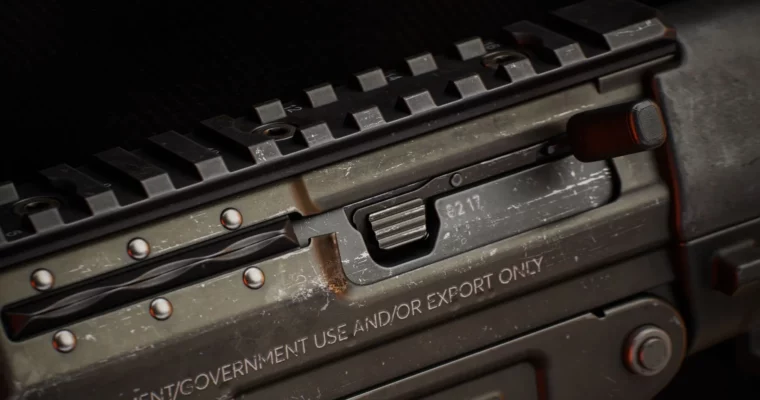
This tutorial walks you through the entire process of creating a high-quality 3D weapon for your portfolio. You’ll go from a rough blockout to a polished, portfolio-ready render using the same techniques used on AAA titles like Call of Duty and Apex Legends.
🎯 What you’ll learn
- Build a high-poly weapon model using Plasticity and ZBrush
- Create a clean, game-ready low-poly model with PIXYZ and 3ds Max
- Professional UV unwrapping in 3ds Max and RizomUV
- Bake high-poly details to low-poly using Marmoset Toolbag
- Realistic weapon texturing in Substance Painter
- Final presentation renders in Marmoset Toolbag
✅ Requirements
- Skills: Basic understanding of 3D modeling and the software used
- Tools: 3-button mouse, drawing tablet
- Hardware: Minimum 16GB RAM, dedicated GPU
📝 Description
This isn’t just a button-mashing tutorial. Laurentiu explains the why behind every decision, from edge flow to material definition. The course is structured around a real-world hard-surface pipeline, so you’re not just learning a tool—you’re learning a workflow.
The texturing chapter is a standout. You’ll get a full breakdown of the Substance Painter file, learning how to build realistic wear, material definition, and surface detail that makes your weapon look like it belongs in a AAA game. The rendering section then shows you how to light and present your work to make it pop in a portfolio.
With over 35 hours of fully narrated, 1440p video, you get a front-row seat to a senior artist’s process. No time-lapses, no skipping steps—just a complete, transparent walkthrough.
🧑🎓 Who this course is for
- Intermediate artists looking to level up their hard-surface skills
- Beginners who want a structured, comprehensive pipeline to follow
- Anyone aiming to create a standout weapon for their portfolio
🧑🏫 About the Author
LaurentiuN is a Senior 3D Artist with over 14 years of experience in the game industry. He has worked on major titles including Call of Duty and Apex Legends, bringing a wealth of real-world production knowledge to this tutorial. His teaching style focuses on practical, industry-proven techniques rather than theory.
🏁 Final Result
- A fully textured, high-quality 3D weapon model ready for your portfolio
- A polished Marmoset Toolbag render with professional lighting and presentation
- A deep understanding of the complete AAA weapon art pipeline
 Channel