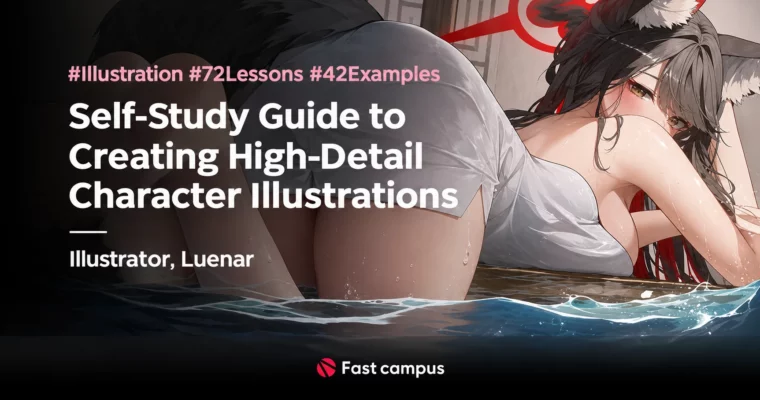
Self-Study Guide to Creating High-Detail Character Illustrations by LueNar

Duration:68 clips, about 26 hours
Actual Duration:50h 44m
Release date:2025, May 30
Publisher:FastCampus
Skill level:Advanced
Language:English
Exercise files:Yes
Software:Clip Studio Paint EX
Course URL:https://fastcampus.co.kr/dgn_online_luenar
Learn high-density character illustration the self-taught way with illustrator Luenar — from lively faces, bodies, and poses through light, color, and value theory into full composition setup, perspective, silhouette, and story-driven directing, ending with complete one-person and multi-person illustrations taken to maximum density with post-correction.
🎯 What you’ll learn
- Build the foundation fast — reference collecting, file rules, brushes, and Clip Studio Paint EX interface setup
- Draw lively faces, bodies, and poses with anatomy, range of motion, and efficient practice habits
- Paint with volume and density — light, color, and value theory learned through analysis, not blind copying
- Render body parts, faces with deformation, clothing patterns, and different materials all in one system
- Give pictures purpose — story, audience, and the pros and cons of each visual choice
- Set up full illustration composition — the 5W1H of staging, subject placement, depth elements, and value/hue-contrast eye-flow analysis
- Control camera — cubes, high and low angles, perspective, and foreshortening matched to characters
- Clean silhouettes — face lines and body lines that read prettiest and most three-dimensional
- Pose naturally — face, upper-body, and lower-body poses, including Luenar’s Top-3 mood poses
- Raise color expression — character-matched palettes, sticking color direction, color mixing, and lighting in one pass
- Direct with light and line — character rendering, background rendering, and atmosphere that makes characters pop
- Push density to the limit — overall density, detail density, texture rendering, and post-correction
✅ Requirements
- Skills: Anyone interested in drawing and illustration — runs intro to applied to advanced in order, with key points taught to be easy and effective for first-time beginners while scaling to deeper expression for experienced artists
- Tools: CLIP STUDIO PAINT EX Version 3.0.4 (purchase separately, not included). Class benefits: 42 illustration example PSDs, Luenar’s line and coloring brushes (core brushes partially provided), illustration practice materials, lecture images and practice files
- Hardware: PC capable of running Clip Studio Paint EX; drawing tablet recommended for drawing practice
- Languages: Audio Korean; Korean subtitles provided; lifetime access after full release
📝 Description
Two years after debut, 6 million tweet views, 100,000 retweets, goods sold out in 20 minutes — this FastCampus All-in-One Online course puts freelance illustrator Luenar’s customer-capturing character illustration know-how into one self-study guide, from drawing through coloring, directing, and density techniques that level skills up in a short time.
The method is logical instead of purely sensory: every pose, composition, color, and staging choice gets a reason, so work stops looking merely pretty and starts carrying story. You start with the base — workspace and brush setup, reference and file rules, eye-catching face and body deformation, varied poses and prop staging from reference, pen choice and pressure control for living lineart, then palette-matched underpainting, first-pass shading, close rendering of skin, hair, costume, and props, background selection, and light-expression know-how that enriches work.
The applied block builds concept and directing: giving pictures purpose, reading the audience, the 5W1H of composition, subject and story setup, depth elements, value-contrast and hue-contrast eye-flow analysis, cube and angle setup with high and low angles, perspective and foreshortening, silhouette cleanup, natural poses, character-matched palettes, and lighting plus rendering in one pass.
Two advanced blocks then paint complete illustrations end to end — first single-character, then two-or-more-character work: concept with 5W1H and story, rough and color rough, head-to-toe drawing, detail coloring, composition and lighting direction, per-character attractive composition, costume- and mood-matched color, prettiest face lines and most dimensional body lines, Top-3 mood poses, trait-driven rendering, overall and detail density passes, and post-correction that lifts completeness to the top.
Lecture benefits are practical: 42 illustration example PSDs, the artist’s actual line and coloring brushes with usage know-how, practice sheets, and lecture image files, plus a 72-lesson unlimited study structure. Page curriculum lists 5 parts / 26 chapters / 68 clips with part runtimes summing to about 26:12:25 (header markets about 26 hours); cover title markets 72 lessons and 42 examples. Release was staged in 4 rounds with full release on May 30, 2025. Program version referenced on the page is Clip Studio Paint EX 3.0.4.
🧑🎓 Who this course is for
- Beginners who do not know where to start or how to practice from the ground up
- Artists who only draw by feeling and want to analyze and apply logically
- Illustrators whose work feels flat and who want richer density, light, shadow, and correction
- Character artists aiming at story-feeling, eye-catching work and commissioned-level completeness
🧑🏫 About the Author
Luenar (루나르) is a Korean freelance illustrator who rose to the top in a short time after debut — 6 million views on X (Twitter), 100,000 retweets, goods sold out in 20 minutes, pixiv overall monthly ranking No. 9 as of December 2024, with commissions perpetually waitlisted. Project work includes 2024 Machiko and Chara character illustrations, Seoul Comic World Winter professional booth projects, 2023 Blue Archive 1.5th anniversary festival booth, Illustar Fes medium booth, and Seoul Comic World Winter professional booth projects, plus overseas virtual YouTuber character and sheet work and unannounced 2025 outsourcing. Active on X as @ln_a_ru and on pixiv (users/36520945), Luenar teaches the illustration formulas and fast-growth skills built over two years of technique plus directing, story, and depth — how to remember only the core points of drawing, coloring, application, character analysis, situation setup, and space composition without difficulty.
🏁 Final Result
- Finished single-person illustration — from concept, rough and color rough through drawing, coloring, composition, lighting, silhouette, pose, background rendering, density passes, and post-correction
- Finished two-or-more-person illustration — per-character attractive composition, perspective handling, mood poses, matched color and lighting, and high-density finishing
- Self-study system: 5W1H concept setup, story depth, eye-flow analysis, objective self-checks, and steady-growth habits for continuous leveling
📢 Guys, this is a Group Buy campaign, check the GBC forum thread to get access
You can find the course preview in the download section below.
 Channel