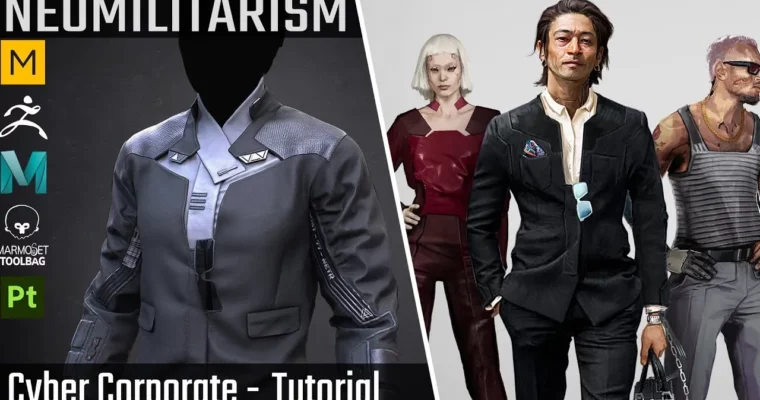
Cyber Corporate Suit – Tutorial (Full Pipeline) by Vadim Meshcherekov

Duration:16+ hours
Actual Duration:16h 45m
Release date:2025
Publisher:Artstation
Skill level:Intermediate
Language:English
Exercise files:Yes
Software:Marvelous Designer, ZBrush, Maya, Marmoset Toolbag, Substance Painter
Course URL:https://www.artstation.com/marketplace/p/o9MAB/cyber-corporate-suit-tutorial-full-pipeline
This is a full-pipeline breakdown of a cyber corporate suit, recorded over 16+ hours with English subtitles. You’ll follow along as the outfit goes from 2D pattern drafting in Marvelous Designer all the way to a polished Marmoset Toolbag render. No shortcuts, no timelapses — just the complete workflow, including all the boring-but-essential steps like retopology and UVs.
🎯 What you’ll learn
- Create a tailored sci-fi suit from scratch using Marvelous Designer’s simulation tools
- Build clean quad topology for game-ready assets in Maya
- Sculpt high-poly details and accessories in ZBrush
- Bake textures and set up a proper PBR material stack in Substance Painter
- Light and render a portfolio-worthy character presentation in Marmoset Toolbag
✅ Requirements
- Skills: Basic familiarity with ZBrush, Maya, and Substance Painter interfaces. Understanding of general 3D concepts like polygons, UVs, and normal maps.
- Tools: 3-button mouse with a scroll wheel, drawing tablet recommended for sculpting work.
- Hardware: PC capable of running ZBrush and Marmoset Toolbag smoothly. 16GB RAM minimum, dedicated GPU recommended.
📝 Description
This tutorial is built around a single, complete project: a cyber corporate suit. You’re not just learning isolated techniques — you’re following one asset through the entire production chain. That means you’ll see exactly how each stage feeds into the next, and where problems usually pop up.
The course is split into six logical chapters. You start in Marvelous Designer, where the suit’s base fabric is simulated and fitted to an avatar. From there, you move into topology cleanup in Maya, making sure the mesh is game-ready with clean quads. The high-poly stage happens in ZBrush, where you’ll add sculpted detail to both the fabric and the hard-surface accessories. Then it’s back to retopology, UVs, and baking — the unglamorous but critical middle section that makes or breaks a good texture pass. Texturing is done in Substance Painter, where you’ll build layered materials with wear and tear. Finally, you’ll assemble the whole thing in Marmoset Toolbag for a render that actually shows off your work.
What makes this course valuable is the completeness. You get the final FBX mesh, all project files, and 4K textures — so even if you get stuck, you can open the author’s files and reverse-engineer the solution. The English subtitles are clear, and the pacing is steady. If you’re an intermediate artist looking to see how a full character asset comes together, this is a solid reference.
🧑🎓 Who this course is for
- Intermediate 3D character artists who want to see a complete game-ready asset pipeline
- Environment or prop artists looking to expand into full character outfits
- Students who prefer following a single project from start to finish rather than isolated technique demos
🧑🏫 About the Author
Vadim Meshcherekov is a professional 3D character artist with experience in the game industry. His work focuses on stylized and semi-realistic character assets, with a strong emphasis on clean topology and efficient texturing workflows. He shares his production knowledge through detailed breakdowns and tutorials, helping other artists understand the practical decisions behind each stage of the pipeline.
🏁 Final Result
- A complete, game-ready cyber corporate suit model with quad topology and 4K PBR textures
- A portfolio-ready Marmoset Toolbag render scene with professional lighting
- All source project files (ZBrush, Maya, Marvelous Designer, Substance Painter) for future reference and iteration
 Channel