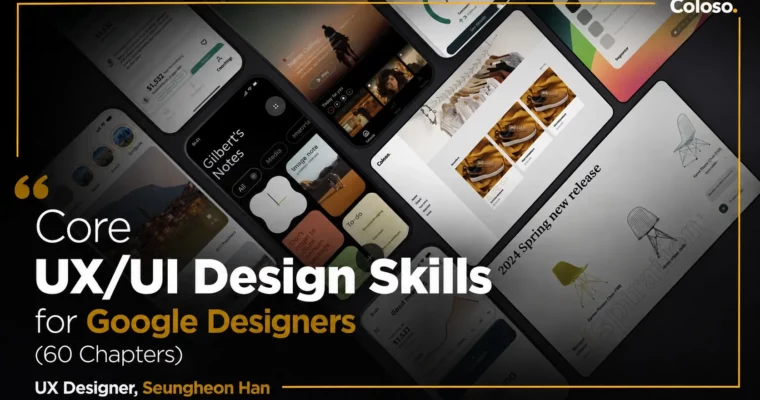
Core UX-UI Design Skills for Google Designers (60 Chapters) by Seungheon Han

Duration:19 hours 30 minutes
Actual Duration:38h 57m
Release date:2024
Publisher:Coloso
Skill level:Beginner
Language:English
Exercise files:Yes
Software:Figma, ProtoPie, Midjourney, ChatGPT, Notion, Jitter
Course URL:https://coloso.global/en/products/dictionary-hanseungheon-us
This course is a complete UX/UI design encyclopedia. You’ll start from the absolute basics of Figma and ProtoPie, work through 60 practical examples of increasing difficulty, and finish with three full project builds in media, finance, and e-commerce. The instructor, a current UX designer at Google, also shares his personal workflow for design slides, portfolio creation, and using generative AI to speed up production.
🎯 What you’ll learn
- Master Figma from basic UI to advanced design systems and spec handoff
- Build dynamic, interactive prototypes with ProtoPie using triggers, variables, and conditional interactions
- Complete a clone design of the Robinhood app, including micro-interactions
- Execute full product design projects for media apps, financial apps, and e-commerce websites
- Use ChatGPT and Midjourney to accelerate brainstorming, image creation, and portfolio building
- Create persuasive design slides and portfolio presentations using templates from a Google designer
✅ Requirements
- Skills: Basic understanding of design concepts and familiarity with computer operations
- Tools: Figma account, ProtoPie account, Notion account
- Hardware: A computer capable of running Figma and ProtoPie smoothly, a three-button mouse recommended
📝 Description
This isn’t another theory-heavy UX course. The instructor, Seungheon Han, has spent over a decade working at LG Electronics, Microsoft, Disney, and now Google. He knows that real-world design work is about execution, not just process. So he built this course around 60 hands-on examples that push you to actually build things.
You’ll start by completely conquering Figma — not just the tools, but the thinking behind them. You’ll learn how to structure frames, use Auto Layout effectively, and build a proper design system. Then you’ll move to ProtoPie to create prototypes that feel real, with variables, conditional interactions, and even UXR testing. The goal is to make you fast and confident with the tools, so you can focus on the design itself.
The core of the course is three full projects: a media app, a financial app, and an e-commerce website. These aren’t toy exercises. You’ll go through problem definition, benchmarking, information architecture, static design, and prototyping — the full pipeline. You’ll also clone the Robinhood app to learn how to handle micro-interactions and polished visual details.
Beyond the core skills, Han shares the practical know-how that separates a good designer from a great one. You’ll learn how to create design slides that convince stakeholders, how to structure a portfolio that gets you hired, and how to use generative AI tools like ChatGPT and Midjourney to speed up your workflow. He even includes the Notion templates he uses daily at Google for project management.
🧑🎓 Who this course is for
- Aspiring UX/UI designers who want to build a strong technical foundation with industry-standard tools
- Junior designers looking to level up their portfolio with real-world projects from major industries
- Anyone curious about the practical design process and workflow used at Silicon Valley companies like Google
🧑🏫 About the Author
Seungheon Han (Gilbert Han) is a UX designer currently working on the YouTube team at Google headquarters. His career spans over 10 years, including roles at LG Electronics, Microsoft, Disney, and Google. He holds a Master’s degree in Interaction Design from Carnegie Mellon University. His portfolio website received an Awwwards recognition in 2017, and he has been a speaker at multiple design conferences, including the Korea Institute of Design Promotion Design Conference and Fast Campus Future Conference. He has also published a book, “The Future is Decided at 8 PM,” in 2023.
🏁 Final Result
- A complete portfolio featuring three full product design projects (media app, financial app, e-commerce web) with documented UX processes
- A polished Robinhood app clone demonstrating advanced Figma and ProtoPie skills
- A professional design slide deck and portfolio presentation using Google designer templates
- A practical understanding of how to integrate AI tools into your daily design workflow
📢 Guys, this is a Group Buy campaign, check the GBC forum thread to get access
You can find the course preview in the download section below.
 Channel