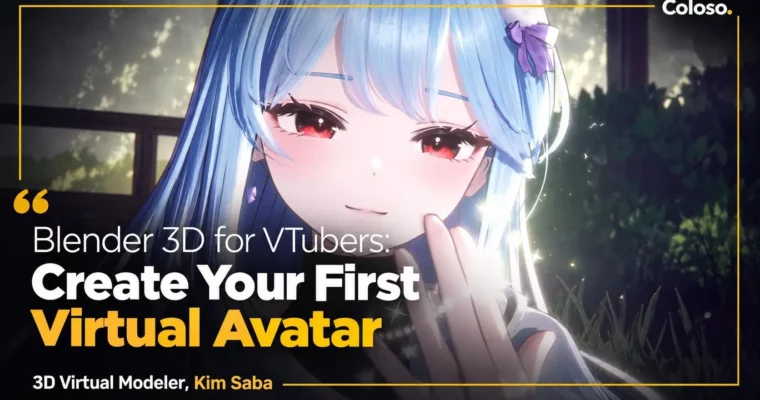
Blender 3D for VTubers – Create Your First Virtual Avatar by Kimsaba

Duration:29시간 37분
Actual Duration:59h 13m
Release date:2025, February 20
Publisher:Coloso
Skill level:Beginner
Language:English
Exercise files:Yes
Software:Blender, Substance 3D Painter, Unity, Photoshop, Warudo, VRChat
Course URL:https://coloso.co.kr/products/dictionary-kimsaba
Want to debut as a VTuber but have zero 3D experience? This class walks you through the full pipeline — from Blender modeling to live streaming in Warudo — so you end up with your own original avatar that actually moves, talks, and performs on stream.
🎯 What you’ll learn
- Model a complete anime-style avatar in Blender — head, body, hair, and outfit — without needing original artwork
- Build clean topology, UVs, and ID maps ready for texturing and rigging
- Rig body, hair, and clothes with VRM-standard bones, weight painting, and spring bones
- Texture in Substance 3D Painter and Photoshop for skin, hair, eyes, and clothing details
- Set up anime-style toon shading with free Liltoon shader, outlines, and custom normals
- Create Shape Keys for lip-sync, blinks, ARKit 52 facials, and MMD expressions
- Export and convert avatars via Unity for Warudo and VRChat
- Direct a live VTuber scene in Warudo — lighting, camera, props, particles, and facial tracking
✅ Requirements
- Skills: No prior 3D or drawing skills needed, basic PC file management and Blender UI curiosity
- Tools: Blender 4.2.3 LTS (free), Unity 2021.3.18f1, Substance 3D Painter, Photoshop 2025, Warudo (free), iPhone with FaceApp for ARKit capture
- Hardware: Windows PC that can run Blender and Unity, 16GB RAM and dedicated GPU recommended, iPhone for facial tracking, webcam or iPhone for VTuber motion
📝 Description
This is not a theory-heavy modeling course. You follow one full avatar from a rough PNG reference to a live broadcast. Kimsaba shows her real freelance workflow: block the body with correct joint topology, connect head to body cleanly, build hair with Blender Curves, and make clothes that actually deform with cloth sim and sculpt brushes. No tablet required, no complex illustration skills — just reference-based building that beginners can copy.
Then comes the part that makes avatars look expensive: texture and shade. You will paint skin, hair gradients, angel rings, and fabric patterns in Substance 3D Painter, finish eyes in Photoshop, and set up the free Liltoon shader for that crisp anime look. That means custom normals, outlines, rim light, fake shadows, and MatCap tweaks per part, so your model looks good under stream lighting, not just in Blender.
Finally, you give it life. You will build Shape Keys for VRChat lip-sync and blinks, all 52 ARKit facials with an iPhone, plus fun MMD extras like star eyes, winking, tears, and jiggle eyes. Then you move to Unity, Warudo, and VRChat — spring bones, wardrobe animations, facial tracking, props, camera depth, and particle effects. By the end you know exactly which button to press when you go live.
🧑🎓 Who this course is for
- Total beginners who want to make a 3D avatar but don’t know where to start
- Hobbyists and aspiring VTubers who want to build their own original character and debut on stream
- Newbie modelers who can do basic Blender but want higher-quality toon avatars and proper Warudo / VRChat setup
🧑🏫 About the Author
Kimsaba is a freelance 3D virtual modeler based in Korea who has shipped 10+ original avatars and 300+ ARKit facial sets for active VTubers. Her credits include original avatars for Hincock, Baeksong, Mingyeolhui, Yukira, Nasom, and Kyang, plus facial and avatar edits for Pixel Network, Signal, and many indie livers.
She works in both pipelines — illustration-based avatars and original text-and-reference builds — and specializes in Liltoon shading and Warudo converting as an official collaborator with Orvit ENT. In this class she shares the exact output-focused tricks she uses to make avatars look cute on broadcast, not just in the viewport.
🏁 Final Result
- A complete original anime-style VTuber avatar (.blend + Unity / Warudo files) — modeled, textured, rigged, toon-shaded, with lip-sync, blinks, ARKit 52 facials, and Warudo scene ready for streaming and VRChat upload.
📢 Guys, this is a Group Buy campaign, check the GBC forum thread to get access
You can find the course preview in the download section below.
 Channel