It looks like you're using an adblocker.
Adblockers make us sad. We use ads to keep our content happy and free. If you like what we are doing please consider supporting us by whitelisting our website. You can report badly-behaved ads by clicking/tapping the nearby 'Advertisement' X text.
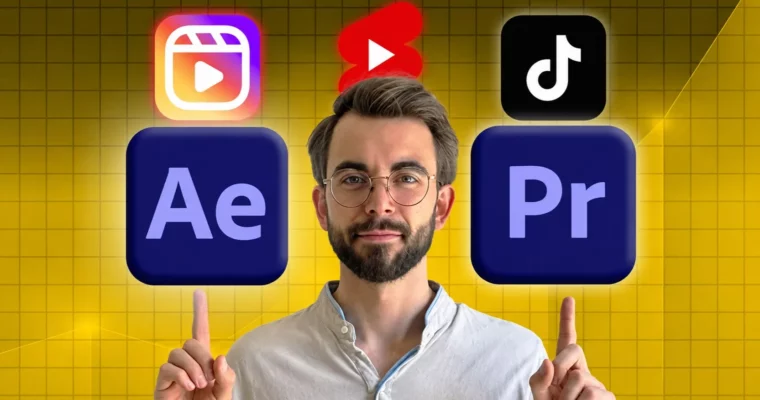
Learn Short Form Video Editing Premiere Pro After Effects by Vlad Sateev
Go from zero to confidently editing viral Shorts, Reels, and TikToks in Premiere Pro and After Effects.
Stop guessing why your videos flop. This course shows you how to cut Shorts, Reels, and TikToks in Premiere Pro and After Effects that actually hold attention past those first 7 seconds.
🎯 What you’ll learn
Edit short-form video from scratch in Premiere Pro and After Effects
Cut for YouTube Shorts, TikTok, and Reels for real growth
Use shortcuts, presets, and MOGRTs to edit twice as fast
Break down viral styles from MrBeast, Ali Abdaal, and Alex Hormozi
Build stories with cutting, pacing, and sound design
Understand how TikTok, Reels, and Shorts algorithms push content
Follow full real-time edits and real client breakdowns step-by-step
Color grade, fix export colors, and export correctly for vertical platforms
Create simple motion graphics in After Effects for beginners
Find freelance clients, set expectations, and use contracts
Speed up workflow with ChatGPT, Google, and file organization
✅ Requirements
Skills: No prior editing experience needed, you can start from zero
Tools: Adobe Premiere Pro and Adobe After Effects installed
Hardware: PC or laptop capable of running Premiere Pro and After Effects
📝 Description
Most beginners quit because Premiere Pro and After Effects feel like a cockpit. Too many buttons, no clear order. This course fixes that with a straight path: setup, cuts, sound, visuals, export. You watch, then you cut along.
You will work on real short-form stuff, not random demo clips. That means vertical storytelling, tight pacing, captions, b-roll, music hits, and sound design that keeps people watching. Plus full walkthroughs where you see every cut in real time, including a real client edit with behind-the-scenes thinking.
You also get the speed side of the job. Shortcuts, presets, MOGRTs, templates, and clean project organization so a 30-second video doesn’t take you all day. And a practical look at how top creators cut — MrBeast retention tricks, Ali Abdaal pacing, Hormozi talking-head structure — so you can borrow the logic and build your own style.
At the end there is freelance reality, not fluff. How to find clients, set expectations, use a contract, and price short-form work. You get 60 downloadable resources with footage, SFX, and templates to practice with right away.
🧑🎓 Who this course is for
Beginners who want to edit Shorts, Reels, and TikToks from zero without tech overwhelm
Video editors who want to get faster and cleaner at short-form cutting and packaging
Creators and freelancers who want client-ready vertical videos and a repeatable workflow
🧑🏫 About the Author
Vlad Sateev is a video editor with 10+ years cutting for YouTube, Instagram, and TikTok. He has managed two of the biggest channels in their niches and built a system for short-form editing that works across formats. He teaches the exact workflow he uses on client work — cuts, sound, pacing, and delivery — with a focus on finished videos, not theory.
🏁 Final Result
A published vertical capstone video edited in Premiere Pro with After Effects graphics, cut, mixed, graded, and exported for Shorts, Reels, and TikTok — ready for your portfolio.
Curriculum
📋 Course content
Module 1:Welcome and Setup
Welcome! Start here1:44
Setting Up Your Editing Environment for Adobe Premiere Pro & Adobe After Effects4:52
How to Fix a Slow Computer for Faster Video Editing2:27
Access Your 41+ Student-Only Downloads Now!2:08
Module 2:Premiere Pro and After Effects Basics
Introduction to Adobe Premiere Pro and Adobe After Effects for Beginners6:54
Basic Video Editing Techniques in Adobe Premiere Pro10:08
How to Export Videos Properly for YouTube, Instagram, and TikTok4:51
QT Gamma Fix: Solve Color Issues in Adobe Premiere Pro Exports2:08
Understanding Social Media Algorithms5:27
Module 3:Storytelling, Audio and Visuals
Advanced Cutting and Storytelling Techniques for Viral Videos20:53
Advanced Audio Editing for Shorts, Reels & TikTok19:55
Color Grading Basics in Adobe Premiere Pro14:22
Easy Motion Graphics for Beginners in Adobe After Effects25:19
How to Use B-Roll, Music, and Templates to Improve Your Videos12:00
Module 4:Viral Breakdowns – Learn From the Best
What We Can Learn from MrBeast5:33
Editing Lessons from Haiden Hillier-Smith4:33
Content Creation Strategies: Learning from Alex Hormozi4:41
Frame-by-Frame Breakdown: MrBeast & Ali Abdaal Editing Secrets9:40
How to Replicate Editing Styles of MrBeast and Ali Abdaal13:28
Steal Like an Artist: How to Ethically Learn2:48
Module 5:Edit With Me and Real Client Work
Edit With Me: Complete Short-Form Video Editing Walkthrough (Part 1)32:45
Edit With Me: Complete Short-Form Video Editing Walkthrough (Part 2)14:24
Breaking Down a Real Client Video Edit (BTS Access)19:55
Module 6:Edit Faster – Workflow and Templates
Adobe Premiere Pro and Adobe After Effects Shortcuts to Edit 2x Faster13:53
Using Presets to Edit Faster in Adobe Premiere Pro and Adobe After Effects10:14
How to Use MOGRTs (Motion Graphics Templates) in Adobe Premiere Pro7:24
How to Use MOGRTs in Adobe After Effects for Professional Motion Graphics5:26
How to Build and Use Video Editing Templates2:25
How to Organize Your Files and Projects Like a Pro4:49
Productivity Tools for Editors: How to Use Alfred for Mac10:27
Using ChatGPT to Speed Up Your Video Editing Workflow5:45
Find Any Video Effect Fast with ChatGPT + Google2:35
Module 7:Clients, Branding and Money
Managing Video Editing Clients and Setting Expectations6:38
How to Find Clients as a Video Editor7:36
Why Every Video Editor Needs a Contract3:57
Monetization Strategies5:16
Branding and Consistency in Your Video Content2:43
Congratulations!0:35
Module 8:Capstone Project and Staying Consistent
How to Plan Your Capstone Video Project5:29
Executing and Editing Your Capstone Project1:30
How to Publish Your Video Projects2:49
How to Overcome Creative Blocks as a Video Editor6:22
The Power of Tiny Gains for Massive Growth1:55
Last Step!0:54
Watch online or Download for Free
Learn Short Form Video Editing Premiere Pro After Effects by Vlad Sateev
NAME
SIZEDURATION
1 – Get Set Up Start Editing with Premiere Pro and After Effects




 Channel