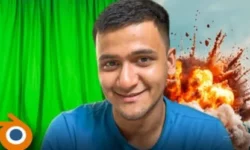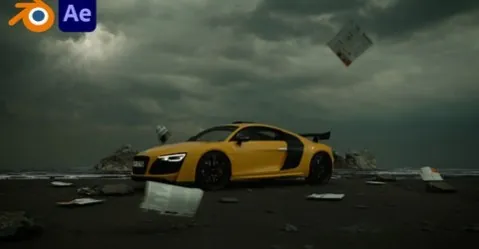
Blender 3D Create Easy Environment by Pank Sharma

Duration:3.5 hours
Release date:2024
Publisher:Udemy
Skill level:Beginner
Language:English
Exercise files:Yes
Software:Blender, After Effects
Course URL:https://www.udemy.com/course/blender-3d-create-easy-environment
Want a cool-looking 3D environment without spending weeks learning everything? This course shows you the shortcut. You use Blender plus free assets and addons to build, animate, and render a full coastal scene with ocean, sky, and camera moves.
🎯 What you’ll learn
- The basics of Blender interface and workflow
- Working with free 3D assets and addons
- How to build a complete 3D environment from layout to details
- How to work with physics for natural motion
- The basics of After Effects for finishing and SFX
✅ Requirements
- Skills: No prior experience needed, just basic computer skills and dedication to follow along
- Tools: Blender (free), After Effects for post and image-sequence assembly, free addons and assets linked in the course
- Hardware: PC or Mac capable of running Blender, 8GB+ RAM recommended, dedicated GPU helps with renders
📝 Description
This is not theory-heavy stuff. Pank walks you through his exact process for making one of those moody environment videos, step by step. You start with Blender basics, installing addons, and grabbing free assets. No modeling from scratch, no expensive kits.
Then you build the scene piece by piece. Layout first, then ground, then ocean shader, rocks, sky, and character placement. You will learn how collections and empties actually work in a real project, so your scene stays clean and doesn’t break when you animate.
After that it gets fun. You animate the camera, add thunder to the sky, tweak the water texture, and throw in flying papers with physics simulation for extra life. Even a bicycle. Small details like that are what sell the shot.
Finally, you deal with the part most beginners mess up: render settings, image sequences to video, SFX, and export. You also get a quick look at After Effects for assembly and polish. By the end you have a finished clip you can post, not just a .blend file sitting on your drive.
🧑🎓 Who this course is for
- 3D artists who want fast environment workflows
- VFX and CGI artists looking for Blender practice
- Video editors who want to add 3D shots to their work
- Blender users who are tired of tutorials that never finish a scene
- Anyone keen to learn VFX or CGI the easy way
🧑🏫 About the Author
Pank Sharma is a Blender creator focused on simple, practical 3D environments. He teaches in a straight-to-the-point style for beginners – free tools, clear steps, and finished results. His work centers on using assets, addons, and smart scene setup to get cinematic-looking renders without overcomplicating the process.
🏁 Final Result
- A finished cinematic 3D environment animation with ocean, ground, rocks, stormy sky with thunder, animated camera, flying papers, character and bicycle props, plus SFX and final video export ready for your portfolio.
 Channel