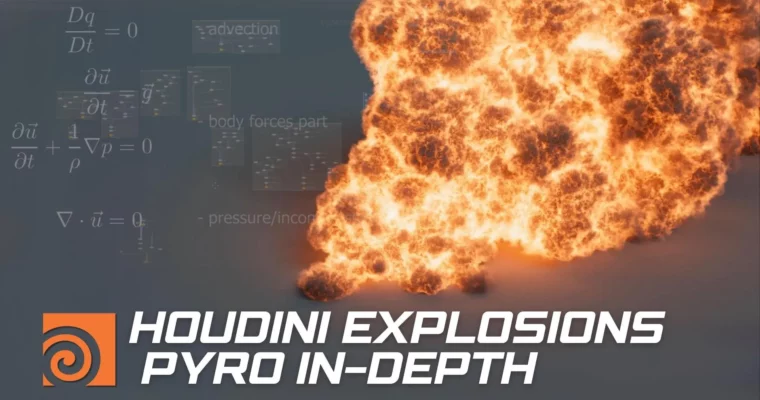
Houdini Explosions In-Depth Pyro Simulations Techniques by Andrii Zamorskyi

Actual Duration:19h 28m
Release date:2024, August
Publisher:CGCircuit
Skill level:Intermediate
Language:English
Exercise files:Yes
Software:Houdini, Mantra
Course URL:https://www.cgcircuit.com/tutorial/houdini-explosions-in-depth-pyro-simulations-techniques
A deep, practical look at Houdini’s Pyro solvers. This course skips the fluff and gets straight into the math and logic that drive explosion simulations. You’ll build your own solver from scratch, then apply that knowledge to create ground blasts, bomb detonations, and fuel explosions. It’s about understanding why things work, so you can stop guessing and start controlling your simulations.
🎯 What you’ll learn
- Understand the Navier-Stokes equation behind fluid simulations.
- Build a custom solver to grasp core simulation processes.
- Simulate a ground explosion using the smoke solver with divergence and vorticles.
- Create a multi-element bomb explosion with custom sources and temperature control.
- Master the pyro solver for fuel-based explosions.
- Cache and render final results in Mantra.
✅ Requirements
- Skills: Basic familiarity with Houdini’s interface and navigation.
- Tools: A 3-button mouse.
- Hardware: Minimum 16GB RAM, a dedicated GPU is recommended for viewport performance.
📝 Description
This course is built around a simple idea: stop blindly tweaking sliders. You’ll start by breaking down the Navier-Stokes equation—the actual math your computer solves every frame. Then, you’ll build a barebones solver in Houdini to see exactly how pressure, velocity, and temperature interact. This isn’t academic theory; it’s practical knowledge that directly informs your parameter choices.
From there, you tackle three distinct explosion types. First, a ground explosion using the smoke solver, where you’ll learn to shape the blast with divergence and add detail with vorticles. Next, a bomb explosion that combines multiple elements and a custom source, putting temperature front and center. Finally, a fuel explosion using the pyro solver, blending a newer toolset with the foundational techniques you’ve already mastered.
The course wraps up with a practical look at caching your simulations and rendering them in Mantra. You’ll walk away with a portfolio-ready explosion and a rock-solid understanding of how Pyro actually works.
🧑🎓 Who this course is for
- Houdini artists who want to move beyond tutorials and understand the underlying simulation logic.
- FX artists looking to specialize in pyro and explosion effects for film or games.
- Intermediate users who feel stuck and want a deeper, more technical grasp of Houdini’s solvers.
🧑🏫 About the Author
Andrii Zamorskyi has been working in the VFX industry since 2009. He started creating FX for television and commercials before moving into feature film work, focusing on visual effects and compositing. He is a co-founder and teacher at the cg-school.org, and has authored numerous lessons covering 3ds Max, Houdini, RealFlow, After Effects, and Nuke.
🏁 Final Result
- A fully simulated and rendered ground explosion, bomb explosion, and fuel explosion, demonstrating mastery of Houdini’s Pyro toolset.
 Channel