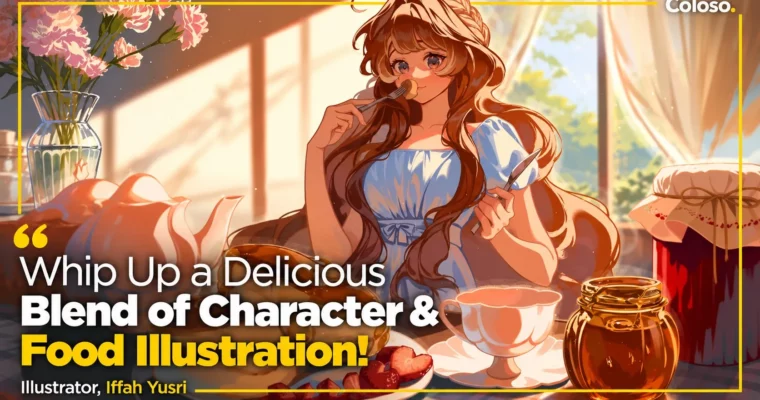
Whip Up a Delicious Blend of Character & Food Illustration by Iffah Yusri

Duration:21 h 41 m
Actual Duration:21h 41m
Release date:2024, September 30
Publisher:Coloso
Skill level:Beginner
Language:English
Exercise files:Yes
Software:Clip Studio Paint
Course URL:https://coloso.global/en/products/illustrator-iffahyusri-us
This class with Mmumechii teaches you how to mix anime characters and food rendering into one cozy, story-driven illustration. You start with boxes, light, and color, then build up to poses, faces, desserts, drinks, and cafe backgrounds — all in Clip Studio Paint.
🎯 What you’ll learn
- Draw boxes and 3D forms to nail perspective and observational drawing
- Simplify light and shadow with tonal values, ambient light, and occlusion
- Use color theory, transition colors, and blending modes for soft palettes
- Design anime-style full-body anatomy, poses, and facial expressions
- Render skin, flowy hair, and expressive eyes with custom brushes
- Paint realistic clothing folds, fabric tension, and shoes
- Make desserts look tasty with gloss, highlights, and texture work
- Paint liquids, syrups, drinks, transparency, and ice cubes
- Render glass, metal, and hard vs. soft edges convincingly
- Compose characters with props, foliage, and cafe interiors
- Prep merch files for stickers and acrylics plus social media tips
✅ Requirements
- Skills: Basic drawing familiarity helpful, no advanced anatomy or painting experience needed
- Tools: Clip Studio Paint (Ver 3.0.2 recommended, Ver 2.0.0 minimum), drawing tablet recommended
- Hardware: PC or Mac capable of running Clip Studio Paint smoothly
📝 Description
This is not theory-only. Iffah walks you through how she actually works, from wobbly boxes to finished, glowing pieces. You get observational drawing drills, line confidence exercises, and black-and-white value studies first. That base makes everything after — color, faces, clothes — way easier to control.
Then it gets tasty. You will break down what makes food look edible: exaggerated specular highlights, gooey edges, powdery vs. fluffy vs. glossy brushwork. Strawberries, sauces, syrups, sodas with ice — she paints them live and explains the brush choices. Same idea for tricky stuff like glass and metal, where hard and soft edges do all the heavy lifting.
Characters stay fun and readable. You will practice anime anatomy, pose thumbnailing, facial proportions, skin, hair, and eyes, plus clothing folds that follow tension and direction. Backgrounds get the same practical treatment: one, two, and three-point perspective, foliage simplification, and cluttered cafe interiors that frame the character instead of fighting her.
You also get the extras that save time: Coloso-exclusive brush packs, full layered illustration files, full timelapse videos, 60 food and background reference photos, 5 exercise sheets, and a bonus video on social media and content creation. If you want bright, warm work that performs online and prints well for merch, this workflow is built for that.
🧑🎓 Who this course is for
- Beginners and hobbyists who love anime and want a clear, step-by-step path to cleaner characters, food, and backgrounds
- Illustrators who can draw but struggle with dull colors, flat textures, and characters that feel pasted onto the background
🧑🏫 About the Author
Hi, I am Iffah, better known as Mmumechii online. I am a freelance illustrator from Malaysia known for realistic food paintings mixed with bright anime art. I started posting in 2020, grew through food and background commissions, and now do promo work and artist-alley merch.
I have done promotional illustrations for Kakiyuki MY, Red Records, and Huion, and hosted a Graphixly webinar in 2023. My thing is capturing small happy moments — someone enjoying a dessert — and teaching the efficient practice habits that actually get you there. No fluff, just reps that build rendering skills and visual storytelling.
🏁 Final Result
- Fully rendered anime character integrated with a manmade / natural background, ready for portfolio
- Standalone food illustration with glossy, appetizing dessert rendering
- Bonus merch-ready illustration set up for stickers and acrylics with cut and bleed lines
📢 Guys, this is a Group Buy campaign, check the GBC forum thread to get access
You can find the course preview in the download section below.
 Channel