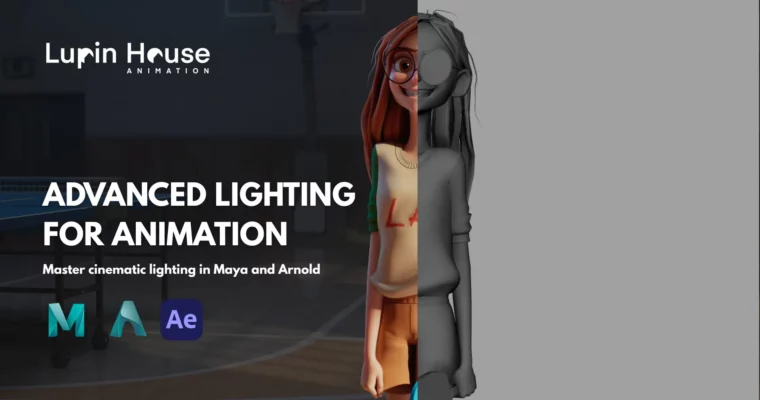
Advanced Lighting For Animation by Pasquale Giardino

Duration:around 2 hours 45 minutes
Actual Duration:2h 49m
Release date:2025
Publisher:Lupin House
Skill level:Intermediate
Language:English
Exercise files:Yes
Software:Maya, Arnold Render, After Effects
Course URL:https://online-courses.club/
This course is your backstage pass to the secret sauce that makes animation shots truly shine. We’re talking about the kind of lighting that grabs attention and makes your work look like it belongs on the big screen. Our team at Lupin House lives and breathes this stuff, constantly refining student projects until they hit that professional, feature-ready standard. Now, we’re pulling back the curtain to show you our exact step-by-step process.
🎯 What you’ll learn
- Master industry-standard lighting tools and techniques.
- Position lights effectively for beautiful and pleasing compositions.
- Utilize color theory to enhance mood and storytelling.
- Separate render layers for flexible post-production.
- Optimize renders for efficiency without sacrificing quality.
- Prepare your work for studio lighting workflows.
✅ Requirements
- Skills: Basic knowledge of Maya navigation.
- Tools: Maya, Arnold Render, After Effects.
- Hardware: A computer capable of running Maya and Arnold Render smoothly.
📝 Description
Lighting is the magic ingredient that elevates a good animation shot to a great one. In this course, we’ll demystify the process, showing you how to use the primary tools and techniques favored by the animation industry. You’ll learn not just where to place lights, but how to use color, create effective render layers, and optimize your final output for maximum impact. We’ll guide you through everything from setting up your scene cache to final compositing in After Effects, ensuring you understand the ‘why’ behind each step. This isn’t just about pretty pictures; it’s about understanding the lighting pipeline that studios use.
🧑🎓 Who this course is for
- Animators looking to add professional lighting to their own shots.
- Individuals with basic Maya experience who want to make their work stand out.
- Anyone aiming to achieve feature film quality renders for their animation.
- Those who want to understand and implement studio lighting workflows.
🧑🏫 About the Author
Lupin House is an in-house team dedicated to refining animation projects to a professional, feature-ready standard. They specialize in pushing student work to its highest potential, focusing on critical aspects like lighting and composition. Their expertise lies in practical, step-by-step guidance that translates complex industry techniques into accessible lessons.
🏁 Final Result
- A portfolio-ready lighting piece for your showreel.
- Resource cache files to practice lighting your own shots with creative freedom.
- The confidence and skills to tackle lighting for future animation projects.
 Channel