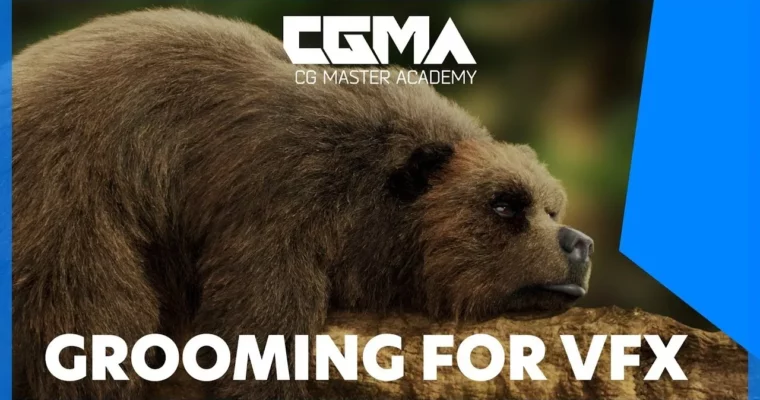
Grooming for VFX by Jordan Solder, Jordan Soler

Duration:8 weeks
Actual Duration:29h 2m
Release date:2019, May
Publisher:CGMA
Skill level:Advanced
Language:English
Exercise files:Yes
Software:Maya, XGen, Yeti, Photoshop, Mari, Arnold
Course URL:https://www.cgmasteracademy.com/courses/121-grooming-for-vfx
This course is all about getting you comfortable with grooming in a production environment. You’ll build two complete projects: a digital double haircut and a creature groom. Along the way, you’ll learn how to plan a groom, work with XGen in Maya, and handle the kind of messy, real-world problems that show up when you’re working on tight deadlines. By the end, you’ll also get a solid intro to Yeti, so you’ll have two major tools under your belt.
🎯 What you’ll learn
- Plan and approach a groom from reference to final asset
- Create a full digital double haircut, including eyelashes, eyebrows, and peach fuzz
- Build a complete creature or animal groom with clumping and map painting
- Use XGen’s core workflow, interface, and modifiers
- Get started with Yeti’s fundamental tools and pipeline
- Understand PTEX maps and how to control groom behavior with painted maps
✅ Requirements
- Skills: Strong understanding of Maya, foundational knowledge of rendering, texturing, and look development. Basic Photoshop experience.
- Tools: Maya, Photoshop, Mari (or Mudbox/Substance Painter), Yeti, Arnold (or RenderMan/V-Ray)
- Hardware: A computer capable of running Maya and rendering with Arnold or an equivalent renderer
📝 Description
This isn’t a “watch me click buttons” course. It’s a practical, production-focused walkthrough of grooming as it actually happens in a VFX studio. You’ll start with the basics—setting up a scene, understanding XGen’s interface, and creating your first guides—but you’ll quickly move into the kind of work that separates juniors from pros: clumping passes, painted maps, PTEX workflows, and the subtle decisions that make a groom feel alive.
The course is built around two major projects. First, you’ll create a digital double haircut. That means working from reference, building guides, layering clumps, and finishing with the small details like eyelashes and peach fuzz that sell the final result. Then you’ll switch to a creature groom, where you’ll deal with the different challenges of fur, body topology, and larger-scale clumping systems. The final week introduces Yeti, so you’ll leave with hands-on experience in both major grooming tools.
Jordan Soler doesn’t just show you the happy path. He talks about the problems that come up in real productions—naming conventions, scene organization, troubleshooting modifiers—and how to work through them efficiently. If you’re already comfortable in Maya and want to push into grooming as a specialty, this course gives you a clear, structured path forward.
🧑🎓 Who this course is for
- Intermediate to advanced Maya users looking to specialize in grooming for VFX
- Artists transitioning from modeling or texturing into look dev and creature work
- Anyone who wants to build a production-ready grooming reel with both digital double and creature projects
🧑🏫 About the Author
Jordan Soler is a Senior Groomer with credits across some of the biggest VFX and animation studios in the industry. He’s worked at Illumination Mac Guff, MPC, Animal Logic, Method Studios, and Image Engine, contributing to films like Despicable Me, Fantastic Beasts: The Crimes of Grindelwald, Peter Rabbit, and Aquaman. Having tackled a wide range of grooming challenges, he’s a firm believer that flexibility and problem-solving are the most important skills a groom artist can develop.
🏁 Final Result
- A complete digital double haircut with eyelashes, eyebrows, and peach fuzz
- A finished creature or animal groom with a full clumping system
- A basic functional groom created in Yeti
- A portfolio-ready demonstration of your grooming skills across two major tools
📢 Guys, this is a Group Buy campaign, check the GBC forum thread to get access
You can find the course preview in the download section below.
 Channel