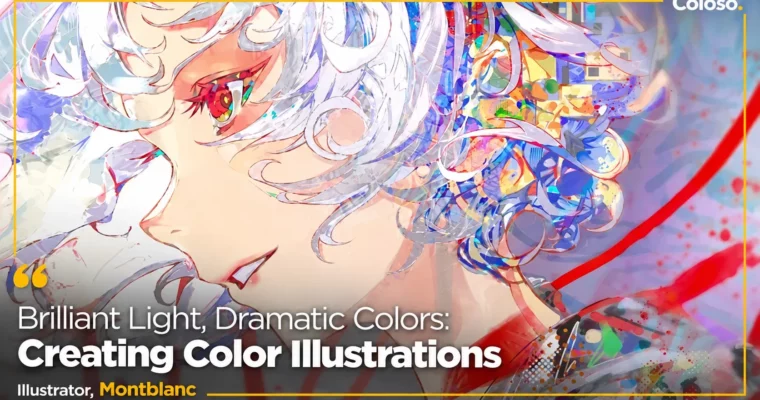
Brilliant Light, Dramatic Colors: Creating Color Illustrations by Montblanc

Duration:11 hours 47 minutes / 23 lectures
Actual Duration:23h 33m
Release date:2025, March 7
Publisher:Coloso
Skill level:Intermediate
Language:English
Exercise files:Yes
Software:Clip Studio Paint
Course URL:https://coloso.co.kr/products/illustrator-montblanc
Intensive Coloso class by Montblanc on using light and color in illustration: spatial and directional lighting, color by form and texture, semi-rim lighting (반무테) and cel-style coloring. Across 23 lectures (11:47) you move from reference interpretation and layout design to luminous coloring and glowing final correction, building one polished high-density illustration.
🎯 What you’ll learn
- Control hue, saturation and brightness (HSV) and their correlations in context
- Use warm/cool contrast, complementary colors, afterimages and achromatic optical illusions
- Read references: form, layout, local tone and color ideas; apply the Mojac copy-study method
- Design dramatic compositions: camera shots, focal length, rule of thirds, thumbnails, line art
- Render materials via specular/diffuse reflection and roughness; shape silhouettes with 3-point lighting
- Apply AO (Ambient Occlusion) and SSS (Subsurface Scattering) with soft gradients
- Handle reflected light and highlights, then raise density with detail and texture work
- Finish with tone curves, gradient maps, layer options, noise, blur and chromatic aberration
✅ Requirements
- Skills: Basic digital drawing skills helpful (course level: beginner to intermediate); ability to follow a full illustration workflow
- Tools: Clip Studio Paint Pro 2.0 (latest version, purchased/installed separately — the course is taught in it); Montblanc’s brush & tool list is included as a bonus
- Hardware: Standard illustration PC plus drawing tablet recommended
📝 Description
Light theory feels confusing because of the terminology — HSV, occluded shadows (차폐그림자), subsurface scattering. This class breaks it down visually: no dry formulas, just 15+ structured examples where Montblanc applies lighting in real time, so techniques that are hard to grasp from books become immediately usable.
The program covers the full professional pipeline. It starts with seeing: why references are needed, how to read volume, layout and color out of them, and how to run effective copy studies with the Mojac method. Then comes structure: form nuance, eye-level changes, drafting guides, mindmap brainstorming, cinematic shot design, focal length, rule-of-thirds layouts, thumbnails with positive/negative space control, and line art that avoids tangents and illusion traps — with checkpoints for nuance, density and force.
Color is built on fundamentals first — HSV correlations, warm/cool contrast, complementary colors and afterimages, achromatic illusions, local tone under different environments — then stylized through color déformé (painterly and casual approaches) into deliberate palette design with key colors and mood shifts. Light finishes the image: specular and diffuse reflection, roughness-based materials, terminator silhouettes, 3-point lighting, Lambert-cosine shading, AO and SSS via gradients, probabilistic bounce light, stylistic highlights, density-raising detail passes, and a correction stack of layer options, tone curves, gradient maps, noise, blur and chromatic aberration for that glowing, iridescent finish.
Every stage is demonstrated live in Clip Studio Paint Pro 2.0, from reference interpretation and layout to luminous coloring and final polish, with lecture materials included.
🧑🎓 Who this course is for
- Artists who want depth and atmosphere even in clean, sharp cel shading
- Anyone who finds complex light theory, rendering and staging hard to learn from books
- Illustrators who want light and color in one pass — mastering high-density luminous coloring
- Fans of brilliant, iridescent, dramatic color illustration styles
🧑🏫 About the Author
Montblanc (몽블랑) is a freelance illustrator known for rainbow-iridescent color and luminous, high-density lighting. A 2024 graduate of the College for Creative Studies (Detroit, USA) — Entertainment Arts major, Illustration minor — Montblanc blends studied theory with varied rendering approaches to explore persuasive rendering and expressive illustration styles. Credits include the 2023 Huion Inspiroy Dial2 collaboration, character design and illustrations for KADOKAWA’s Moryo Tantei Konya mo Damasarazu (2023), Okinawa Sound Invader KomaP character design (2023), VA Games Makai Gakuen character art (2024), web-novel cover illustrations (2024), the Whale Taylor “Space Man” cover MV illustration (2024), and ongoing commissions. X (Twitter): @Art_Mont_Blanc.
🏁 Final Result
- One polished high-density illustration with dramatic, glowing light-and-color staging
- A reusable workflow: reference analysis → thumbnails → HSV palette design → AO/SSS rendering → gradient-map correction
- Self-feedback skills to keep strengthening your own work after the course
📢 Guys, this is a Group Buy campaign, check the GBC forum thread to get access
You can find the course preview in the download section below.
 Channel