Animate a Rocket Launch Smoke & Fire Simulation in Blender 2021-4 by Abdelilah Hamdani

Duration:4.5 hours
Actual Duration:1h 21m
Release date:2025
Publisher:Udemy
Skill level:Beginner
Language:English
Exercise files:Yes
Software:Blender
Course URL:https://www.udemy.com/course/rocket-launch-animation
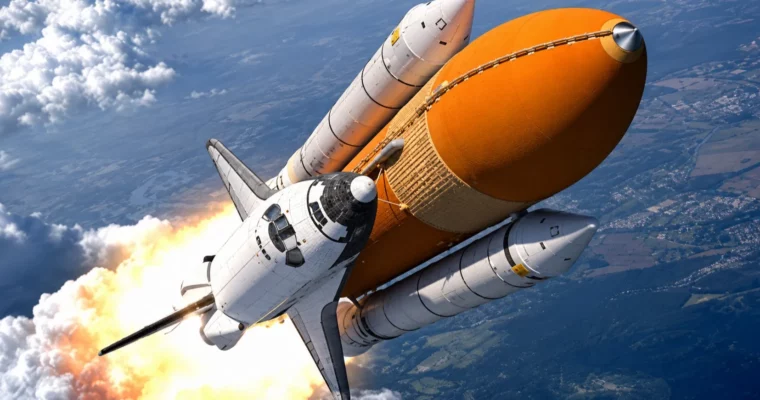
You model the pad, texture it, light it, then launch the rocket with real fire, smoke, and water sims. By the end you have a short, punchy launch film rendered straight out of Blender.
🎯 What you’ll learn
- Master Fire & Smoke Simulation in Blender
- Understand Force Fields & use them to art-direct smoke and fire
- Animate a rocket launch into space with camera follow
- Learn advanced hard-surface modeling skills
- Build a rocket launch base based on real references
- Create a water suppression system with fluid simulation
- Simulate realistic rocket engine ignition and render the final shot
✅ Requirements
- Skills: Basic Blender navigation, familiarity with viewport and modifiers
- Tools: Blender installed on your computer
- Hardware: Decent GPU capable of handling fluid baking and volumetric rendering
📝 Description
This is a build-it-then-blow-it-up kind of course. You start with an empty scene and model a full launch complex — pad, pipes, fences, stairs, side tanks, support tower, hydrant, and the rocket itself. It’s all hard-surface modeling based on real references, so you pick up clean topology habits that actually hold up in close-ups.
Then you make it look real. You’ll set up simple metal shaders and ground materials, and fix that classic blurry Blender smoke problem with a dedicated smoke shader trick. Small tweak, big difference. Your volumetrics go from soft gray blobs to dense, high-detail exhaust.
The fun part is sims. You’ll run fluid simulation for engine fire, ground smoke, and a water suppression system, then push it around with force fields to get that rolling, spreading launch cloud. No random settings — you learn what resolution, domain size, and forces actually do, so you can bake without guessing.
Finally, you animate the liftoff. The rocket climbs with graph editor control for weight and speed, the camera tracks it, and you light the whole scene with an HDRI setup for that high-altitude space feel. Bake, render, cut it together — done. 3…2…1, you have a finished shot.
🧑🎓 Who this course is for
- 3D designers who want to learn Blender through a full project, not isolated tools
- Animators who want to add fire, smoke, and fluid simulation to their 3D skills
🧑🏫 About the Author
Abdelilah Hamdani is a Blender instructor focused on practical project-based training in modeling, texturing, and simulation. He teaches step-by-step workflows for Blender hard-surface builds, volumetrics, and animation, with an emphasis on getting a finished render, not just theory.
🏁 Final Result
- A finished short-film style rocket launch animation with modeled launch base, textured materials, fire and smoke simulation, water suppression, and camera-tracked liftoff — ready for your reel.
 Channel