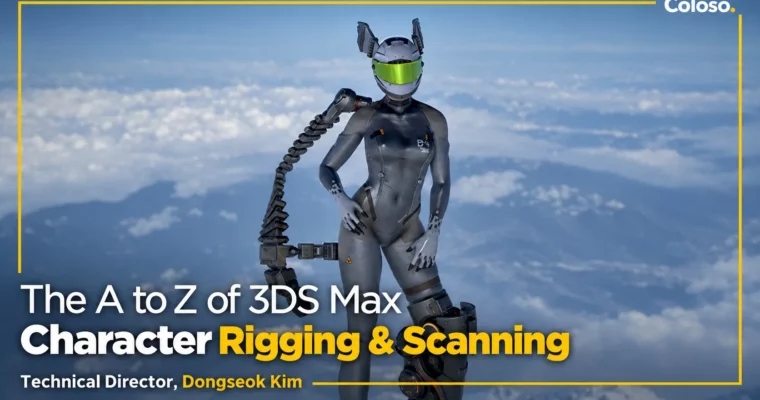
The A to Z of 3DS Max Character Rigging & Scanning by Dongseok Kim

Duration:26 hours 15 minutes
Actual Duration:47h 44m
Release date:2022
Publisher:Coloso
Skill level:Intermediate
Language:English
Exercise files:Yes
Software:3ds Max, Wrap3, Unreal Engine
Course URL:https://coloso.global/en/products/technicaldirector_kimdongseok-us
Stop fighting stiff, popping characters: Ubisoft character TD Dongseok Kim teaches the complete 3ds Max rigging and skinning pipeline — core concepts without math, Biped efficiency plus full bone-rig depth, 12+ body-part rigs, reverse-joint legs, mechanic and cartoon setups, production skinning and Skin Wrap, and FBX export to engine. Across 24 lectures / 26 hours 15 minutes you internalize rig structure through stepped examples and finish with a 22-year veteran’s studio workflow.
🎯 What you’ll learn
- Understand rigging fundamentals without math: nodes, pivots, bones, transforms, matrices, spaces, hierarchies and constraints
- Design production rig structure: base skeleton, additional bones, rigging vs skin/deforming bones, controllers, naming and scene organization
- Use 3ds Max Biped correctly (joint placement, angles, why defaults fail) and drive custom skeletons with it
- Build 12+ body-part rigs: elbows, knees, neck, groin, twist bones, hips (IK), auto-moving clavicles and flip-free shoulders
- Skin for checking and for shipping: Envelope control, brush weights, blending, mirroring and engine-ready basics
- Reuse skinning with Skin Wrap: split, merge, partially transfer, or move weights to different topology
- Rig reverse-joint legs (double IK, swivel angle), rubber-hose cartoon arms, Biped-driven robot hands and surface-following setups
- Export cleanly to Unreal Engine via correct FBX preparation and settings
✅ Requirements
- Skills: Basic 3D knowledge (beginner to intermediate level); no prior rigging experience needed, math-free concept teaching
- Tools: 3ds Max 2020.3 (2018 or later), Wrap3 2020.12.2, Unreal Engine 4.18 or later (used only for the export lecture)
- Hardware: Minimum 16GB RAM, dedicated GPU recommended for viewport rigs and engine export
📝 Description
Most rigging classes teach one tool sequence; this one teaches why each step exists. Dongseok Kim builds concepts so they chain into one big picture — nodes through constraints, base skeletons through controllers — so you can transfer the thinking to Maya, MotionBuilder, Unity or Unreal Engine, not just repeat a 3ds Max recipe. Planning gets its own lecture: naming, scene organization and export lists, the unglamorous habits that decide whether a rig survives production.
The practice core pairs two strengths: Biped for speed and full bone rigging for control. You place joints correctly, build a clean base skeleton that follows Biped, then add the body-part layer studios actually need — elbows, knees, neck, twist bones without flipping, IK hips, self-moving clavicles and stable shoulders. Skinning is taught as a verification loop first (does the rig deform cleanly?) and a shipping skill second, with Envelope discipline, brush refinement, mirroring and engine constraints.
Then comes the range most beginner classes skip: reverse-joint legs driven by familiar controllers, stretchy rubber-hose cartoon arms, Biped-driven mechanical hands via Reaction Manager, rigid props skinned to soft bodies, and surface-following rigs. A dedicated Skin Wrap lecture shows how to split, merge and transplant weights across meshes — the reuse technique that saves days on variants. You close by exporting to engine with correct FBX settings and a TD’s guidance on what to learn next.
Course is in English (level: beginner to intermediate, 24 lectures / 26h 15m, base mesh plus lecture rig setups and scripts included). Card built from the manufacturer page via the Coloso dump pipeline.
🧑🎓 Who this course is for
- Beginners who find rigging too programmer-like and too slow to internalize, and need math-free fundamentals
- Character artists and animators whose poses break and want clean deformation in any pose
- Aspiring technical artists who need a production rig/skin/export loop, not just isolated tool demos
🧑🏫 About the Author
Dongseok Kim (김동석) is a 3D character technical director at Ubisoft on Beyond Good and Evil 2, with 22 years in games since starting as a modeler in 2000. His credits include Lead Character Artist at Nexon, Lead Technical Artist on Dragon Nest 2 (Eyedentity Games), Senior Technical Artist on Monster Hunter Online (Capcom), and Senior/Lead Technical Artist at NCSoft. Specialized in MMORPG character pipelines — shaders, rigging, character production and 3D-scan pipelines.
🏁 Final Result
- Reusable rig/skin workflow: structured bone rigs with controllers, clean weights and Skin Wrap reuse, exportable to engine
- Presentation-ready character motion checks (walking turntable, sky posing) proving natural deformation in extreme poses
📢 Guys, this is a Group Buy campaign, check the GBC forum thread to get access
You can find the course preview in the download section below.
 Channel