Blender 4.2 Full interior scene creation 2024-9 by Mrawan Hussain

Duration:11 hours 49 minutes
Actual Duration:11h 49m
Release date:2026
Publisher:Udemy
Skill level:Intermediate
Language:English
Exercise files:Yes
Software:Blender, BlenderKit, Photoshop
Course URL:https://www.udemy.com/course/full-interior-scene-creation-with-blender
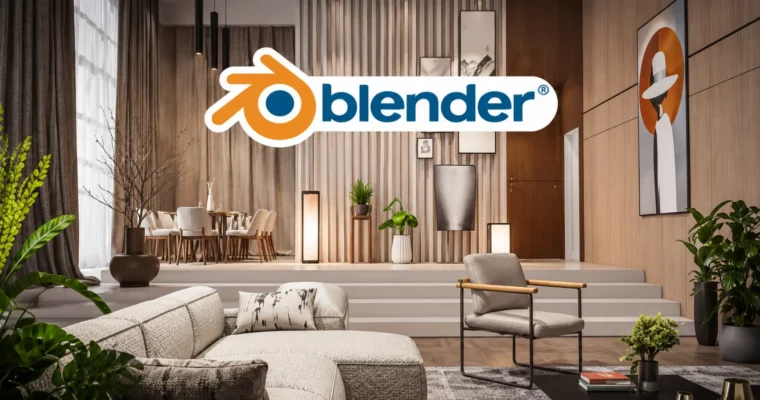
You get one full project: a modern living room built from plans to final render. No half-finished demos. You model the shell, build the furniture, dress the set, light it twice, and walk away with portfolio shots.
🎯 What you’ll learn
- Model a complete interior shell from reference plans and elevations
- Build custom furniture from scratch – chairs, TV console, bookshelves, doors and window frames
- Use BlenderKit to import models and high-quality materials fast
- Set up realistic night lighting with warm interior fixtures
- Create natural daylight with sky texture and a sunbeam effect through windows
- Texture walls, wood, fabrics and glass for a photoreal look
- Render with Depth of Field and post-process in Photoshop
✅ Requirements
- Skills: Basic understanding of Blender interface and navigation, familiarity with basic 3D modeling techniques
- Tools: Blender 4.2, BlenderKit add-on installed and ready, Photoshop or similar app for post-processing (optional but recommended)
- Hardware: PC capable of running Blender 4.2, dedicated GPU recommended for Cycles rendering, minimum 16GB RAM
📝 Description
This is a follow-along build, not theory. You start with architectural plans and reference images dropped straight into Blender 4.2, then block out walls, window openings, and split-level floors to get the proportions right from day one.
From there you model most of it yourself. Window frames, doors, wall paneling, TV console, bookshelves, pendant lights, two different chairs — all done step by step. When it makes no sense to model everything, you pull in extra props and BlenderKit materials to fill the room fast and keep it looking varied.
Texturing gets practical. You lay down walls and panels, dial in wood, fabric, and glass, and fix the small stuff that sells realism — picture frames, light fixtures, curtains, carpet. Nothing fancy, just what works on camera.
Lighting is where it pays off. First you build a moody Night Scene with warm interior lights. Then you switch to Natural Lighting using the sky texture for clean daylight. You also add a Sunbeam Effect with volumetric light through the windows plus fog for depth. Finish with Depth of Field, render it out, and polish in Photoshop for that final portfolio shine.
🧑🎓 Who this course is for
- Intermediate Blender users who know the basics and want a full interior project
- 3D artists and freelancers who want to offer interior viz work
- Archviz fans and students building a portfolio with realistic rooms
- Not for total beginners — you should already move around Blender comfortably
🧑🏫 About the Author
Mrawan Hussain is a Blender instructor with over 6 years making 3D content for clients and students. He focuses on architectural visualization and photoreal interiors — modeling, texturing, and lighting that actually holds up in a portfolio. He teaches the full workflow, no shortcuts skipped.
🏁 Final Result
- A finished modern living room interior rendered twice — warm night version and natural daylight version with sunbeams — post-processed and ready for your portfolio.
 Channel