Corona Renderer Masterclass – Architectural Rendering_9-Day by 3DRedBox Studio

Duration:16 hours on-demand video
Actual Duration:15h 57m
Release date:2026, June
Publisher:Udemy
Skill level:Beginner
Language:English
Exercise files:Yes
Software:3ds Max, Corona Renderer
Course URL:https://www.udemy.com/course/corona-renderer-masterclass-architectural-rendering-9-day/
9 days, 44 lessons, zero fluff. You build real scenes in 3ds Max with Corona Renderer — from cameras and night interiors to exteriors, studio product shots, and files ready to sell.
🎯 What you’ll learn
- Build professional, production-ready Corona renders for architecture, interiors, and product visualization
- Master realistic lighting setups for day, night, interior, exterior, and studio scenes
- Create advanced materials from scratch — metals, glass, concrete, fabric, and displacement
- Integrate modern AI-assisted workflows into your rendering pipeline
- Set up cinematic cameras and capture professional renders from multiple angles
- Prepare and present your projects for selling on online marketplaces
✅ Requirements
- Skills: Basic navigation in 3ds Max, no advanced rendering experience needed
- Tools: 3ds Max 2025 with Corona Renderer installed
- Hardware: Modern multi-core CPU, minimum 16GB RAM, dedicated GPU recommended for smooth viewport work
📝 Description
This isn’t a button-tour. It’s a 9-day production sprint built from real jobs. You start with Corona Renderer basics — cameras, render settings, Corona Sun — and by the end of Day 2 you already have a moody night interior with actual atmosphere.
Then it gets practical. Day 3 puts you on an AI-generated scene to fix layout, materials, and light fast with HDRI and modern AI tools. Day 4 takes you outside for exteriors, decals, and post. Day 5 is all materials: you build plastic, concrete, glass, metals, liquids, and displacement from scratch so you stop relying on downloaded shaders.
Days 6 to 8 are where your portfolio happens. Full kitchen interior, fabric armchair study with leather and cloth shading, clean studio lighting for products, then a complete interior with multiple cinematic cameras. Day 9 zooms out to large environments, vegetation scattering, scene organization, and how to package files for marketplaces.
Voice is AI but human quality-controlled, files are included, and everything is in Full HD. If you want renders that look like client work — not tutorial work — this is the workflow.
🧑🎓 Who this course is for
- 3D artists who want to move beyond beginner tutorials into a professional Corona production pipeline
- Freelancers and studio artists doing archviz, interiors, and product visualization for clients
- Creators who want to package and sell 3D scenes and renders on online marketplaces
🧑🏫 About the Author
3DRedBox Studio is a production-focused archviz team with 10+ years of hands-on work in Corona Renderer and 3ds Max. They build interiors, exteriors, and product visuals for real clients and digital marketplaces, not just demos. That experience shapes this course — short explanations, project-based days, and settings that actually hold up in production.
🏁 Final Result
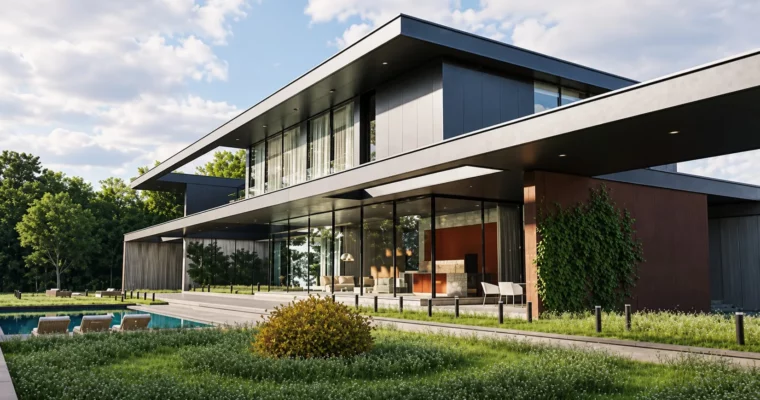
- A portfolio set of photorealistic interior, exterior, night, and studio product renders built in Corona, plus a large-scale organized scene prepared for marketplace sale
 Channel