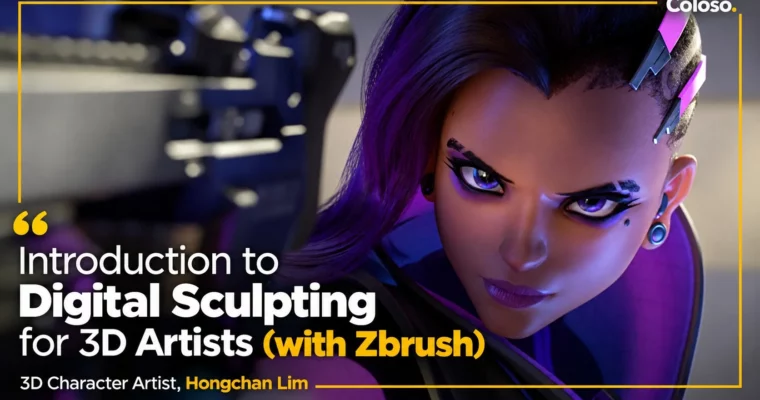
Introduction to Digital Sculpting for 3D Artists (with Zbrush) by Hongchan Lim

Duration:31:51
Actual Duration:63h 41m
Release date:2021, April 14
Publisher:Coloso
Skill level:Beginner
Language:English
Exercise files:Yes
Software:ZBrush
Course URL:https://coloso.co.kr/products/gamegraphic_limhongchan
If your sculpts look lumpy or only work as stylized blobs, this is the fix. You will learn ZBrush the practical way, by building real bodies with correct proportions, muscle flow, and personality baked in.
🎯 What you’ll learn
- Sculpt in ZBrush without getting lost in brushes and menus
- Block out bodies from simple spheres and build correct proportions
- Read skeletal landmarks and muscle flow for believable anatomy
- Model face and neck, torso, arms, hands, legs, knees and feet
- Handle male vs female upper body differences
- Add hairstyles, trinkets and accessories that sit right on the body
- Push two expressive casual faces you can reuse across genres
✅ Requirements
- Skills: Basic understanding of 3D space, familiarity with computer graphics concepts
- Tools: ZBrush installed, 3-button mouse, drawing tablet strongly recommended
- Hardware: 64-bit PC or Mac, minimum 16GB RAM, dedicated GPU recommended for high-poly sculpting
📝 Description
Look, most beginners learn ZBrush backwards. They memorize 50 brushes but skip the body underneath. Then every sculpt looks soft and off. This course flips that. You start from spheres and rough shapes, and you learn why a shoulder connects like it does, where the skeletal landmarks sit, and how proportions change the whole read.
Hongchan keeps it super hands-on. No long theory lectures. You sculpt along — face and neck first, then torso, then the hard parts everyone avoids like hands and feet. You will do both male and female upper bodies so you actually see the difference in fat, muscle, and silhouette instead of just guessing.
Then comes the fun part. Once the body is solid, you dress it up. You add hairstyles, small props and hard-surface trinkets, and you push expression. By the end you have built 8+ pieces, including two casual faces with real personality. Stuff you can drop straight into a game art portfolio or use as a base for animation and personal projects.
🧑🎓 Who this course is for
- Beginners in 3D who want a proper start in digital sculpting, not just hotkeys
- Stylized artists who feel stuck and want their characters to hold up anatomically
- Game art / animation students building portfolio pieces with expressive faces
🧑🏫 About the Author
Hongchan Lim (임홍찬) is a character artist with 16+ years in games and 3D. Most people know him from Blizzard’s Overwatch, where he contributed as a 3D character artist. He has also done work with NCSoft, Amazon, Google, and Tesla on various 3D projects. He teaches like a lead would — direct, visual, and focused on what actually ships in production.
🏁 Final Result
- 8+ finished sculpts including full-body studies and two expressive casual character heads with hair and accessories, ready for portfolio renders
📢 Guys, this is a Group Buy campaign, check the GBC forum thread to get access
You can find the course preview in the download section below.
 Channel