3D Character Modeling for Organic and Hard Surfaces by Andrew Entwistle

Actual Duration:5h 16m
Release date:2023, July
Publisher:Domestika
Skill level:Advanced
Language:English
Exercise files:Yes
Software:ZBrush, KeyShot
Course URL:https://www.domestika.org/en/courses/4345-3d-character-modeling-for-organic-and-hard-surfaces
Want to make creatures that actually hold up in close-up? This course walks you through building a cinematic-style fantasy headshot in ZBrush, starting from a sphere and ending with a portfolio-ready render.
🎯 What you’ll learn
- How to break down good character projects and build your own workflow
- How to use backstory and mood boards to drive design decisions
- How to block out a head from the skull, ears, shoulders and eyes
- How to sculpt organic surfaces like skin, folds and facial forms
- How to sculpt hard-surface armor panels and mix them with flesh
- How to polish, refine and present your character in KeyShot
✅ Requirements
- Skills: Solid understanding of ZBrush interface and sculpting basics, basic knowledge of anatomy
- Tools: ZBrush for sculpting, KeyShot for final presentation
- Hardware: Drawing tablet strongly recommended, computer with 16GB+ RAM for high-poly work
📝 Description
This isn’t a button-tour. Andrew starts with how he picks projects that are worth finishing, then shows you how to gather reference, build a backstory, and set up ZBrush so you don’t fight the software later. Short, practical setup, then straight into forms.
The core of the course is blocking and refinement. You start from a sphere, get the skull right, then add ears, shoulders and eyes. Andrew talks a lot about big shapes first, anatomy landmarks, and why you shouldn’t jump into details too early. Once the base reads well, you push into organic sculpting – skin folds, asymmetry, weight – and contrast that with clean hard-surface pieces.
Later on you get into the stuff that sells realism: custom brushes, surface breakup, armor edges, and small storytelling details. He also covers how to step back, spot what’s broken, and fix it without wrecking your sculpt. Final step is KeyShot – lights, materials and angles to present that headshot like a cinematic asset.
🧑🎓 Who this course is for
- Advanced ZBrush users who know anatomy basics and want more realistic, film-quality results
- Digital artists and game character folks who want to mix creatures, flesh and armor in one workflow
🧑🏫 About the Author
Andrew Entwistle is a 3D digital artist working in the video game industry, known for hyperrealistic characters and creatures. He sculpts primarily in ZBrush and focuses on readable anatomy mixed with believable hard-surface design. In this course he shares the exact process he uses to take a character from idea to polished headshot.
🏁 Final Result
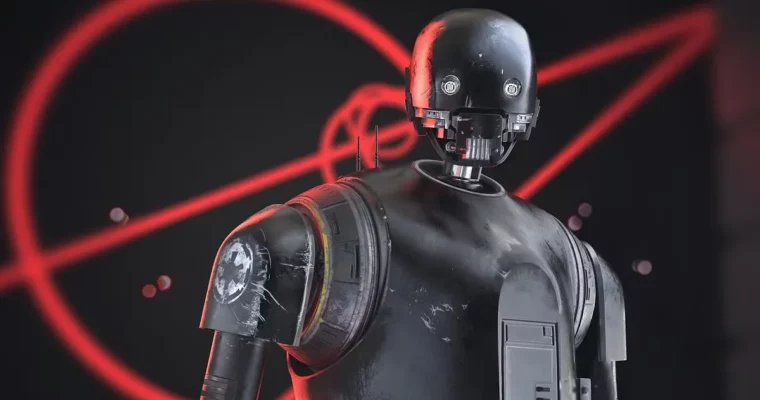
- A cinematic-style 3D creature headshot sculpted from scratch, combining organic and hard-surface techniques and rendered in KeyShot for your portfolio.
 Channel