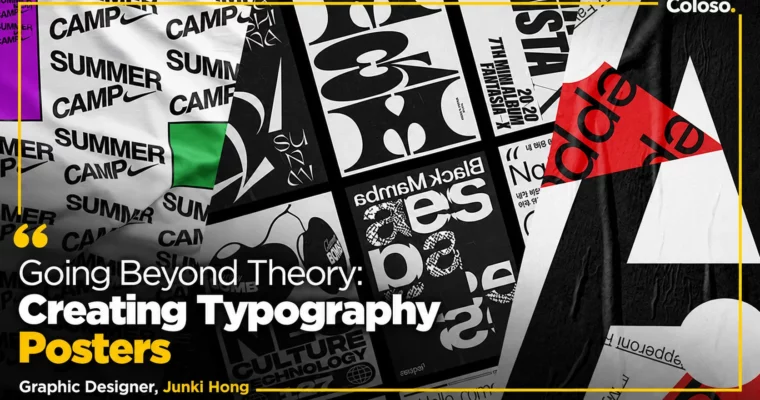
Going Beyond Theory – Creating Typography Posters by Junki Hong

Duration:7 Hours 57 Minutes
Actual Duration:15h 55m
Release date:2022
Publisher:Coloso
Skill level:Beginner
Language:English
Exercise files:Yes
Software:Adobe Illustrator 2022, Adobe Photoshop 2022, Adobe InDesign 2022
Course URL:https://coloso.global/en/products/graphicdesign-hongjunki-us
This is a hands-on poster class with Junki Hong where you stop memorizing typography rules and start using letters as your main graphic tool. You will build a usable type library, try custom lettering in English and Hangul, and finish 9 posters with 8 repeatable approaches.
🎯 What you’ll learn
- How to analyze typefaces and pick the right font for the job
- How to build and organize a personal typography library you actually reuse
- How to design custom type and lettering for English alphabet, numbers, and Hangul
- How to mix Korean and English type without it looking awkward
- How to use 8 poster approaches: glyphs, typesetting, line strokes, brush styling, masks, layout, hierarchy, and gradients
- How to work with gradients, Blend Tool, warp, Type on a Path, and Illustrator 3D effects for posters
- How to turn abstract ideas into concrete poster concepts and run your own project like jun.playlist
✅ Requirements
- Skills: Basic understanding of graphic design, familiarity with typography terms
- Tools: Adobe Illustrator 2022, Adobe Photoshop 2022, Adobe InDesign 2022 installed
- Hardware: Laptop or desktop capable of running Adobe CC, 16GB RAM recommended
📝 Description
Most type classes stop at theory. This one starts where that stuff ends. Junki walks you through how he actually thinks when a brief is vague and all you have is letters. You learn how to pull references, lock a concept, and push it into a visual using type as image, not just type as text.
The middle of the class is all about building your own toolkit. You will collect fonts, sort them by feel and use, study glyphs, and make your own type sample book. Then you get into making stuff: tweaking existing faces, building custom type from grids and motifs, and doing lettering drills for alphabet, numbers, and Hangul. The Korean-English mixing lesson alone fixes a problem a lot of designers run into.
Then you make posters. Eight of them, each with a different starting point. One starts from glyph shapes. One is pure typesetting and text wrap. One is all line strokes. One uses brush styling plus Illustrator 3D effects. Later you switch to idea-first posters with masks, tilt, custom grids, Type on a Path for hierarchy, and gradients with Blend and Warp for that punchy graphic look. You see the full process, including the messy decisions, not just the clean final.
You also get the behind-the-scenes on real jobs and personal work. Junki breaks down commercial cases and his jun.playlist K-pop poster series, and shows how he archives references and keeps a library that makes the next project faster.
🧑🎓 Who this course is for
- Students and junior designers who know type basics but get stuck when they have to make something original
- Practicing graphic designers who want more ways to use typography as the main visual in posters and campaigns
- Anyone into poster design, lettering, or K-pop / music graphics who wants a repeatable workflow for personal projects
🧑🏫 About the Author
Junki Hong is a graphic designer working between New York and Seoul, currently Senior Designer at Wolff Olins. He previously worked at Base, Character NY, Sagmeister & Walsh, 2×4, and FISK, building a reputation for expressive, graphic typography.
His client work includes Nike Adapt, Nike Kyrie 5, Instagram Shopping, Converse and Red Bull title lettering, and type direction for Riot Games Valorant Champions Tour. His personal project jun.playlist, a series of K-pop typography posters, has been featured in CA Magazine, Asia-Pacific Design, IdN Magazine, TYPEONE Magazine, and AIGA Eye on Design.
🏁 Final Result
- 9 finished typography posters covering 8 different expression methods, from glyph-based and typesetting posters to gradient, 3D, and layout-driven pieces
- A personal typography library and type sample book with custom lettering for English, numbers, and Hangul you can reuse in your portfolio
📢 Guys, this is a Group Buy campaign, check the GBC forum thread to get access
You can find the course preview in the download section below.
 Channel