Rapid Retopo and UVs in 3D Coat

Duration:07:17:00
Actual Duration:7h 17m
Release date:2015, August
Skill level:Beginner
Language:English
Exercise files:Yes
Course URL:https://www.udemy.com/retopology/
What Will I Learn?
Know how to use manual retopo tools in 3D Coat
Know how to use auto retopo tools in 3D Coat
Know how to manage multiple retopo and UV sets as well as their limitations
Learn to use free scripts to help manage the process
Know how to export the UVd meshes for painting
Requirements
It would be helpful, but not essential, to take my other course, Hard Surface Modeling and Sculpting Course in 3D Coat
Description
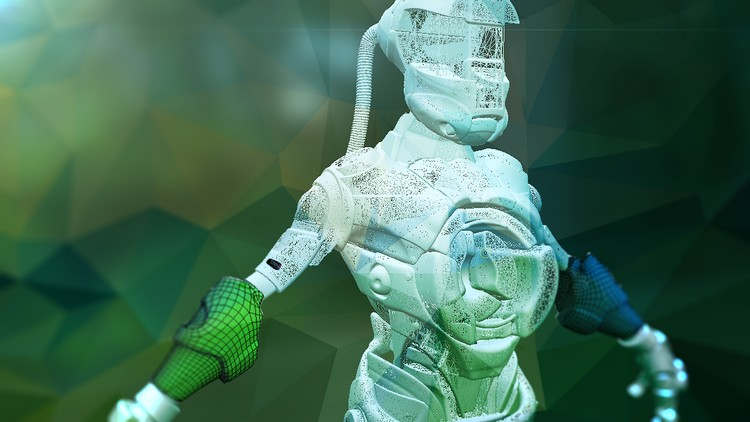
The course is the process of unwrapping a robot model which I did in another Udemy course – Hard Surface Modeling and Sculpting Course in 3D Coat. It covers everything you need to know to get useful geometry and UVs from voxels.
Its a big job and I discover some surprises on the way, like not having enough graphics card memory and how to resolve the issue and how to use scripts to manage what becomes a pretty enormous list of retopo and UV parts.
I thought I knew 3D Coat inside out, but I learned a lot from this process,l including some little known workflows, and you will too.
This is not a course on general 3D retopo best practices but more about how to manage retopo and UV worflows in 3d coat when dealing with many many scene objects.
Who is the target audience?
This course is good for people wanting to know more about 3D Coat retopo and UV workflow. If you want to simply import models and UV them only, I dont really cover that process but the same tools would apply and its not that much different at the end of the day.
01 Introduction
001 Introduction to the model and the project
02 An overview of the manual retopo tools
001 Manual Retopo 1
002 Manual Retopo 2
03 Arm Basics
001 Basic auto retopo
002 Manual Retop Part
003 Auto Retopo from Lecture 3
004 Fore Arm retopo – a slightly more complex form auto-retopoed with curves
04 Shoulder Part
001 Manual retopo Shoulder part
002 Manual retopo Shoulder part II
003 Auto retopo Shoulder part
05 Hands
001 Hand
002 Fingers I
003 Fingers II
004 Fingers III
005 Manual retopo of the main finger cylinder
006 Arm Preview in Maya
06 Legs
001 Hybrid AutoManual retopo
002 Hybrid AutoManual retopo II
003 Hybrid AutoManual retopo III
004 Hardsurface autotopo
005 Various Leg parts – Autotopo
006 More Hard surface Autotopo
007 Foot Parts Hard Surface
008 FInish leg and move to Torso with manual collapsing
07 Pelvis and Up
001 Autotopo various pelvis parts
002 Chest and shoulders in 12 minutes
08 Helmet Parts
001 Pipes and Helmet I
002 Helmet II
003 Helmet III Hybrid automanual retopo
004 Helmet IV Hybrid automanual retopo
005 Finish Helmet and begin very difficult rib piece
006 Rib piece II Manual retopo
007 Rib piece III solved
008 Final cleanup of the rib and perfect quads…yeah…finally
09 UVs
001 Basic UVs and multi UV sets symmetry
002 Basic UVs and multi UV sets symmetry III
003 Finalizing the retopo
004 UV5
005 Some special scripts for managing retopo groups
006 We also have to manage the UVs a bit to get them into Paint
007 Finally Exporting
008 3D Coat 4.5.11 — a new retopo algorithm…..wait..WHAT
 Channel