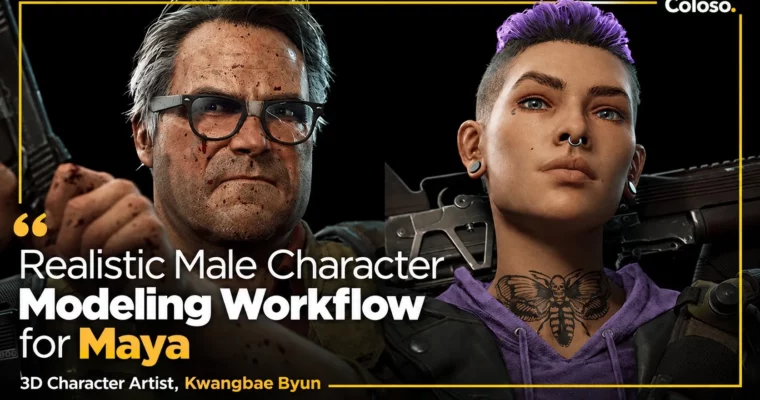
Photorealistic Male Character Modeling Workflow Using Maya by Kwangbae Byun

Duration:33 hours 39 minutes
Actual Duration:67h 17m
Release date:2022
Publisher:Coloso
Skill level:Intermediate
Language:English
Exercise files:Yes
Software:Maya, ZBrush, Substance Painter, Marmoset Toolbag, Marvelous Designer
Course URL:https://coloso.co.kr/products/3dcharacterartist_byunkwangbae
Learn the full Maya-based workflow for a AAA-grade photorealistic male game character: concept and proportions, high-poly sculpting in ZBrush, clothing in Marvelous Designer, retopology and UVs in Maya, baking and texturing in Substance Painter, and final posing, materials and lighting in Marmoset Toolbag. You build one post-apocalyptic full-body character — body, face, hands, clothes, boots, backpack and pouches — across 29 lectures / 33 hours 39 minutes, and finish with studio hiring advice from an artist credited on Call of Duty WWII, Back 4 Blood and God of War Ragnarok.
🎯 What you’ll learn
- Plan a post-apocalyptic male character concept and adjust face/body proportions and likeness
- Sculpt a solid base body, facial volumes, hands and arms in ZBrush
- Build garments in Marvelous Designer and transfer them to ZBrush for wrinkles and detailing
- Add hard-surface-style prop detail (boots, backpack, pouches, straps) with alpha maps and Surface controls
- Retopologize in Maya and lay out optimized UVs, including cylindrical objects
- Bake maps cleanly in Substance Painter and Marmoset Toolbag and fix bake errors
- Texture skin, clothing and props with realistic materials, detail normal maps and wear-and-tear damage
- Pose the character and set up materials, lighting and final polish in Marmoset Toolbag
✅ Requirements
- Skills: Basic 3D knowledge (beginner to intermediate level); no photorealistic-character experience needed
- Tools: ZBrush 2022 or later, Maya 2020 or later, Marmoset Toolbag 4, Substance Painter 7.4 or later, Marvelous Designer 11
- Hardware: Pen tablet required, minimum 16GB RAM, dedicated GPU recommended for baking and 4K texturing
📝 Description
This is a single-character, start-to-finish class: one post-apocalyptic male full-body build that carries every stage of the pipeline. You start with concept discipline and proportion work — how likeness, body ratios and prop-to-body balance decide whether a realistic character reads as natural — then move into high poly, where ZBrush handles anatomy and face/hands detail while Marvelous Designer produces believable garments that you refine back in ZBrush.
The low-poly block stays practical and Maya-centered: retopology rules that prevent bake errors, clean normal-map output, and UV layout including the cylindrical pieces beginners often unwrap badly. Texturing alternates between Substance Painter and Marmoset Toolbag — test bakes, corrected production bakes, base materials, detail normal maps, then the damage layer (scratches, edge wear, dirt) that sells the post-apocalyptic look on clothes, skin and props.
The final block is presentation as studios judge it: posing the low-poly mesh, material setup and lighting in Marmoset Toolbag, re-importing textures for correction passes, and a QC pass over proportions, missing props and texture gaps until the character holds up at production quality. The class closes with hiring-oriented advice drawn from North American AAA production — what character-art roles actually require and how to prepare for them.
Course is in English (level: beginner to intermediate, 29 lectures / 33h 39m, class and base-model files included). Card built from the manufacturer page via the Coloso dump pipeline.
🧑🎓 Who this course is for
- Aspiring 3D character modelers who want a complete photorealistic-male workflow, not isolated tool tips
- Maya users switching from 3ds Max-centered pipelines to the current studio-standard character setup
- Intermediate artists whose realistic characters look stiff and need structured anatomy, material and render habits
🧑🏫 About the Author
Kwangbae Byun (변광배) is a 3D character artist, working as a Senior Character Artist at a PlayStation Studio. His credits include Associate Character Artist on Call of Duty WWII (Sledgehammer Games), Character Artist on Back 4 Blood (Turtle Rock Studios), and Character Artist on God of War Ragnarok (Santa Monica Studio). He teaches the minimum-tool, maximum-effect pipeline he uses in production, plus how character modelers actually get hired.
🏁 Final Result
- Finished photorealistic post-apocalyptic male character — posed, textured and lit Marmoset presentation at production-review quality
- Repeatable Maya / ZBrush / Substance Painter pipeline plus a clear preparation direction for studio character-art roles
📢 Guys, this is a Group Buy campaign, check the GBC forum thread to get access
You can find the course preview in the download section below.
 Channel