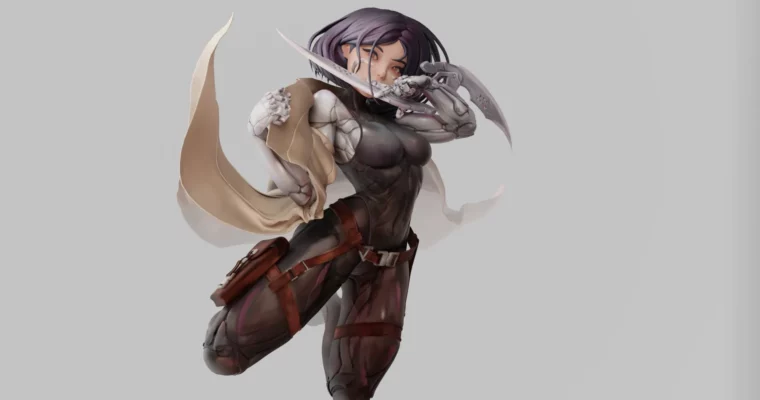
Alita Battle Angel – 3D Modeling From An Illustration by Nicolás González Salas

Duration:12hours 14mins
Actual Duration:12h 41m
Release date:2025
Publisher:Artstation
Skill level:Intermediate
Language:English
Exercise files:Yes
Software:ZBrush, Marvelous Designer, Blender
Course URL:https://tiffany-akiko.artstation.com/projects/zOedW4
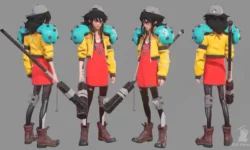
Want to take a 2D drawing and actually make it work in 3D? This course walks you through the full build of Alita Battle Angel from illustration to finished model using ZBrush, Marvelous Designer, and Blender. No fluff, just a fast production workflow you can reuse for collectibles and 3D printing.
🎯 What you’ll learn
- Translate a 2D illustration into accurate 3D proportions
- Sculpt a stylized female anatomy base in ZBrush
- Use polygroups, guides, and ZModeler for clean control
- Create and tailor a realistic coat in Marvelous Designer
- Sculpt hair with fiber brushes and refine shapes
- Model hard-surface props like swords, straps, buckles, and holster
- Prep Subtools by material and render in Blender Cycles
✅ Requirements
- Skills: Basic familiarity with ZBrush navigation and human anatomy fundamentals
- Tools: ZBrush 2020, Marvelous Designer 2019, Blender 2.90, drawing tablet
- Hardware: Quad-core CPU, 16GB+ RAM, SSD storage, dedicated GPU with 6GB VRAM
📝 Description
Look, translating 2D to 3D is tricky. Drawings cheat. Proportions lie. This course shows you how to read an illustration and rebuild it so it still looks right when you orbit around it. Nicolas builds Alita from scratch in ZBrush, starting with a simple anatomical base, then locking in likeness with guides, polygroups, and smart blocking.
Clothes kill a lot of sculpts. Instead of faking folds, you’ll build the coat properly in Marvelous Designer. You make the patterns, cut and tailor them, run the fabric simulation, then bring it back into ZBrush for polish and fit. Result looks natural because it actually drapes like cloth.
Then it’s all about finishing. Hair with fiber brushes, straps and buckles, swords with ZModeler and Topology brush, blade polish, detail pass. At the end you split everything by material, throw base colors from the illustration palette, and render fast in Blender Cycles with his lighting setup. You also get project files, base mesh, brushes, materials, and references to follow along.
🧑🎓 Who this course is for
- Character artists who want a repeatable 2D-to-3D workflow for stylized figures
- Hobbyists and sculptors aiming at 3D printing, anime collectibles, and fan-art statues
🧑🏫 About the Author
Nicolás González Salas is a 2D/3D digital animator and digital sculptor obsessed with characters. He started animation at 19, found ZBrush in 2016, and has been sculpting daily since. He has worked as a miniature sculptor at RN Estudio in Malaga, plus 3D printing collectibles for B.I.A. Station and Tokyo Shop, along with freelance anime statues. Punctual on deadlines, heavy on practice, and focused on stuff that actually prints well.
🏁 Final Result
- Fully posed stylized Alita Battle Angel, rendered in Blender – ready for portfolio and prepped for 3D printing / collectible workflow
 Channel