Plasticity For AAA Games by Howel GANUCHAUD

Release date:2024, July
Publisher:Artstation
Skill level:Intermediate
Language:English
Exercise files:Yes
Software:Plasticity, Blender, Marmoset Toolbag, Substance Painter, Moi3D, ZBrush
Course URL:https://www.artstation.com/marketplace/p/OOwq2/plasticity-for-aaa-game-assets
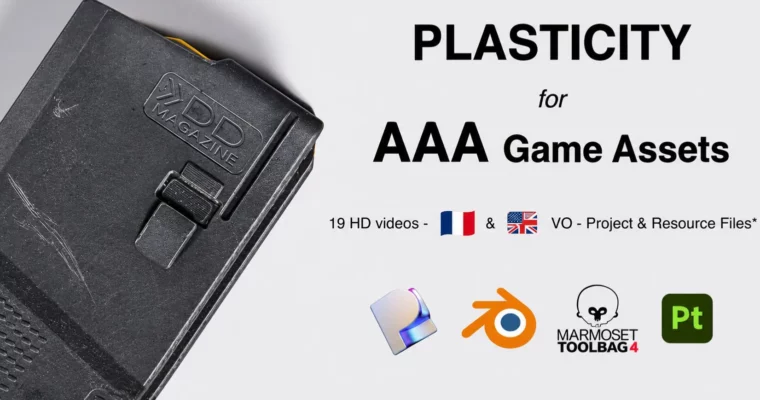
Want to actually use Plasticity for games instead of just making pretty CAD renders? In this course you build a Daniel Defense magazine from scratch — CAD modeling, lowpoly, UVs, bakes, and full Substance Painter texturing — and end up with a proper AAA prop for your portfolio.
🎯 What you’ll learn
- Model clean, game-friendly CAD in Plasticity without falling into topology traps
- Export a dual OBJ workflow for lowpoly and highpoly from Plasticity and Moi3D
- Rebuild and optimize CAD meshes into an AAA lowpoly in Blender
- Unwrap with correct texel density, island optimization and tight packing
- Build a highpoly with voxel remesh in Blender or ZBrush
- Bake clean realistic magazine in Substance Painter straight from reference
✅ Requirements
- Skills: Basic understanding of 3D modeling and baking workflows
- Tools: Plasticity (Trial / Indie / Studio), Blender, Marmoset Toolbag, Substance Painter 10+, optional Moi3D trial and ZBrush
- Hardware: PC capable of running Blender and Substance Painter, dedicated GPU, 3-button mouse
📝 Description
Most Plasticity tutorials stop at the pretty CAD render. This one doesn’t. You start with CAD modeling and finish with something you can actually ship in a game — UV’d, baked, and textured with real-time constraints in mind.
First part is all about working smart. You’ll get the Plasticity basics — shortcuts, tools, what matters and what doesn’tBlender** addons Howel actually uses. Then you model the Daniel Defense mag in CAD, and he talks straight about what works for games and what will bite you later.
Then comes the grunt work that makes it game-ready. You’ll export two meshes, rebuild a clean lowpoly in Blender, handle UVs with proper texel density and packing, then push a highpoly through voxel remesh. Baking is done in Marmoset Toolbag, with real fixes for skewed normals, cage issues and edge artifacts.
For texturing, it’s full Substance Painter from an empty project to finished AAA prop. How to read reference, layer wear, break up roughness, keep it believable. Heads up: videos have ENG + FR audio tracks, English by default. And the grunges from greyscalegorilla and DGruwier Surface Imperfections Vol.1 used in the video aren’t included since they’re paid.
🧑🎓 Who this course is for
- Hard-surface artists who want to add Plasticity and CAD to their game workflow
- Blender users tired of messy CAD imports, bad bakes and lumpy lowpolys
- Modelers with basic 3D knowledge who want one full start-to-finish AAA project
🧑🏫 About the Author
Howel GANUCHAUD is a hard-surface artist focused on CAD for games and AAA props. He works daily across Plasticity, Blender and Substance Painter, turning tight CAD forms into optimized, bake-clean assets. His teaching is straight from production — no theory fluff, just what holds up in-engine and in a portfolio.
🏁 Final Result
- Game-ready Daniel Defense magazine with optimized lowpoly, voxel-based highpoly, clean UVs, Marmoset-baked maps and full AAA Substance Painter textures ready for your portfolio
 Channel