It looks like you're using an adblocker.
Adblockers make us sad. We use ads to keep our content happy and free. If you like what we are doing please consider supporting us by whitelisting our website. You can report badly-behaved ads by clicking/tapping the nearby 'Advertisement' X text.
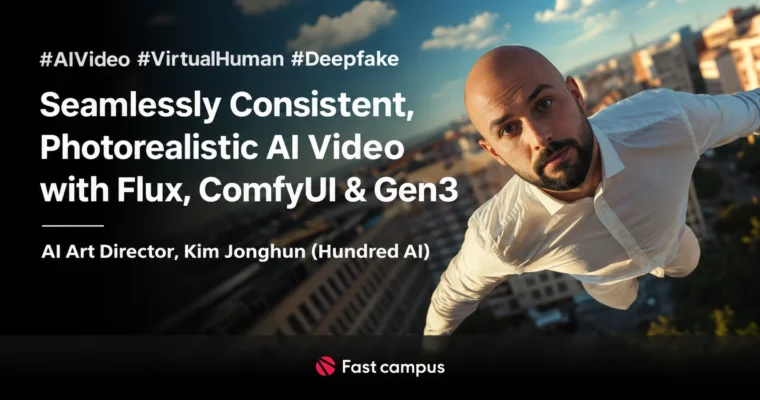
Seamlessly Consistent, Photorealistic AI Video with Flux, ComfyUI & Gen3 by Kim Jonghun
Make 100% consistent photorealistic AI humans — from Flux stills to talking Gen3 video, shorts to deepfake and voice cloning.
From 2D stills to shorts, lip-sync, deepfake and voice cloning: Kim Jonghun (Hundred AI) teaches the full production pipeline behind Korea’s first full-AI video commercial — holding one person’s identity consistent across long photorealistic clips and making them speak with high-sync lip movement.
🎯 What you’ll learn
Keep one AI person’s identity 100% consistent across long videos
Text-to-video and image-to-video with Gen3, Kling, Hailuo, Pika, Hunyuan
Lip-sync and face tools: LivePortrait, FaceFusion, Topaz AI upscaling
Voice cloning and training: GPT-SoVITS, ElevenLabs, Kohya LoRA, DeepFaceLab
Finish two portfolio pieces: Fake-TED Talk and Fake-Commercial
✅ Requirements
Skills: No AI background needed — the course states anyone can follow
Tools: Stable Diffusion WebUI / ComfyUI setup, Photoshop; accounts for Gen3, Kling, ElevenLabs, Replicate as used
Hardware: GPU-equipped PC for local SD/ComfyUI work (course covers required gear in CH02-01)
📝 Description
The course is fully dubbed into English: all 68 lessons ship with English voiceover plus English subtitles, so no Korean is needed to follow along.
The publisher’s program spans short-form production to deep learning: 2D images, talking-head video, deepfake and voice training, all aimed at one signature skill — keeping a single character consistent for 30+ seconds of photorealistic footage with synced lip motion. Bonus materials per the publisher: prompts used in lectures, example file lists and links, IDM-VTON/V2V ComfyUI workflows, and deep-learning datasets with labeling examples. Lecture benefits: learn from the producer of Korea’s first full-AI video ad, with immediately applicable production techniques.
Discrepancies, stated honestly: the publisher markets “7 major topics, 60+ clips (about 19 hours)” while the delivered VOD set counts 68 clips at about 20 hours 5 minutes (verified at import against VOD runtimes); the source pack ships no subtitle files (dub Korean subs are ASR-derived); one lesson ships in two near-identical cuts (CH02-13 plain and MUX, ~357 vs ~363 MB) and both are carried through as delivered. The GBC thread title writes “Gen-3” with a hyphen; the poster and catalog use “Gen3”.
🧑🎓 Who this course is for
Creators who want consistent photorealistic AI humans for ads, shorts and virtual characters
Marketers and filmmakers curious about full-AI commercial pipelines
Anyone starting from zero with Stable Diffusion / ComfyUI / video AI
🧑🏫 About the Author
Kim Jonghun (김종헌) is an AI art director running Hundred AI (헌드레드 AI), credited with producing Korea’s first full-AI video advertisement. He teaches the same Flux → ComfyUI → Gen3 pipeline he uses in client work, from stills through talking video to deepfake and voice cloning.
🏁 Final Result
Two portfolio videos — a Fake-TED Talk (40s western man lecturing) and a Fake-Commercial (20s coffee CF) — plus reusable Flux/ComfyUI/Gen3 workflows for unlimited talking-AI-human content.
Curriculum
📋 Course content
Part 1. Getting Friendly With Generative AI (7):mindset before tools
CH01-01. Must-knows before touching generative AI
CH01-02. How to approach generative AI — common misunderstandings
CH01-03. Course tour A to Z
CH01-04. Instructor intro — Hundred AI
CH01-05. Photoshop alongside generative AI
CH01-06. Adobe Photoshop generative fill
CH01-07. Photoshop neural filters
Part 2. Starting With WebUI (25):Stable Diffusion foundations
CH02-01. Generative AI types and hardware you need
CH02-02. Tool landscape and why learn Stable Diffusion
CH02-03. Must-remember facts before learning
CH02-04. Stable Diffusion install and options
CH02-05. First T2I image — SD basics
CH02-06. Checkpoints, prompts, adding files (1)
CH02-07. Checkpoints, prompts, adding files (2)
CH02-08. VAE explained
CH02-09. IMG2IMG and Inpaint (1)
CH02-10. IMG2IMG and Inpaint (2)
CH02-11. Hands-on Inpaint features (revised)
CH02-12. ControlNet — definition and install
CH02-13. ControlNet Canny and Softedge (1) + MUX version
CH02-14. ControlNet Canny and Softedge (2)
CH02-15. ControlNet Depth
CH02-16. ControlNet OpenPose
CH02-17. ControlNet IP-Adapter
CH02-18. Combined example 1 — product + background compositing
CH02-19. Combined example 2 — model holding the product
CH02-20. LoRA concept and install
CH02-21. Extras & upscale
CH02-22. SDXL
CH02-23. ADetailer
CH02-24. Finding and applying error fixes
Part 3. Content With Generative AI (22):ComfyUI, video AI, Flux




 Channel