It looks like you're using an adblocker.
Adblockers make us sad. We use ads to keep our content happy and free. If you like what we are doing please consider supporting us by whitelisting our website. You can report badly-behaved ads by clicking/tapping the nearby 'Advertisement' X text.
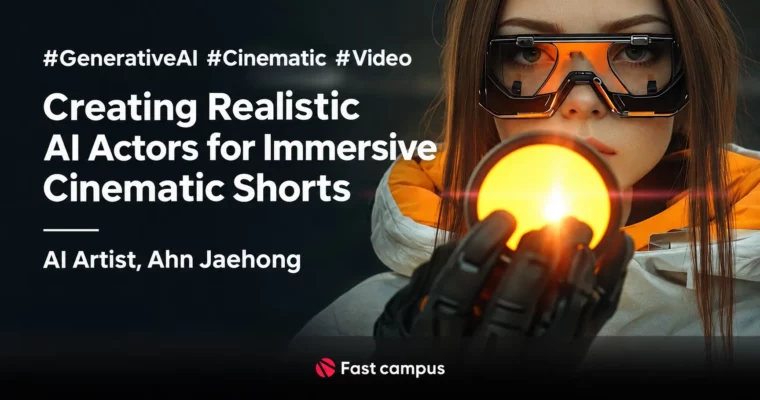
Creating Realistic AI Actors for Immersive Cinematic Shorts by Ahn Jaehong
Build lifelike virtual actors and finish a cinematic short film with one connected AI workflow from image to sound to upscale.
Stop hiring, shooting, and re-shooting for every small idea. This course shows you how to cast, direct, and finish a virtual actor short using Midjourney, Runway Gen-3 and a full sound-to-delivery stack, all the way to a watchable cinematic piece.
🎯 What you’ll learn
Plan and prompt consistent virtual actors in Midjourney with pose, background, age, wardrobe and emotion control
Keep character identity locked with Character Reference across shots and scenes
Animate stills to acting performances with Runway Gen-3, Luma Dream Machine, Kling and Krea
Drive faces with real acting using ComfyUI and LivePortrait motion capture
Build smooth AI transitions for cinematic scene changes
Generate background music with Suno and sound effects with ElevenLabs, including video-to-sound
Translate and apply multilingual subtitles with Claude AI and Premiere Pro
Upscale low-res AI clips to delivery-ready quality with Topaz Video AI
✅ Requirements
Skills: Basic computer skills, no prior AI video experience needed
Tools: Paid Midjourney V6.1 and Runway Gen-3 Alpha Turbo accounts required, Premiere Pro for transcript and subtitle work, free / freemium accounts for Luma, Kling, Krea, Suno, ElevenLabs, Claude AI
Hardware: Windows PC for class demos, dedicated GPU with updated drivers for ComfyUI LivePortrait and Topaz Video AI, minimum 16GB RAM and fast SSD storage recommended
📝 Description
This is not a tips-and-tricks collection. You get one end-to-end pipeline: idea to cast to shoot to sound to delivery. Ahn starts with how to think like a director – casting, wardrobe, light, emotion – then turns that into repeatable prompts in Midjourney and Stable Diffusion workflows.
The part most people get wrong is acting. Stiff AI faces kill immersion fast. Here you learn two fixes that actually work. First, direct performance with Runway Gen-3, Luma Dream Machine, Kling and Krea. Second, steal real acting with LivePortrait in ComfyUI – feed it a simple motion-capture clip and map that performance onto your generated face. Same actor, different gender, age, or situation, without re-casting.
Then you finish like a pro. You will cut hard-to-do AI transitions, lay in music made with Suno, build effects with ElevenLabs both from text and straight from your video, translate subtitles with Claude AI while keeping timecode intact, and clean up mushy AI resolution with Topaz Video AI. The examples are practical: night city lightning, snowy streets, battlefield blasts, sparks, microscopic worlds, galaxy explosions – the exact shots that usually fall apart.
🧑🎓 Who this course is for
Solo creators and small teams who want film-looking shorts without actor fees or big shoots
Editors, YouTubers, and motion folks who need faster character, music, SFX, and subtitle workflows
🧑🏫 About the Author
Ahn Jaehong is a media artist working across film directing, scenario, stage, design, and media art. He has shown work at Times Square New York for Light Visions, at exactly.ai in Berlin, at SEOUL WINTA Gwanghwamun, and at the Gwangju Design Biennale, plus AI background visuals for the musical Blacksmith Chuck.
He teaches visual media design at Hankyong National University, runs workshops for Daehong Planning, PaTi and Hongik University, and co-runs the Daily Prompt AI newsletter. He also published AI Wonderland. His classes mix storytelling and mise-en-scene with hands-on tool use, so you learn what looks good and how to actually render it.
🏁 Final Result
A cinematic AI short led by a consistent virtual actor with directed performance, transitions, original AI music and SFX, multilingual subtitles, and Topaz-upscaled final quality ready for upload or screening
Curriculum
📋 Course content
OT:Generative AI Theory and Orientation
Instructor and course overview
Core concepts and traits of generative AI
Cautions when using generative AI
Practical tour of key generative AI tools
Part 1:AI Virtual Character Drafts with Midjourney (Text to Image)
Planning and setup for virtual character images
Prompt basics for character prompts
Hands-on – basic prompts
Hands-on – pose control
Hands-on – background setup
Hands-on – combining settings
Female character generation
Male character generation
Age-based character generation
Era, background and costume-based generation
Job-based character generation
Emotion-focused expression
Lighting, shadow and style variation
Keeping identity consistent
Character Reference workflow
FAQ
Part 2:AI Virtual Character Video with Runway Gen-3 / Luma (Image to Video)
Image-to-video overview and Img2Vid approach
Runway Gen-3 basics
Luma Dream Machine basics
Kling basics
Krea.ai basics
Runway Gen-3 character acting practice
Luma Dream Machine character practice
Kling character practice
Bringing characters to life – motion capture and ComfyUI LivePortrait
ComfyUI install and initial setup
LivePortrait install and initial setup
LivePortrait project – make a talking actor clip
Advanced settings and fine-tuning
FAQ
Part 3:AI Video Transitions with Luma Dream Machine
What AI video transitions are
Image extraction and prep for transitions
Creating transitions in Dream Machine
Applying transition clips in the edit
FAQ
Part 4:Background Music for Retention with Suno (Text to Music)
Why AI background music matters for immersion
Suno intro and basic setup
Generating background music in different styles
Applying generated music to picture
Final review and fixes
FAQ
Part 5:Sound Effects for Immersion with ElevenLabs (Text to Sound)
Role and importance of sound effects
ElevenLabs intro and basic setup
Generating and using varied sound effects
Video to Sound Effect – generating sound from video clips
Applying generated effects to picture
FAQ
Part 6:Global Subtitles with Claude AI (Text to Text)
Why subtitles matter for global viewers
Understanding the subtitle translation pipeline
Creating transcripts in Premiere Pro
Translating with Claude AI 3.5 Sonnet
Applying translated subtitles in Premiere Pro without breaking timecode
FAQ
Part 7:Quality Upscaling with Topaz Video AI (Video to Video)
Resolution limits of generative AI video and how to fix them
Topaz Video AI intro and install
Interface tour and key features
Hands-on – basic enhancement
Advanced settings for high-quality results
Enhancement practice for different cases – city, snow, explosions, sparks, micro and space shots




 Channel