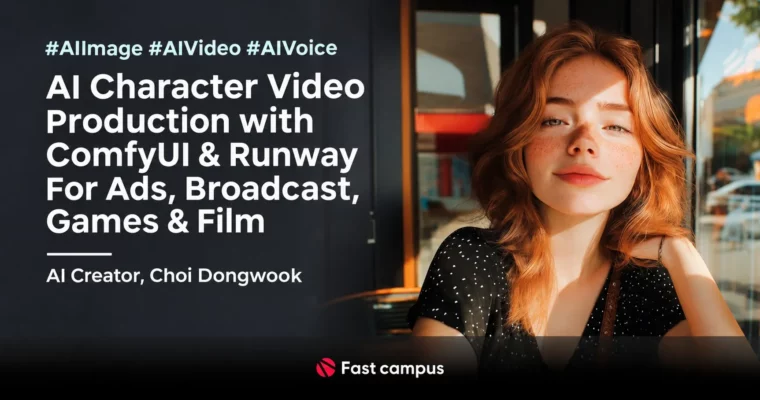
AI Character Video Production with ComfyUI and Runway For Ads Broadcast Games and Film by Choi Dongwook

Duration:16 hrs
Actual Duration:32h 27m
Release date:2025, December
Publisher:FastCampus
Skill level:Beginner
Language:English
Exercise files:Yes
Software:ComfyUI, Runway Gen-3, Midjourney, NijiJourney, Live Portrait, RVC, Typecast, Suno, Topaz Video AI, Adobe After Effects, Adobe Photoshop
Course URL:https://fastcampus.co.kr/data_online_aicharacter
Still making only still images with AI? This course flips that. You will build five working AI characters – photoreal, 2D and 3D – and turn them into talking, singing video using ComfyUI and Runway Gen-3, plus voice and clean-up in After Effects.
🎯 What you’ll learn
- Generate consistent photoreal, 2D and 3D characters with Midjourney and ComfyUI
- Keep identity across angles and poses with Inpaint and Variation workflows
- Animate faces and body with Runway Gen-3 and Live Portrait i2v / v2v
- Stabilize acting sources in After Effects for cleaner facial transfer
- Create custom voices with Typecast, RVC and ElevenLabs-style voice conversion
- Make BGM with Suno and sync lip, dialogue and music
- Polish with Topaz Video AI, color correction, subtitles and compositing
✅ Requirements
- Skills: Basic computer skills, no AI video experience needed, helpful if you have touched Photoshop or Premiere before
- Tools: Windows PC, Midjourney subscription, Runway account, free installs of ComfyUI, RVC, Typecast and Suno
- Hardware: Minimum Ryzen 3900 + RTX 3090, recommended RTX 4090 or higher, Windows OS only – MacOS not supported
📝 Description
Still stuck with images that look good but feel dead? The problem is usually not the prompt. It is inconsistent identity, flat faces, and zero acting. This class tackles that head-on with a simple three-step loop: make a solid person, make them move like a person, then give them a voice.
You start with Midjourney and ComfyUI for the look. Photoreal men and women, subculture-style 2D girl, Pixar-style 3D lead – you learn Variation for casting and Inpaint when you need the same face in a new pose or angle. Then you push faces with Topaz Video AI so close-ups hold up on video. No more waxy skin that screams AI.
Then movement. You use Runway Gen-3 for body motion and Live Portrait for facial performance. That is i2v for single-shot acting and v2v when you want to drive the character with your own recorded source. You will also see the bad examples on purpose, so you know what broken tracking looks like and how to fix it with stabilization in After Effects.
Last piece is what sells realism: feeling and sound. You set joy, sadness, anger, surprise with eyes and mouth, not just filters. For audio you build BGM in Suno, dialogue in Typecast TTS, then reshape tone and pitch with RVC voice conversion. Final pass is all practical After Effects stuff – roto, masking, comp over background, subtitles, color, export. By the end you have not just clips, you have five finished use-cases you can actually pitch: announcer, VTuber/singer, banker, influencer, and 3D girlfriend.
🧑🎓 Who this course is for
- Creators who want to make brand models, promo videos and virtual humans for clients
- Video editors and motion folks wondering how to plug AI into their current pipeline
- Beginners who want one start-to-finish roadmap for AI image + video + voice, not scattered tutorials
🧑🏫 About the Author
Choi Dongwook is editing team lead at Studio Joh, a creative studio known for punchy commercials and world-building ads. His team work includes Binggrae, Samyang, Daesang Miwon and SK Group spots. He teaches from real production habits – what files to prep, what to stabilize, what to fix in post – so you get a workflow that holds up on client work, not just demos.
🏁 Final Result
- Five finished character videos with voice, music and post: AI announcer, AI VTuber music video cut, AI banker spot, AI influencer promo, and AI girlfriend drama-style short – ready to cut into your portfolio or pitch reel.
📢 Guys, this is a Group Buy campaign, check the GBC forum thread to get access
You can find the course preview in the download section below.
 Channel