Learn Blender VFX & CGI Ads Banner Unroll & Pro-Level CGI by My 3D Class

Duration:4h 33m
Actual Duration:4h 18m
Release date:2026
Publisher:Udemy
Skill level:Beginner
Language:English
Exercise files:Yes
Software:Blender, fSpy
Course URL:https://www.udemy.com/course/learn-blender-vfx-cgi-ads-banner-unroll-pro-level-cgi/
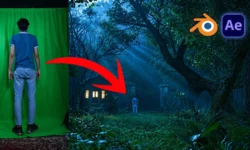
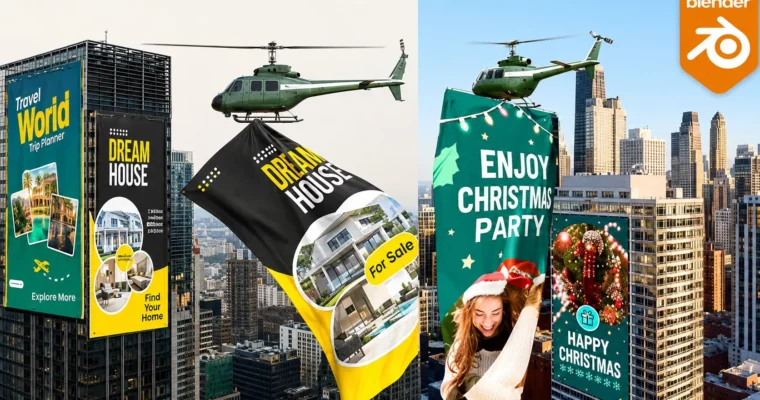
If you want to make those viral CGI ads with giant banners unrolling off buildings, this is it. You will take real phone footage into Blender, do camera tracking with fSpy, add cloth simulation banners, lighting, and compositing, and render out three finished ads.
🎯 What you’ll learn
- The Basics of Blender
- Camera Tracking with fSpy and Blender
- How to create realistic CGI integrated into live footage
- Working with 3D Assets and free addons
- Scene Optimization for faster renders
- Animate realistic helicopter movements and dynamic banner scenes
✅ Requirements
- Skills: No experience required, basic computer skills are enough
- Tools: Blender (free), fSpy addon (free)
- Hardware: PC or Mac capable of running Blender 4.4+, dedicated GPU recommended for rendering
📝 Description
This is not theory. You build three full ads from start to finish. Same workflow agencies use: pick a clip, solve the camera, block the scene, simulate, light, render, composite.
You start with Blender basics – UI, meshes, modes, viewports. Then you install fSpy and learn how to pull perspective from a video frame. That part matters. If your tracking is off, nothing sticks to the building. The course shows you how to analyze footage, import it, and build simple shadow-catcher geometry so your CGI actually sits in the shot.
Then comes the fun part: the banner unroll effect. You use planes, curves, and cloth simulation to get that heavy fabric drop. You will learn how to pin it, time it, add your ad image as texture, and keep it from intersecting or jittering. Plus lighting with HDRI and extra lights to match the sun in your footage.
Project two and three level it up. More banners on multiple buildings, another 3D building block-out, and a fully animated helicopter carrying a poster. You will animate flight path, rotor feel, and poster sway so it reads as real on a phone screen. Then compositing, scene optimization, and turning your image sequence into a final video in Blender’s Video Sequencer.
Short lessons, clear steps, Blender 5 updates included. By the end you have a repeatable pipeline for tourism ads, real estate promos, holiday spots – anything that needs a big wow moment on a real building.
🧑🎓 Who this course is for
- 3D Artists who want to add VFX ads to their reel
- VFX Artists and CGI Artists moving into short-form advertising
- Video Editors who want to do their own CGI shots in Blender
- Blender users at beginner to intermediate level
- Anyone keen to learn VFX or CGI for social media ads
🧑🏫 About the Author
My 3D Class focuses on practical Blender training for VFX and commercial work. The teaching style is straight to the point – show the clicks, explain why it works, build a finished shot. This course leans on real ad projects like banner unrolls and helicopter fly-bys, so you learn the exact setup for shadow matching, cloth simulation, and render optimization that freelance clients ask for.
🏁 Final Result
- Three finished portfolio-ready CGI ads with tracked banners unrolling on real buildings, composited lighting and shadows, and an animated helicopter carrying ad posters – all rendered as final videos from Blender
 Channel