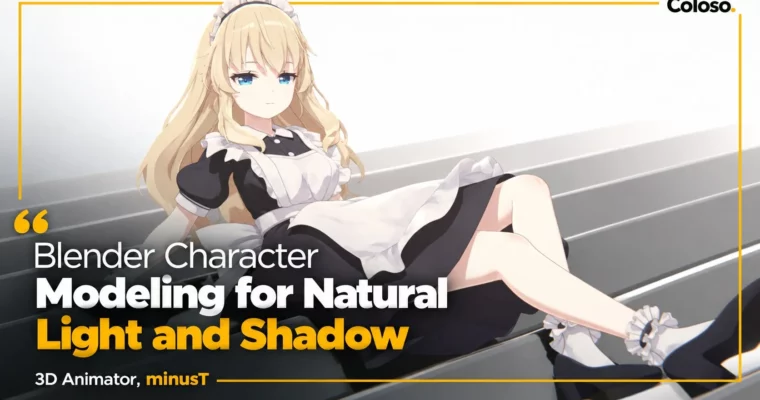
Blender Character Modeling for Natural Light and Shadow by minusT3

Duration:22 Hours 24 Minutes
Actual Duration:44h 46m
Release date:2025, July 10
Publisher:Coloso
Skill level:Beginner
Language:English
Exercise files:Yes
Software:Blender
Course URL:https://coloso.global/en/products/signature-minust3-us
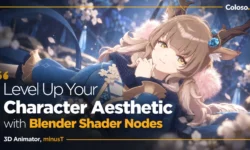
If you want to turn your own 2D designs into usable 3D characters, this is the workflow to steal. minusT walks you through full-body LD characters in Blender — body, hands, feet, face, long hair, two outfits, rigging, and that soft 2D-style shade — and you finish with two portfolio-ready models you can actually pose and render.
🎯 What you’ll learn
- Analyze LD proportions and stylization for natural-looking character modeling
- Model full body, face, hands, feet, and eyes with clean polygon topology
- Create long hairstyles with bangs, side hair, back hair, and fine details
- Model two contrasting outfits: sleek swimsuit and multi-part maid uniform
- Set up armatures, weight painting, and skinning for body, outfits, and hair
- UV unwrap high-poly LD characters and paint soft, dimensional textures
- Set up cartoon shaders, line art, normals, lighting, and final rendering
✅ Requirements
- Skills: Basic Blender navigation, beginner-friendly with no advanced sculpting needed
- Tools: Blender 4.2, 3-button mouse, drawing tablet optional for texture painting
📝 Description
This isn’t theory. You build alongside minusT from a blank file to two finished girls. He starts with what actually trips people up: LD proportions, silhouette, and topology that deforms well. You study a finished body first, then model legs, torso, arms, hands, feet, and head yourself. Small tweaks matter a lot here, especially in the face, and he calls them out as you work.
Hair and clothes get their own focused blocks. For hair you do bangs, side locks, long back hair, then clumps and flyaways for that natural flow. For outfits you get two opposite challenges — a tight, simple swimsuit where every pinching edge shows, and a layered maid uniform with top, skirt, apron, shoes, frills, and trims. Good practice for real freelance work where no two jobs look the same.
Then you make it move. You add an armature, place body bones, do weight painting for skin, swimsuit, maid outfit, and hair, plus hair bones and IK for easy posing. No stiff T-pose renders. You learn how to get relaxed, natural poses even with dense LD meshes.
Last stretch is the look. You UV unwrap body, hair, and outfits, paint textures for soft shadow gradients, fix normals for clean face shading, and stack up a cartoon shader with adjustable line art. Add shape keys for expressions, set lights and camera, and render. The end result keeps that illustrated 2D feel but holds up in 3D from any angle.
You also get the working files to keep: 3-view references, 2 complete LD character models, and 10 Blender practice project files for body, outfits, rigging, and skinning.
🧑🎓 Who this course is for
- Blender hobbyists who want to turn their own 2D characters into 3D
- Blender beginners who want to create their own cute 3D characters
- Blender users curious about minusT’s character creation techniques and line art style
🧑🏫 About the Author
Hello, I’m minusT, a 3D animator focused on subculture character animation in Blender. I run the YouTube channel minusT with over 30 million total views, and I made the exhibition video for the Great Touhou Project Exhibition 2023.
I’m self-taught with 16 years in 3D, and I started this class because good resources for anime-style Blender animation are still hard to find. I teach the way I wish someone taught me: straight workflow, real examples, no fluff. If you follow along, you’ll finish with practical modeling, rigging, and shading skills you can reuse for VTubers, games, and animation.
🏁 Final Result
- Two finished LD anime characters in Blender — swimsuit version and maid version — fully modeled, rigged, textured, and shaded with toon shaders and line art, posed with facial expressions and rendered for portfolio
📢 Guys, this is a Group Buy campaign, check the GBC forum thread to get access
You can find the course preview in the download section below.
 Channel