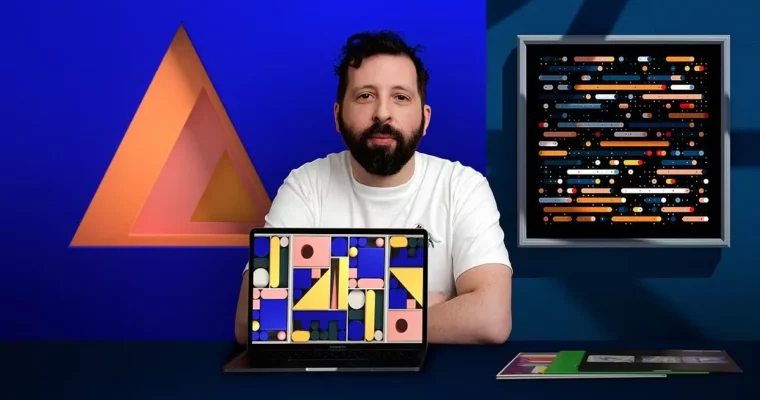
Applied Color for 3D Design and Animation by Dan Zucco

Actual Duration:4h 12m
Release date:2021, April
Publisher:Domestika
Skill level:Intermediate
Language:English
Exercise files:Yes
Software:Adobe Illustrator, Adobe After Effects, Cinema 4D, OctaneRender, Adobe Media Encoder
Course URL:https://www.domestika.org/en/courses/2230-applied-color-for-3d-design-and-animation
This is a practical, color-first intro to making short 3D loops that actually get noticed. You follow Dan Zucco from blank page to finished animation — moodboard, palette, 2D shapes, 3D build, render, and final grade.
🎯 What you’ll learn
- Build a presentation deck, moodboard, and storyboard for a 3D project
- Develop a working color palette built for light, texture, and movement
- Create clean geometric designs in Illustrator ready for 3D
- Model, light, texture, and animate in Cinema 4D
- Render with OctaneRender and adapt the setup to any render engine
- Color correct in After Effects and export loops for Instagram and Vimeo
- Speed up your workflow with scripts, plugins, and solid folder structure
✅ Requirements
- Skills: Basic knowledge of Adobe Illustrator, After Effects, and Cinema 4D
- Tools: Adobe Illustrator, After Effects, Cinema 4D with OctaneRender, Adobe Media Encoder
- Hardware: Computer capable of running 3D software, dedicated GPU recommended for OctaneRender
📝 Description
Most 3D work fails on color, not modeling. This course fixes that. Dan walks you through how he picks palettes that survive lighting and rendering, then builds the whole piece around them. You will work with Illustrator, Cinema 4D, and After Effects in a simple, repeatable order.
You start with the boring stuff that saves you later: scripts, folder setup, and a short presentation deck. Then you collect references, sketch ideas, and lock a moodboard. Dan shows how he tests color palettes early, so you are not guessing when you are already in 3D and under pressure.
The middle part is all build. You make a flat geometric design in Illustrator, then rebuild it in 3D. You will cover modeling, movement, texture, and light, plus how to render cleanly with OctaneRender. The techniques transfer easily if you use Redshift, Arnold, or Standard.
You finish in post. Dan brings the render into After Effects for color correction, contrast tweaks, and that final pop. Then you export with Adobe Media Encoder sized right for Instagram loops and Vimeo. Short, fun, and built for client work or personal projects.
🧑🎓 Who this course is for
- Designers and 3D enthusiasts who want faster, more colorful output for social and commercial work
- Intermediate users of Illustrator, After Effects, and Cinema 4D who want a clear start-to-finish loop workflow
🧑🏫 About the Author
Dan Zucco is a London-based freelance 3D art and motion director. He makes bright, geometric animations and loops for brands, studios, and personal projects. His work leans heavily on strong color, simple shapes, and tight movement.
He teaches from real client experience — how to pitch with a deck, stay organized, and deliver files that work across platforms. If you like playful motion design with a clean commercial finish, he is a solid guide.
🏁 Final Result
- A colorful animated 3D loop built from your own moodboard, palette, and geometric design — modeled and rendered in Cinema 4D, graded in After Effects, and ready for Instagram, Vimeo, and your portfolio.
 Channel