


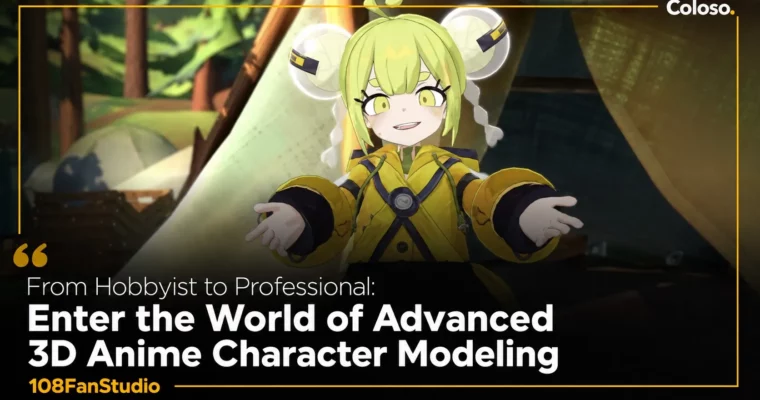
From Hobbyist to Professional – Enter the World of Advanced 3D Anime Character by 108FanStudio

Actual Duration:51h 4m
Release date:2025, February
Publisher:Coloso
Skill level:Intermediate
Language:English
Exercise files:Yes
Software:Maya, Blender, Unity, Substance Painter, Photoshop
Course URL:https://coloso.global/en/products/3dstudio-108fanstudio-us
This course is a straight shot from concept to a fully functional VTuber model. 108FanStudio walks you through their entire professional pipeline, covering modeling, texturing, rigging, and final setup in Unity and Warudo. You won’t just learn tools; you’ll learn the why behind every edge loop and texture stroke.
🎯 What you’ll learn
- Build a complete 3D anime character from reference images.
- Create clean, deformation-friendly topology for faces, hair, and clothing.
- Hand-paint stylized textures using Substance Painter and Photoshop.
- Rig and skin a character for animation, including facial blendshapes.
- Set up a character for VTubing with VRM and Warudo.
✅ Requirements
- Skills: Basic understanding of 3D space and familiarity with a 3D application’s UI.
- Tools: A 3-button mouse, a drawing tablet for texturing.
- Hardware: A computer capable of running Maya, Blender, and Unity (minimum 16GB RAM, dedicated GPU recommended).
📝 Description
This isn’t a “press this button and get a result” tutorial. 108FanStudio focuses on the professional mindset behind building a character that actually works in a real-time environment. The course kicks off with a deep dive into topology—not just what it is, but how edge flow directly impacts deformation and facial animation. You’ll learn why a modeler chooses one loop over another.
The curriculum is built around a single, complete project. You’ll start by blocking out the face and body in Maya, then move into the details of hair and clothing. The texturing section is particularly strong, covering a hybrid workflow between Substance Painter and Photoshop to get that clean, stylized anime look. You’ll even tackle an SDF map for face shadows.
The final third of the course is where it gets really practical. You’ll rig the character, create a full set of blendshapes for facial capture, and then export it as a VRM file. From there, you’ll set it up in Unity and finally build a fully interactive mod for Warudo, complete with physics, outfit toggles, and facial tracking. It’s a complete, no-fluff pipeline.
🧑🎓 Who this course is for
- 3D artists who want to move from general modeling into the specific requirements of anime VTuber characters.
- Hobbyist modelers looking for a structured, professional pipeline to follow from start to finish.
- Artists who already know the basics of a 3D package but want to learn industry-standard techniques for rigging and facial animation.
🧑🏫 About the Author
108FanStudio is a professional 3D studio specializing in high-quality anime character creation for the VTuber and gaming industries. Their team brings years of practical production experience, having worked on numerous commercial projects. This course is their distilled knowledge, focusing on the exact workflows and standards they use to deliver top-tier assets to clients.
🏁 Final Result
- A fully textured, rigged, and game-ready AAA-quality 3D anime character model, complete with a functional VRM file and a Warudo mod.
📢 Guys, this is a Group Buy campaign, check the GBC forum thread to get access
You can find the course preview in the download section below.
 Channel



It’s anpty, fix this please 🙏
Follow the link at the bottom of the post, the course is available for download on GBC.