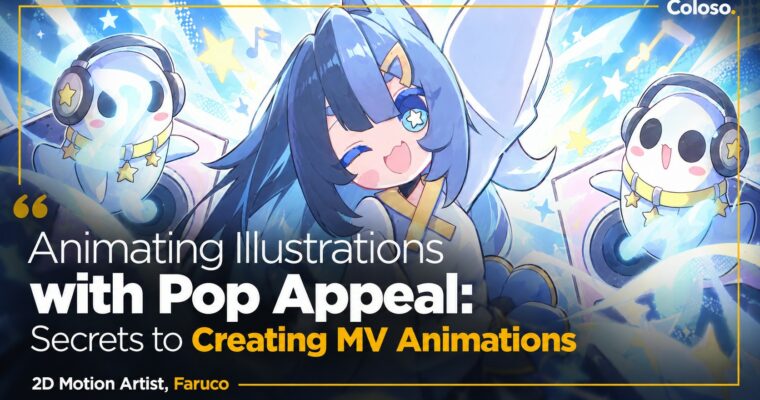
Animating Illustrations with Pop Appeal – Secrets to Creating MV Animations by Faruco

Duration:17Hours 23Minutes
Actual Duration:34h 44m
Release date:2026, April 5
Publisher:Coloso
Skill level:Advanced
Language:English
Exercise files:Yes
Software:Adobe After Effects, Clip Studio Paint, Adobe Photoshop
Course URL:https://coloso.global/en/products/2dmotionartist-faruco-us
Want to make MVs people rewatch just for the motion? This class breaks down how Faruco does it solo — from storyboard to bouncy 2D rig animation and custom VFX to final composite synced to the beat.
🎯 What you’ll learn
- Plan an MV from reference gathering to storyboard and solo production workflow
- Separate illustration assets in Clip Studio Paint and Photoshop for animation-ready setup
- Rig characters in After Effects with Puppet Tool, pins, bones, and parenting
- Animate hair, clothes, and bodies with keyframes, Graph Editor, and expressions
- Create original VFX without presets — fire, speed lines, hit effects, backgrounds
- Sync motion to BPM, work cameras, and polish with color, light, and compositing
- Render and encode correctly for YouTube, socials, and client delivery
✅ Requirements
- Skills: Basic PC literacy and familiarity with layers and timelines, no prior rigging experience needed
- Tools: Adobe After Effects 2025 (25.0) or later, Clip Studio Paint or Adobe Photoshop 2025 (26.0) or later for asset separation
- Hardware: PC or Mac capable of running After Effects smoothly, 16GB RAM minimum, dedicated GPU recommended
📝 Description
Preview: Faruco makes those chewy, snappy MV loops you see for Genshin Impact and Zenless Zone Zero — and he does almost everything himself. This class is his full solo pipeline in After Effects, no bloated theory, just stuff you can reuse on your next track.
You start with the unsexy but important part: how an MV actually gets made. Planning, gathering references, turning a character concept into a storyboard, splitting work when you are solo vs. in a team. Then you get into asset prep — how to draw and cut up illustrations in Clip Studio Paint and Photoshop so they don’t break later in animation.
The middle is pure hands-on reps. Beginner level covers anchor points, parenting, pre-comps, Puppet Tool and pin setup, then bone rigs and simple setups for hair and clothes. You will mess with keyframes, the Graph Editor, and a few expressions to get that follow-through and overlap that makes motion feel bouncy instead of stiff.
Then it steps up. Basic and intermediate blocks reuse the same rigs but push control further — tighter keyframe tweaks, master nulls, detail passes with effects. Along the way you build Faruco’s signature original VFX from scratch: stylized fire, speed-line backgrounds, hit sparks. No downloaded packs. He shows the thinking behind shapes, timing, and color so you can invent your own.
Last stretch is where it all clicks into an MV. You sync cuts and loops to the song’s BPM, set up compositions, move the camera without making viewers dizzy, build backgrounds and motion graphics bridges, then grade with color balance and lighting. Plus practical rendering and encoding settings so your upload doesn’t look mushy.
What I like here: it’s built for reproducibility. No coding degree required, no endless plugin list. Just a clear, steady workload across 25 chapters that takes you from wobbly first rig to a finished, music-locked piece you actually finished yourself.
🧑🎓 Who this course is for
- Illustrators and anime fans who want to bring their stills to life and make their own MVs without joining a studio
- After Effects beginners to intermediate users who are tired of preset-looking motion and want tighter, music-synced 2D animation skills
🧑🏫 About the Author
Faruco is a 2D motion artist known for handling MV planning, illustration, animation, video, and sometimes music all himself. He started posting on YouTube in February 2023 and hit 100,000 subscribers by June 2024.
His commercial credits include Zenless Zone Zero PR animation and character theme MVs, Genshin Impact / HoYoFair character MVs, Wuthering Waves fan program MV, Goddess of Victory: NIKKE PR, and the official “Suki Suki Hunter♡” anime MV. He still works a full-time day job while producing, so his whole teaching angle is about maximizing expression with limited time and building a workflow you can actually sustain solo.
🏁 Final Result
- One finished anime-style music video cut, fully rigged and animated in After Effects with original VFX, BPM-synced camera work, and commercial-level composite and grade — ready for your portfolio and YouTube.
📢 Guys, this is a Group Buy campaign, check the GBC forum thread to get access
You can find the course preview in the download section below.
 Channel