Ad Clicks : Ad Views : Ad Clicks : Ad Views : Ad Clicks : Ad Views : Ad Clicks : Ad Views :
Oh Snap!

It looks like you're using an adblocker. Adblockers make us sad. We use ads to keep our content happy and free. If you like what we are doing please consider supporting us by whitelisting our website. You can report badly-behaved ads by clicking/tapping the nearby 'Advertisement' X text.

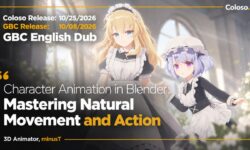
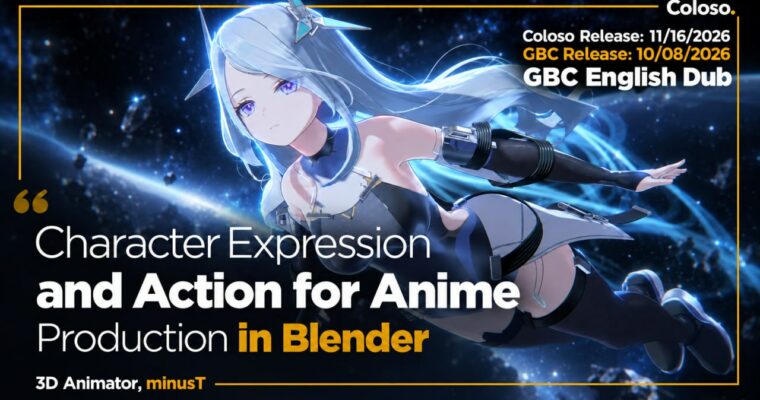
Character Expression and Action for Anime Production in Blender by minusT7

Character Expression and Action for Anime Production in Blender by minusT7

/

Author:minusT7

Actual Duration:41h 51m

Release date:2026, November 16

Publisher:Coloso

Skill level:Advanced

Language:English

Exercise files:Yes

Software:Blender

Course URL:https://coloso.global/en/products/signature-minust7-us

Build a complete, high-impact NPR action animation in Blender, from character lookdev to FX and camera work.

This is minusT’s full production class for fast, polished anime action in Blender. You take a base character, clean up the lookdev, build reusable FX, then animate and cut together three connected scenes โ€” flight, dodge-and-counter, and aerial combat.

๐ŸŽฏ What you’ll learn

  • Complete Blender action animation workflow for longer-form sequences
  • Refine NPR characters with MatCap, hair shaders, linework and color nodes
  • Build 8 reusable FX with Shader Nodes and Geometry Nodes โ€” shockwaves, sparkles, particles, trails, beams, explosions
  • Animate aerial flight, bullet dodges, counterattacks and aerial combat
  • Direct speed, rhythm and eye flow with composition and camera work
  • Light, composite and edit multiple shots into one finished animation

โœ… Requirements

  • Skills: Comfortable with Blender basics โ€” viewport navigation, keyframes, Shader Editor fundamentals
  • Tools: Blender 5.1 installed, 3-button mouse
  • Hardware: Dedicated GPU and minimum 16GB RAM recommended for particles, smoke simulation and rendering

๐Ÿ“ Description

This class skips the beginner button-tour and gets straight to production. You start with a simple rigged character and turn it into something screen-ready: reflective clothing with MatCap, semi-transparent hair with angle-based highlights, distance-controlled linework, and adaptive color tones that hold up under different lighting.

Then you build your toolbox. Eight FX setups using Shader Nodes and Geometry Nodes โ€” shockwave rings, deforming sparkles, bullet barrages, spreading particles, flight trails, morphing trails, beams, and a smoke-based explosion. The point isn’t one-off pretty effects. It’s flexible node groups you can drop into any shot and tweak fast.

The second half is all animation. Three scenes, one flow: an intro aerial flight to nail weight and arcs, a dodge-and-counter to work on timing and impact frames, then full aerial combat. You block layouts with Link/Append, pose the body and face, add hair follow-through, layer FX, then fix it all with lighting, compositing, and camera cuts. Same move, different lens and rhythm โ€” minusT shows why staging changes everything.

If nodes always felt powerful but confusing, this connects the dots. You see exactly where rim lighting, color tweaks, and line thickness actually matter in a shot, not just in a shader demo.

๐Ÿง‘โ€๐ŸŽ“ Who this course is for

  • Returning minusT students who want more dynamic, polished action work
  • 3D artists who want to make eye-catching NPR animation with a real 2D feel
  • Blender users who can do basics and now want to finish a longer character animation

๐Ÿง‘โ€๐Ÿซ About the Author

minusT is a 3D animator and YouTuber focused entirely on character animation in Blender. Self-taught over 16 years, he built an audience of over 30 million total views by posting fast, snappy anime-style action that most people assumed needed a studio pipeline.

He also produced animation for The Grand Touhou Project Exhibition 2023. His thing is practical production know-how โ€” especially NPR rendering and node setups that actually survive a full animation, not just a still render.

๐Ÿ Final Result

  • A finished longer-form NPR action animation in Blender: intro flight + 2 action scenes edited together with FX, lighting, compositing and camera work, plus a refined character model and reusable FX files for your portfolio.
Curriculum

๐Ÿ“‹ Course content

  1. Module 1:  Chapter Introduction & Animation Planning
      1. Chapter Introduction – Curriculum Overview, Animation Production Workflow
      1. Preparing for Animation Production – Animation Planning Process, Character Design
  2. Module 2:  Refined Character Details
      1. Character Creation Essentials – Importing the Character Model, Key Points for Character Creation
      1. Adding Clothing Detail with MatCap – Creating a MatCap Texture, Creating Metallic Materials with MatCap Textures
      1. Creating a Node-Based Hair Shader – Creating Semi-Transparent Hair with Shader AOV, Building the Hair Shader
      1. Creating Linework with Nodes – Creating Linework with Geometry Nodes, Adjusting Line Thickness by Distance
      1. Shader Setup for Animation – Adjusting Color with Shader Nodes, Creating Rim Lighting with Shader Nodes
  3. Module 3:  Creating FX with Nodes
      1. Shockwave Effect – Creating a Shockwave Pattern with Shader Nodes
      1. Sparkle Effect – Modeling Shapes with Geometry Nodes, Creating a Sparkle Effect by Deforming Shapes
      1. Particle Effect 1 – Creating a Bullet Barrage Effect
      1. Particle Effect 2 – Creating a Spreading Particle Effect
      1. Trail Effect 1 – Creating Trails for Flying Objects
      1. Trail Effect 2 – Creating Complex Shape-Changing Trails
      1. Beam Effect – Creating a Beam Effect
      1. Explosion Effect – Smoke Simulation, Shader Setup
  4. Module 4:  Animation Production 1: Intro – Aerial Flight
      1. Layout – Importing Models Using Link and Append, Camera Setup
      1. Character Animation 1 – Character Animation
      1. Character Animation 2 – Refining Animation Details
      1. Animation 3 – Adding FX, Lighting Setup, Compositing
  5. Module 5:  Animation Production 2: Action #1 – Dodge & Counterattack
      1. Layout – Setting Up the Layout
      1. Animation 1 – Animation Production 1
      1. Animation 2 – Animation Production 2
      1. Animation 3 – Animation Production 3
      1. Animation 4 – Animation Production 4
  6. Module 6:  Animation Production 3: Action #2 – Aerial Combat & Edit
      1. Layout – Setting Up the Layout
      1. Animation 1 – Animation Production 1
      1. Animation 2 – Animation Production 2
      1. Animation 3 – Animation Production 3
      1. Animation 4 – Animation Production 4
      1. Editing & Finalizing the Video – Editing in the Video Editor, Final Rendering

๐Ÿ“ข Guys, this is a Group Buy campaign, check the GBC forum thread to get access

You can find the course preview in the download section below.

Watch online or Download for Free
Character Expression and Action for Anime Production in Blender by minusT7
NAME
SIZEDURATION
minusT7 Eng Dub
105.2 MB40m
Section 01 OT – Intro & Planning
30.8 MB10m
Section 02 Detailed Character Design
24.7 MB10m
Section 03 Creating Effects with Nodes
8.1 MB5m
Section 04 Animation Production 01 โ€” Intro
17.9 MB5m
Section 05 Animation Production 02 โ€” Action 01
12.5 MB5m
Section 06 Animation Production 03 โ€” Action 02
11.1 MB5m
minusT7 Eng Sub
27 MB10m
Section 01 ๊ฐ•์˜ ์†Œ๊ฐœ & ์• ๋‹ˆ๋ฉ”์ด์…˜ ๊ธฐํšํ•˜๊ธฐ
19.4 MB5m
Section 02 ๋””ํ…Œ์ผํ•œ ์บ๋ฆญํ„ฐ ํ‘œํ˜„ ๋ฐฉ๋ฒ•
0 B
Section 03 ๋…ธ๋“œ๋ฅผ ํ™œ์šฉํ•œ ์ดํŽ™ํŠธ ์ œ์ž‘
0 B
Section 04 ์• ๋‹ˆ๋ฉ”์ด์…˜ ์ œ์ž‘ 01 – ์ธํŠธ๋กœ
0 B
Section 05 ์• ๋‹ˆ๋ฉ”์ด์…˜ ์ œ์ž‘ 02 – ์•ก์…˜ 01
0 B
Section 06 ์• ๋‹ˆ๋ฉ”์ด์…˜ ์ œ์ž‘ 03 – ์•ก์…˜ 02
7.6 MB5m
Signature minusT7 Files
0 B
c16-30-3d์• ๋‹ˆ๋ฉ”์ดํ„ฐ-minust-๊ฐ•์˜์ž๋ฃŒ
0 B
Project_S02
0 B
B_render
0 B

Download all

Join us on
  Channel    and      Group

Leave a Comment

Your email address will not be published. Required fields are marked *