Voxyde-Environment & Creature FX in Houdini by Razvan Ciobanu

Duration:6h 30m
Actual Duration:11h 18m
Release date:2026
Publisher:Voxyde
Skill level:Intermediate
Language:English
Exercise files:Yes
Software:Houdini, Nuke
Course URL:https://voxyde.com/pro-courses/environment-creature-fx-in-houdini/
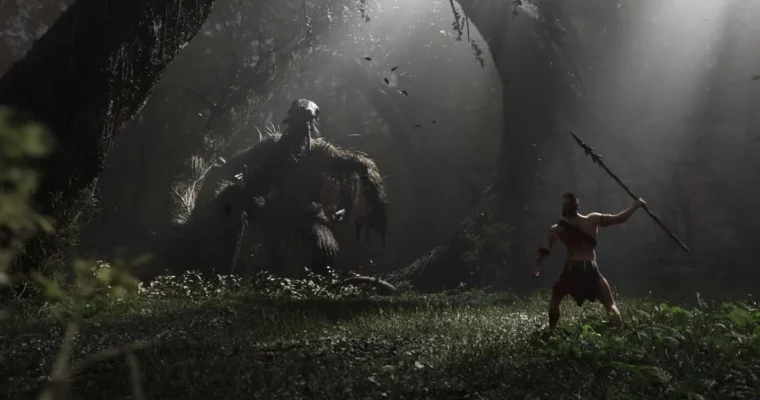
This one is all about finishing shots. You start with an empty scene and end with a cinematic creature shot built in Houdini, put together in Solaris, and rendered in Karma. No skipped steps, no magic buttons.
🎯 What you’ll learn
- Build procedural trees and foliage with SOPs
- Groom hair and fur for creatures
- Run stable dynamic simulations with Vellum
- Rig and animate characters from scratch with KineFX
- Assemble, layer and light animated assets in Solaris
- Render cinematic shots with Karma XPU/CPU
✅ Requirements
- Skills: Basic familiarity with Houdini interface and SOPs
- Tools: Houdini Indie, Nuke for final comp
- Hardware: Minimum 16GB RAM, dedicated GPU recommended for Karma XPU
📝 Description
This course walks you through a full production-style workflow, not just isolated tools. Instructor Jan Hebein builds two cinematic shots from zero, and you follow every decision along the way. You will see how modeling, rigging, sim, and lighting actually connect in a real shot.
First up is environment work. You will use SOPs and procedural scattering to generate trees and foliage that hold up on camera. The focus is on control – how to get variation fast without losing art direction, and how to keep your scene light enough to actually work with.
Then it gets fun with the creature. You will rig and animate with KineFX, build a proper groom, and push it through the Vellum solver for believable motion. The course shows what settings matter, what to ignore, and how to fix the usual exploding fur and jitter issues.
Everything lands in Solaris for layout, layering, and lookdev. You will learn how to bring animated caches together, set up lights, and render with Karma XPU/CPU. If you have ever felt lost between departments, this part ties it all together.
🧑🎓 Who this course is for
- Houdini users who want to finish full cinematic shots, not just sim tests
- 3D artists moving into environment work and creature FX for film and cinematics
🧑🏫 About the Author
Jan Hebein is a freelance Houdini artist working on product visualization, cinematics, and FX for various clients. In 2024 he won the Mardini challenge, which pushed his procedural and simulation work in front of a much wider audience. He teaches the way he works – clear, step-by-step, and focused on techniques you can reuse on paid jobs.
🏁 Final Result
- Two finished cinematic shots featuring a fully rigged, groomed and simulated creature in a procedural environment, lit and rendered in Karma – ready for your reel.
 Channel