Power of Procedural in Houdini FX by HossamFX

Duration:over 5 hours
Release date:2024
Publisher:Udemy
Skill level:Intermediate
Language:English
Exercise files:Yes
Software:Houdini, Mantra
Course URL:https://www.udemy.com/course/power-of-procedural-in-houdini-fx/
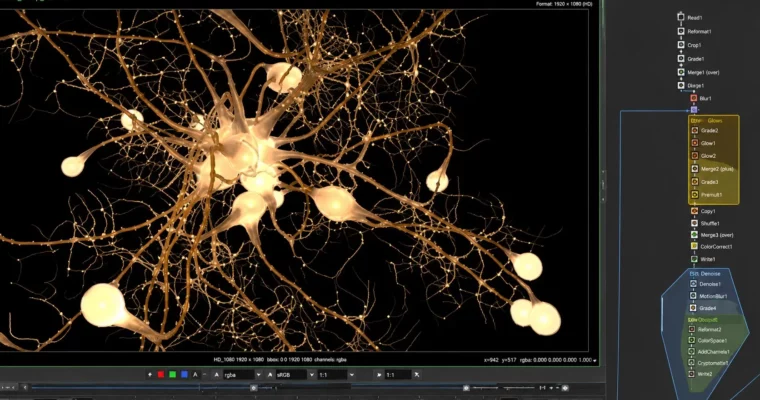
This one is for Houdini users who know the UI but want procedural to finally click. You will build a full neuron nerve-cell system with HoudiniFX, procedural modeling and for loops, then light it with shaders made from your own geometry and render it in Mantra. No VEX, no plugins, just smart node work.
🎯 What you’ll learn
- Build advanced procedural models in HoudiniFX from scratch
- Use nested for loops to generate branches, divisions and variations
- Create light from geometry and build shader-based lighting setups
- Add noise, color, scale and rotation variation procedurally
- Render a stylized neuron system with Mantra with no plugins
✅ Requirements
- Skills: Basic understanding of Houdini interface and viewport navigation, not for total beginners
- Tools: Houdini 17.5 Apprentice and above
- Hardware: 64-bit workstation with enough RAM and CPU power for procedural geometry and Mantra rendering
📝 Description
The idea is simple. You start with a backbone curve and grow the whole thing procedurally. No hand-placing cells. No manual branches. You set up rules with for loops, bridge nodes and copy stamping logic, and Houdini does the heavy lifting.
You will work loop inside loop to spawn branches, auto-divide them, then randomize scale and rotation so nothing looks cloned. After that you push it further with noise displacement, procedural color and a custom extrude setup. That is where the organic neuron look really comes from. Small changes upstream update the entire network.
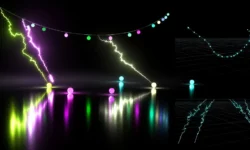
Then comes the fun part – lighting. Instead of dropping in a bunch of lights, you generate light from geometry itself. You will build shader-based lighting setups for the cells, main connection and branches, and test everything directly in Mantra. It is a solid trick for stylized sci-fi and medical viz looks, and you can reuse it on other projects.
This was recorded in Houdini 17.5 and it holds up well because it sticks to core procedural concepts. If you want to get comfortable thinking procedurally without getting stuck in VEX on day one, this workflow will help a lot.
🧑🎓 Who this course is for
- Houdini users who know the basics and want to go procedural
- 3D artists and 3D generalists adding HoudiniFX to their toolkit
- FX artists and TD artists who want practical for-loop workflows
- Students building a procedural modeling and lighting piece for their reel
🧑🏫 About the Author
HossamFX is a HoudiniFX artist focused on procedural modeling and shader lighting workflows. His teaching style is straight to the point – node by node, with real builds instead of theory. He specializes in making procedural systems approachable without VEX, which makes his training a good bridge for artists moving from traditional modeling into Houdini.
🏁 Final Result
- A fully procedural neuron nerve-cell network rendered with custom geometry-driven shader lighting in Mantra, ready to use as a portfolio piece
 Channel