Motion Design in Houdini (Update) by Christopher Friesen

Duration:8 weeks
Release date:2025
Publisher:Rebelway
Skill level:Intermediate
Language:English
Exercise files:Yes
Software:Houdini, Nuke
Course URL:https://www.rebelway.net/motion-design-in-houdini
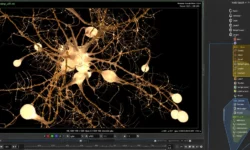
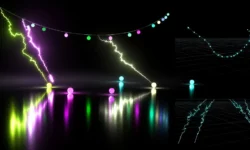
This is Houdini for mograph, not for big explosions. You will build real client-style shots from start to finish — procedural tools, controlled sims, and clean animation that actually art-directs well.
🎯 What you’ll learn
- When to use SOPs vs VEX vs simulation for motion design tasks
- How to build reusable procedural tools and curve-based setups
- Geometry instancing workflows and how to pick the right approach
- How to art-direct Vellum simulations with procedural animation
- Handy VEX tricks to combine FX looks into something fresh
- How to add control layers for client-friendly animation
- Working with heightfields and volumes as design elements
- Blocking, lighting, rendering and compositing a 3-shot product reveal in Nuke
✅ Requirements
- Skills: Basic familiarity with Houdini UI and SOPs, understanding of keyframe animation and cameras
- Tools: Houdini FX / Indie / Apprentice, Nuke or Nuke Non-commercial for final comp
- Hardware: Minimum 16GB RAM, dedicated GPU for faster sims and renders, 3-button mouse
📝 Description
Forget the idea that Houdini is too technical for design work. This course shows you how to think like a motion designer inside a procedural package. You start with a simple question: should this be SOPs, VEX, or a sim? Chris breaks that decision down shot by shot, so you stop over-building and start getting clean, controllable motion fast.
The first two projects are all about building your toolkit. You will make instancers that don’t fall over, mix procedural animation with Vellum simulations you can actually direct, and stack everyday FX looks with VEX until they feel new. Everything gets a control layer. That means sliders and attributes you can push in dailies instead of rebuilding nodes at 2am.
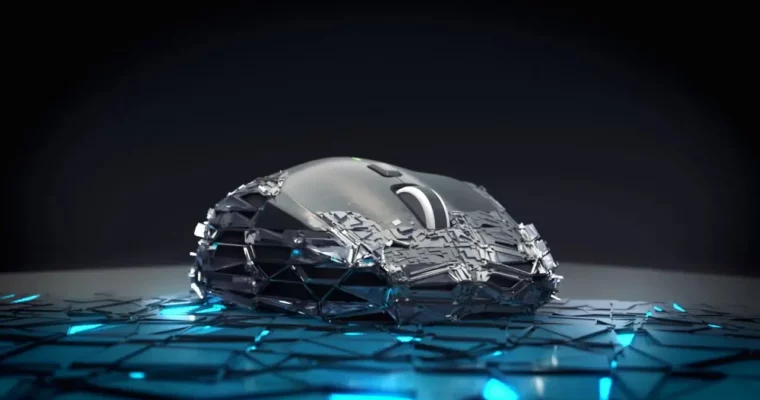
Then you put it all together in a 3-week product reveal. Real workflow: prep the geo, block the cameras, then layer up foam, leather, plastic and mesh strands. You will use heightfields and volumes not as environments, but as graphic elements. Week 7 and 8 are where it clicks — combining passes, feeding custom attributes to shaders, lighting for contrast, and finishing in Nuke so it looks broadcast-ready.
🧑🎓 Who this course is for
- Motion designers who know After Effects / C4D and want real procedural power in Houdini
- Houdini beginners and juniors who want to make clean mograph and product work instead of just FX sims
🧑🏫 About the Author
Christopher Friesen is a motion designer and Houdini specialist focused on procedural mograph and product visualization. He works on high-end commercial-style animation where design, sims and render all have to play nice together. At Rebelway he teaches the practical side — how to build tools, direct sims, and finish shots that hold up in a reel.
🏁 Final Result
- A finished 3-shot product reveal with procedural FX, art-directed sims, full lighting and Nuke comp — ready to cut into your portfolio.
 Channel