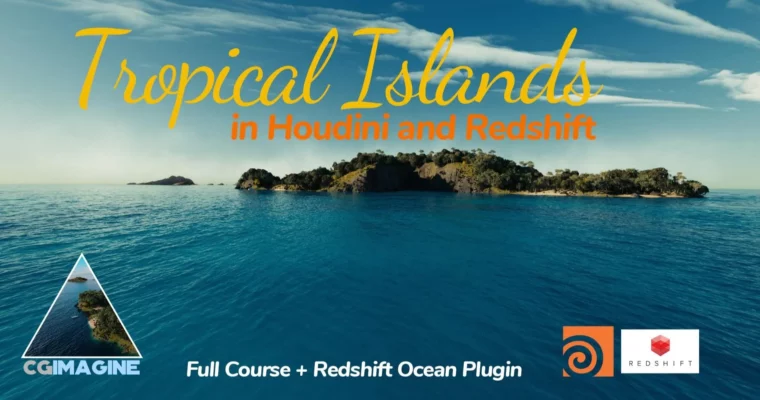
Tropical Islands in Houdini and Redshift by Diogo Guerreiro

Duration:4h 35m
Actual Duration:4h 34m
Release date:2025, September
Publisher:CGCircuit
Skill level:Intermediate
Language:English
Exercise files:Yes
Software:Houdini, Redshift
Course URL:https://www.cgcircuit.com/products/tropical-islands-in-houdini-and-redshift1
Want to make islands that actually hold up on screen? This course shows you the full build in Houdini and Redshift — background islands for depth, one hero island up close, plus ocean, rocks, and plants scattered the smart way.
🎯 What you’ll learn
- Build stylized-to-realistic island terrain in Houdini
- Create background islands for fast depth and scale
- Sculpt and detail a foreground hero island
- Set up lighting and shading for tropical daylight
- Scatter rocks and plants with procedural controls
- Build and use a Redshift ocean HDA
- Assemble and render final production-ready shots
✅ Requirements
- Skills: Basic understanding of Houdini and Redshift
- Tools: Houdini Indie, Redshift
- Hardware: Dedicated NVIDIA GPU for Redshift rendering, minimum 16GB RAM
📝 Description
This isn’t theory. You build two types of land masses the way productions actually do it. Cheap, low-detail background islands to fill the horizon, and one detailed hero island that can take a close camera. Diogo keeps the node graphs clean and explains why each step matters for render time.
Lighting is a big part of the look. You’ll set up a simple tropical sun/sky rig in Redshift, then dial in sand, rock, and foliage shaders so they don’t blow out next to bright water. No endless slider tweaking — just what works for daylight exteriors.
Then it’s scattering. Rocks where they make sense — cliff bases, beach lines — and plants with proper density control. You’ll finish with the custom ocean HDA, which gives you art-directable waves and foam without rebuilding the shader every shot. Last section is all about putting together 2-3 final shots with solid composition.
If you’ve done some Houdini before but never finished a full environment, this closes the gap. You get terrain, scattering, water, light, and render in one practical project.
🧑🎓 Who this course is for
- Houdini users who want to build complete natural environments for film and TV
- Redshift artists looking for a practical ocean, terrain, and scattering workflow
- Junior FX / environment artists building portfolio pieces with real shot context
🧑🏫 About the Author
Diogo Guerreiro started in 2011 as a 3D modeler assistant at Deep Blue Films, where he spent 7 years and became VFX supervisor in 2016. In 2019 he founded CGimagine, a VFX house focused on TV series and documentaries.
Since 2022 he’s working as a Senior FX artist at MPC Montreal. That mix of sup, studio owner, and FX work shows in how he teaches — straight to the point, production-minded, no wasted nodes.
🏁 Final Result
- A finished tropical island scene with hero island, background islands, scattered rocks and palms, and animated Redshift ocean — lit and rendered as 2-3 final portfolio shots.
 Channel