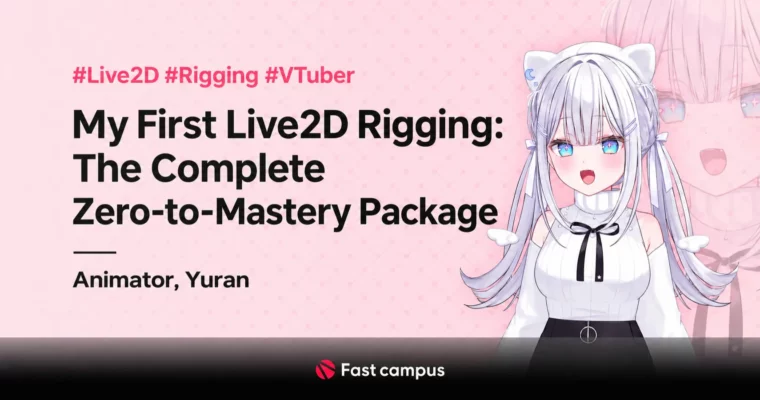
My First Live2D Rigging – The Complete Zero-to-Mastery Package by Yuran Coco

Duration:31hrs
Actual Duration:63h 35m
Release date:2025, June 6
Publisher:FastCampus
Skill level:Intermediate
Language:English
Exercise files:Yes
Software:Live2D Cubism, Clip Studio Paint, VTube Studio, VBridger, Wondershare Filmora, OBS Studio
Course URL:https://fastcampus.co.kr/dgn_online_yurancoco
If you’ve ever opened Live2D and closed it again in 10 minutes, this package is for you. It’s a 31-hour, practice-first run from first install to paid work, ending with a moving model you can actually stream.
🎯 What you’ll learn
- Set up Live2D Cubism, VTube Studio and VBridger for iPhone face tracking
- Rig eyes, mouth, blendshapes and physics for natural blinking and lip-sync
- Build head X/Y/Z angles, hair physics and diagonal head turns
- Rig full body X/Y/Z, arms, legs, clothes and breast physics
- Create animal ears, wings, extra hands and outfit swaps
- Make expressive tricks like puffed cheeks, tongue-out and expression animation
- Connect and tune parameters live in VTube Studio
- Save and reuse parameters and physics for new models
- Produce a showcase video and upload it for portfolio
- Get commissions, price them and handle deadlines and bad PSD splits
✅ Requirements
- Skills: No prior rigging experience needed, basic PC skills and understanding of layers in illustration apps
- Tools: Live2D Cubism (latest), Clip Studio Paint or Photoshop, VTube Studio, VBridger, OBS Studio
- Hardware: Windows / Mac PC that can run Cubism, iPhone X or newer with Face ID or iPad for tracking – instructor uses iPad mini 6
📝 Description
This isn’t theory-first. You install everything, learn what actually gets tracked, and start moving a face on day one. Yuran walks through Live2D Cubism setup, shortcuts, texture atlas packing and variation cleanup – the boring stuff that breaks beginners – then gets straight into eyes and mouth.
From there you build out in the same order as real jobs: blendshapes and eye physics, mouth open/close, live link to VTube Studio for tuning, then head X/Y/Z with hair physics and diagonal turns. The body section covers torso angles, arm swing, clothes sway and chest bounce, plus ears and wings so your first model doesn’t look stiff.
Part two is where it gets fun. You add puffed cheeks, tongue-out, expression animation, new hair and outfit swaps, outerwear physics, leg motion, extra hands and advanced wing motion. Everything is shown with real parameter values, not just “tweak until it looks good.” You also get practice files: a layered PSD for training and finished cmo3 files to pull apart and see how the deformers are stacked.
It ends with the part most tutorials skip: saving parameters and physics presets for reuse, recording a showcase in OBS / Filmora, uploading it, and actually getting work. Pricing, deadlines, what to do when a client sends you a badly split PSD, where Korean and Japanese riggers hang out – it’s all in there.
🧑🎓 Who this course is for
- Total beginners who want their first moving Live2D model without getting lost in docs
- Illustrators and VTuber fans who want to rig their own character for streaming
- Aspiring freelance riggers who need a portfolio piece and a clear path to commissions
🧑🏫 About the Author
Yuran Coco is a full-time Live2D rigger and former 2D Japanese anime animator with credits on openings and theatrical films for in-between and key animation. She switched to Live2D around 2022 and has since completed 100+ commercial rigs.
Her client list includes VTubers for VLUP, VLYZ, Archive Studio, WISHes and HANAVI, plus indie names like Seosaebom Alphanyang, Tsukimachi Nyamo and others. She now earns 5-10x her animator income from rigging and teaches the exact speed-focused workflow she uses on paid jobs.
🏁 Final Result
- A fully rigged VTuber-ready character with face tracking, body angles, physics and special parts, plus a recorded showcase video ready for portfolio and commission listings.
📢 Guys, this is a Group Buy campaign, check the GBC forum thread to get access
You can find the course preview in the download section below.
 Channel