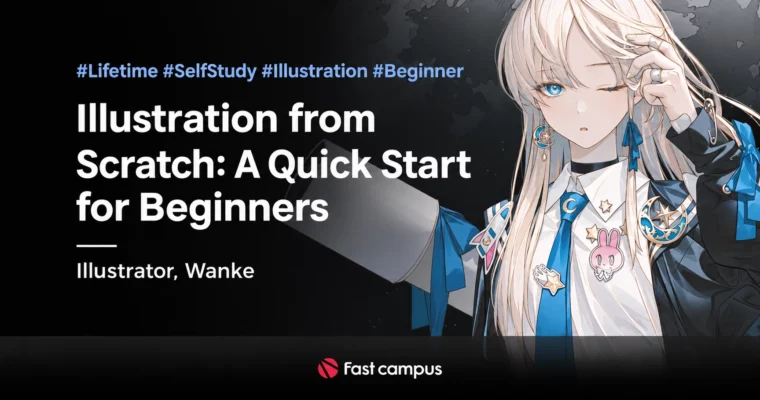
Illustration from Scratch – A Quick Start for Beginners by Wanke

Duration:10 videos, 10 hours 20 minutes
Actual Duration:43h 48m
Release date:2022, October
Publisher:FastCampus
Skill level:Beginner
Language:English
Exercise files:Yes
Software:Photoshop CC 2019-2020
Course URL:https://fastcampus.co.kr/dgn_online_neowanke2
Take the first shortcut out of beginner status alongside Art Director Wanke — Eight Studio AD & director, Neo Academy lead instructor, with graphic work for Square Enix, Sega, BlueHole and directing credits including Ririmaker and Baegilmonghwa. Across 10 clips in 4 parts (10h 20m) you go from tablet setup to your own original character: the 3 elements of drawing basics, Wanke’s 3-step creation prep with reference-based rough and lineart demos, standard-layer natural coloring, blend-mode and Photoshop-function applied coloring, and the mindset that turns stuck beginners into tomorrow’s golden hands.
“This is not a difficult, confusing applied course for beginners, but is built from content and assignments you can follow along with and apply right away. If you follow my lessons step by step, I believe you will soon be able to create high-quality work on your own.” — Wanke
🎯 What you’ll learn
- Set up your workspace — tablet settings and shortcut keys so you can draw faster, longer, right from day one
- Build the 3 elements of drawing fundamentals — core terms, thinking before drawing, and the mindset every beginner needs
- Create your own original character — Wanke’s 3-step creation prep, reference gathering, rough drafts and lineart demos from a blank canvas
- Control line weight — delicate Wanke-style lineart that renders light and volume through line strength alone
- Color naturally on standard layers — base color schemes, value, shadow and description that feel atmospheric without fancy functions
- Color with blend modes — multiply and screen basics plus LUT, Gaussian blur, dodge and other Photoshop functions for depth and dramatic light
- Study in levels — 153 assignment kits from first strokes and basic shapes to advanced challenge pieces, with guided checkpoints against self-study mistakes
- Think like an illustrator — escaping place-marching and inferiority, becoming the talented person who keeps growing
✅ Requirements
- Skills: Beginner — built for day-one starters, drifting self-taught beginners, and anyone wanting a solid conceptual base before Wanke’s growth-method class; no prior knowledge assumed, from basic shapes up
- Tools: Adobe Photoshop CC 2019-2020 (not provided with the class); Wanke drawing brushes for Photoshop and Clip Studio included; one-time payment, lifetime access; desktop, notebook and mobile viewing
- Languages: Audio KO; 10 clips, 10 hours 20 minutes total
- Notes: Lectures and materials are identical to the Neo School [Wanke Basic Illustration Special Lecture]; one illustration is demonstrated in 3 finishes (lineart, standard coloring, blend coloring); curriculum subject to additions/changes during production
📝 Description
This is the prequel to Wanke’s slump-breakthrough class — the compressed beginner system behind his own rapid rise. Instead of confusing advanced applications, every lesson is follow-along and immediately applicable: set the tablet, learn the terms, drill the 3 basics, then create — gathering references, roughing, and finishing delicate lineart where line weight alone carries light and form. Coloring comes in two passes on the same piece so the difference sticks: first natural color, value and shadow on standard layers only, then atmosphere and dramatic light through multiply/screen blend modes, LUT, Gaussian blur and dodge.
Practice never runs dry: 153 level-based assignment kits (Lv.1 basic shapes and lineart → Lv.3 complex forms, delicate lineart and standard/blend coloring → Lv.5 upgrade challenges across lineart, coloring and creation tracks) with Wanke’s own checkpoints for the mistakes self-taught artists make alone. Three finished-demo PSDs (one illustration × 3 finishes) plus brush perks mean you always have a reference layer to reverse-engineer.
🧑🎓 Who this course is for
- Day-one beginners who don’t know where to start drawing
- Self-taught artists drifting without concepts who want a firm foundation
- Anyone wanting illustration basics (lineart, coloring, creation) before tackling Wanke’s intermediate slump-breakthrough class
- Future illustrators who want guided assignments instead of unguided grinding
🧑🏫 About the Author
Wanke is an art director, Eight Studio AD and director, and Neo Academy’s representative instructor, known for overwhelmingly delicate lineart and high-finishing casual illustration with light-novel mood. Project and directing work includes Square Enix, Sega, BlueHole, Ririmaker, Baegilmonghwa and many other graphic production AD roles. Followed by a ~400k-strong audience receiving industry and SNS love-calls, he teaches the exact study system he once used to level himself at speed — now repackaged as a beginner-first curriculum with hand-made assignment kits.
:gift: Extras
- 153 level-based self-study assignment kits prepared by Wanke: lineart (basic shapes, human proportion, faces, angles, poses) + coloring (3 elements of color schemes, standard layers, blend-mode layers) + creation tracks, with per-assignment caution notes
- Wanke drawing brushes for Photoshop and Clip Studio (same renewed brushes as the growth-method class)
- 3 stage PSDs per demo: finished PSD plus step-by-step learning-stage PSDs for each lesson’s content
🏁 Final Result
- A working setup and solid basics — tablet, shortcuts, drawing terms and the 3 fundamental elements internalized through drills
- Your own original character — referenced, roughed and lined with controlled line weight from a blank canvas
- One illustration finished 3 ways — delicate lineart, standard-layer coloring and blend-mode applied coloring with dramatic light
- A leveled practice library — 153 kits, brushes and stage PSDs carrying you from first strokes to the intermediate growth class
📢 Guys, this is a Group Buy campaign, check the GBC forum thread to get access
You can find the course preview in the download section below.
 Channel