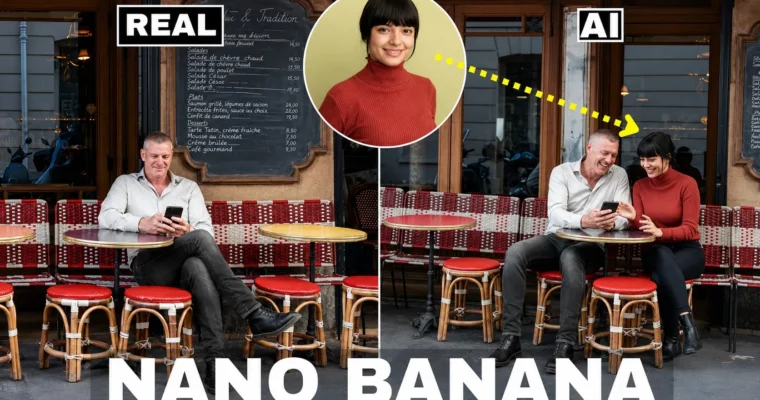
Nano Banana AI Editing for Beginners – 10 UseCases by Kush Sharma

Duration:3.5 hours
Actual Duration:2h 52m
Release date:2026
Publisher:Udemy
Skill level:Beginner
Language:English
Exercise files:Yes
Software:Nano Banana AI, Google Gemini, Google AI Studio, LM Arena, Google Whisk, Photoshop, Kling AI, Higgsfield AI
Course URL:https://www.udemy.com/course/nano-banana-ai-editing-for-beginners-amazing-use-cases/
This course is a practical, hands-on guide to using Nano Banana AI, Google’s free AI editor that’s changing how we think about image editing. You’ll learn to apply it across a range of platforms, from Google Gemini and Photoshop to video tools like Kling AI, all without needing any prior experience.
🎯 What you’ll learn
- Use Nano Banana AI across Google Gemini, AI Studio, LM Arena, and Photoshop.
- Integrate Nano Banana with Google Whisk for automated content generation.
- Create professional AI-generated videos by combining Nano Banana with Kling AI and Veo 3.
- Bridge text, image, and video generation through Nano Banana’s cross-platform capabilities.
✅ Requirements
- Skills: None. This course is designed for complete beginners.
- Tools: A computer with internet access and a modern web browser.
- Hardware: No specific hardware requirements.
📝 Description
When Nano Banana AI dropped in August 2025, it didn’t just update the game—it rewrote the rules. This free tool from Google lets you edit images by simply describing what you want, making traditional manual editing feel like a relic. This course cuts through the hype and shows you exactly how to use it.
We start with the basics: what Nano Banana is and how it connects to different AI ecosystems. Then, it’s straight into the action. You’ll see it working inside Google Gemini for creative generation, Google AI Studio for prompt optimization, and LM Arena for experimentation. The real power comes when you chain these tools together.
You’ll get hands-on with Google Whisk for complex, multi-step automation. Then, we bridge the gap to traditional software by using Nano Banana inside Photoshop to supercharge your editing workflow. Finally, you’ll learn to generate professional-grade videos by combining Nano Banana with Kling AI and other video tools. By the end, you’ll have a practical, repeatable workflow for creating content using nothing but text prompts.
🧑🎓 Who this course is for
- AI enthusiasts tired of manual photo editing who want to achieve results faster with simple prompts.
- Content creators and digital artists looking to integrate free, cutting-edge AI tools into their workflow.
🧑🏫 About the Author
Kush Sharma is a photography, videography, and digital marketing instructor based in Pune, India. He has been an online entrepreneur since 2012, running two businesses: Creative Pad Media, a photography and videography training platform, and Click Trainers, where he teaches others how to build and run their own online course businesses. With over 44,000 students and 67 courses, he brings a practical, results-focused approach to teaching.
🏁 Final Result
- A deep, actionable understanding of how to integrate Nano Banana AI into diverse creative and technical workflows.
- The ability to generate and edit images and videos across multiple platforms using only text prompts.
 Channel