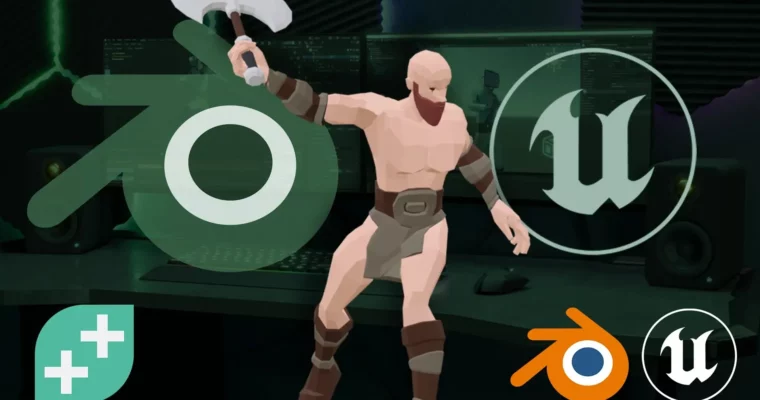
From Blender to Unity. Game-Ready Assets, Characters and Animation by Stephen Woods

Duration:3.5 hrs
Actual Duration:2h 14m
Release date:2025, July
Publisher:GameDev.tv
Skill level:Intermediate
Language:English
Exercise files:Yes
Software:Blender, Unreal Engine
Course URL:https://gamedev.tv/courses/blender-to-unreal
Master a fast, frustration-free workflow for exporting Blender models, textures, and animations into Unreal Engine — clean, optimised and game ready.
🎯 What you’ll learn
- Export static Blender assets into Unreal with properly baked textures and normal maps.
- Build optimized assets using custom Level of Detail (LOD) setups.
- Rig characters in Blender using the free Rigify add-on.
- Animate characters with control rigs using Blender’s Non-Linear Animation Editor.
- Export individual character actions for use directly inside Unreal Engine.
- Choose the best file formats and import/export settings for a flawless pipeline.
✅ Requirements
- Skills: Basic familiarity with Blender’s interface and navigation.
- Tools: Blender (free), Unreal Engine (free), a 3-button mouse.
- Hardware: A computer capable of running Blender and Unreal Engine (dedicated GPU recommended).
📝 Description
Got amazing Blender models but no idea how to get them working inside Unreal? You’re not alone — and this course is here to fix that.
In just a couple of hours, you’ll learn a clean, frustration-free workflow for exporting static assets, rigged characters, and animations straight into Unreal Engine. No more wrestling with bad exports or broken rigs.
The course kicks off with static assets — you’ll learn how to prepare your models, bake textures directly in Blender, and set up Level of Detail (LOD) models for performance. Then it’s on to characters: you’ll rig using the free Rigify add-on, create animations with Blender’s Non-Linear Animation Editor, and export individual actions into Unreal. Finally, you’ll tackle simulations — rigid body, soft body, and cloth — so even your dynamic objects make the jump cleanly.
Stephen Woods walks you through every step, explaining the exact file formats and settings you need. By the end, you’ll have a repeatable pipeline you can trust for your own projects.
🧑🎓 Who this course is for
- Artists and devs who want to use their own models in Unreal Engine.
- Indie creators looking to level up their game development pipeline.
- Anyone tired of relying on premade assets and ready to bring their own creations to life.
🧑🏫 About the Author
Stephen Woods has been creating 3D art since 2005, starting with 3DS Max while studying Film-craft and Animation. He later moved through Maya and Lightwave during a degree in Computer Animation. After a career break to be a stay-at-home dad, he discovered Blender and transitioned to it as his primary production tool. Stephen also holds a second degree in Computing and IT with Design, where he focused on Python, Java, and C#. He now teaches Blender full-time with GameDev.tv, creating courses that help artists level up their 3D skills for games, illustration, and animation.
🏁 Final Result
- A complete, repeatable pipeline for exporting Blender assets into Unreal Engine.
- A portfolio-ready project demonstrating static models, rigged characters, animations, and simulations working inside Unreal.
 Channel