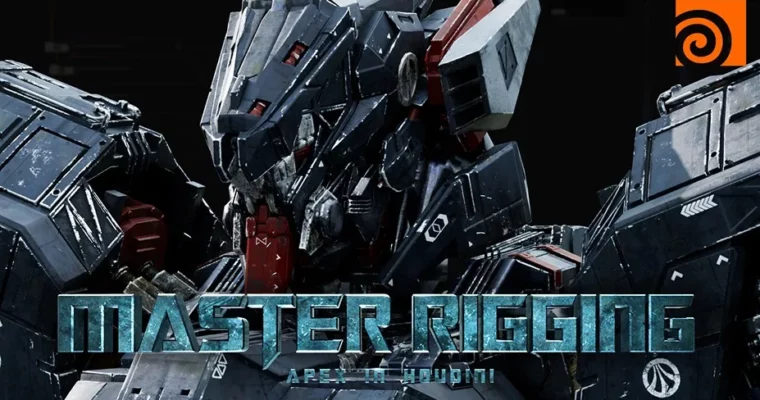
Master Rigging APEX in Houdini by Mizuki Yamada

Duration:13 hr • 40 Lessons
Actual Duration:13h 9m
Release date:2025, August
Publisher:Double Jump Academy
Skill level:Advanced
Language:English
Exercise files:Yes
Software:Houdini, APEX, Substance Painter, Nuke, Maya, Solaris, Karma
Course URL:https://www.doublejumpacademy.com/workshops/master-rigging-apex-in-houdini
This workshop is for artists who want to tackle procedural rigging in Houdini but never had a cool project to push them. ILM artist Mizuki Yamada walks you through rigging a transforming robot using APEX, Houdini’s modern rigging framework. You’ll go from basic APEX examples to a fully functional robot rig, then animate it, build a terrain, and render the whole thing in Solaris and Karma. It’s a complete production pipeline, not just a rigging tutorial.
🎯 What you’ll learn
- Rig a complex transforming robot using Houdini’s APEX framework
- Create FK, IK, and Lookat components for full control over robotic characters
- Optimize geometry and set up proper naming conventions for rigging
- Animate complex transformations between robot, jet, and weapon forms
- Build a terrain environment using heightfields and scatter trees
- Light, lookdev, and render your scene in Solaris and Karma
- Composite your final shots in Nuke
✅ Requirements
- Skills: Prior knowledge of VEX and VOPs in Houdini. Basic understanding of rigging terminology.
- Tools: Houdini (Apprentice or higher), Nuke (Non-commercial or higher), Substance Painter (optional, materials provided)
- Hardware: Minimum 16GB RAM, dedicated GPU with 4GB+ VRAM, 3-button mouse
📝 Description
This isn’t a beginner’s course. Mizuki assumes you already know your way around Houdini’s node graph and have some experience with VEX and VOPs. What you might not have is a reason to dive into APEX — Houdini’s procedural rigging system that’s been quietly changing how character rigs are built.
The workshop kicks off with simple examples to get you comfortable with APEX’s core concepts. You’ll rig a basic robotic arm, then immediately apply those skills to a complex transforming robot. The real meat comes in weeks 3 and 4, where you’ll build FK, IK, and Lookat components using the APEX autorigcomponent node. Mizuki breaks the robot into manageable sections — arms, legs, head, torso — so you’re never overwhelmed.
What sets this course apart is the full pipeline approach. Once the rig is done, you’re not just left with a static file. You’ll animate the transformation between robot, jet, and weapon forms. Then you’ll build a terrain environment using heightfields, scatter trees, and export everything into Solaris for lighting and rendering with Karma. Finally, you’ll composite your shots in Nuke. There’s even a bonus video on creating a VFX breakdown effect.
The teaching style is practical and hands-on. Mizuki doesn’t waste time on theory for theory’s sake. Every concept is tied directly to making your robot look and move better. You’ll learn how to manipulate matrices, use attribute VOPs for joint orientation, and efficiently group geometry for animation. By the end, you’ll have a portfolio-ready shot of a transforming robot in a full environment.
🧑🎓 Who this course is for
- Intermediate to advanced Houdini artists who want to learn APEX for rigging
- Riggers and technical artists looking to expand into procedural workflows
- CG generalists who want a complete production pipeline experience
- Artists interested in robotic character rigging and transformation animation
🧑🏫 About the Author
Mizuki Yamada is a CG generalist currently working at Industrial Light & Magic. He started his CGI journey at the Vancouver Institute of Media Arts in 2021, then joined Framestore as an Environment Artist. At ILM, his duties include modeling, texturing, and general technical support for the team. He has a passion for large-scale environments and highly detailed mech models, and his personal projects often push the boundaries of what seems achievable in Houdini.
🏁 Final Result
- A fully rigged, transformable robot character with a complete animation sequence
- A rendered shot of the robot in a custom terrain environment, lit and composited in Nuke
- A VFX breakdown video effect showcasing the transformation
 Channel