Into to Zbrush by Vijay Pratap Singh

Actual Duration:10h 40m
Release date:2023
Publisher:Zart OnlineMasterClass
Skill level:Beginner
Language:English
Exercise files:Yes
Software:ZBrush, Substance Painter, KeyShot, Photoshop
Course URL:https://zartonlinemasterclass.com/master-character-course
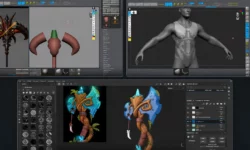
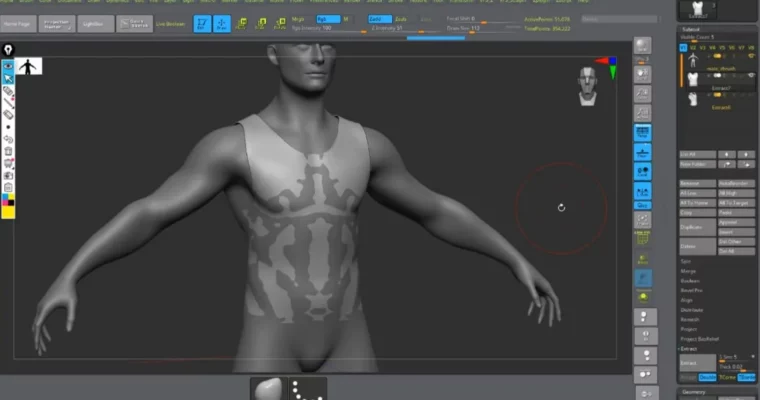
If ZBrush always looked intimidating, this intro track fixes that. You start with navigation and brushes, then move straight into real sculpts – blockouts, muscles, hard-surface bits, and a simple render to show it off.
🎯 What you’ll learn
- Navigate the ZBrush UI, brushes, and essential sculpting workflow
- Build a clean anatomy blockout with correct proportions
- Sculpt muscle groups and organic forms with control
- Combine hard-surface and organic sculpting techniques
- Prep your sculpt for texturing and rendering in Substance Painter, KeyShot, and Photoshop
✅ Requirements
- Skills: No prior 3D experience needed, basic computer skills are enough
- Tools: ZBrush installed, drawing tablet recommended, stable internet for live classes
- Hardware: PC or laptop capable of running ZBrush, 8GB RAM minimum, 16GB recommended
📝 Description
This is a hands-on intro, not a button-tour. You open ZBrush on day one and start pushing clay. Vijay walks through interface, navigation, and brushes the way you would actually use them on a job – fast, practical, no fluff.
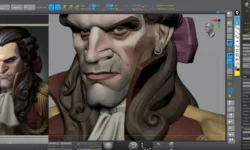
From there you get into anatomy blockout and muscle. You learn to see big shapes first. Skull, ribcage, pelvis. Then how muscles sit on top. It is rough at first, and that is the point. You fix proportion early so you do not fight it later.
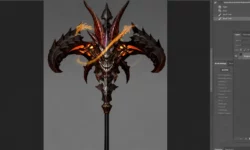
Then you switch gears to hard-surface sculpting mixed with organic work. Think armor plates on a creature, or props on a character. You will use masking, polish, and trim brushes to get clean edges without leaving sculpt mode.
Last part covers the finish. Basic Substance Painter texturing, tweaks in Photoshop, and a clean KeyShot render. Plus you get two ways to learn: live classes on Meet / Skype / Teams for real-time notes, and recorded modules with weekly drops and feedback sessions.
🧑🎓 Who this course is for
- Total beginners who want a clear start in ZBrush without getting lost
- 2D artists and students moving into 3D character work
- Hobbyists and junior artists who need structure and live feedback on their sculpts
🧑🏫 About the Author
Vijay Pratap Singh is Co-Founder, Art Director, and Mentor at Zart OnlineMasterClass and Zart Academy. He works in character creation day to day and spends most of his time reviewing student sculpts and fixing anatomy, form, and presentation issues.
His teaching style is direct and production-focused. Expect live corrections, clear demos, and notes you can apply right away to your portfolio pieces and sculpting workflow.
🏁 Final Result
- A finished introductory character sculpt with clean blockout, muscle definition, and a simple KeyShot render ready for portfolio or ArtStation
 Channel