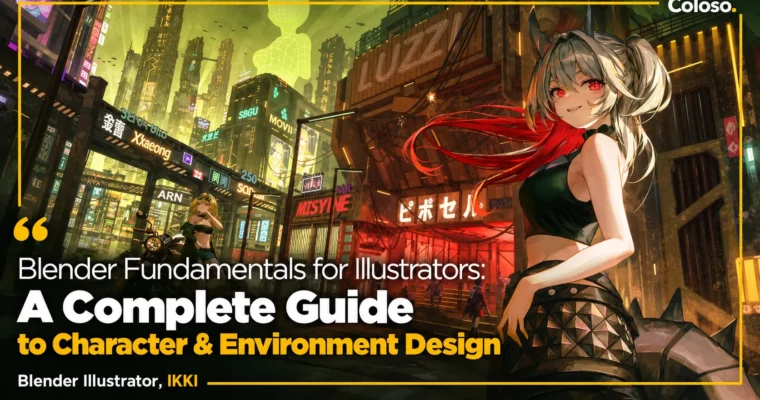
Blender Fundamentals for Illustrators – A Complete Guide to Character & Environment Design by IKKI

Duration:18Hours 32Minutes
Actual Duration:37h 2m
Release date:2026, April 4
Publisher:Coloso
Skill level:Advanced
Language:English
Exercise files:Yes
Software:Blender, Unreal Engine, Photoshop, Daz Studio
Course URL:https://coloso.global/en/products/blenderillustrator-ikki-us
If you can draw characters but freeze up on backgrounds, this class is for you. IKKI shows you how to use Blender and Unreal Engine as illustration tools — not as full 3D jobs — so you can block out perspective, lighting, and scale fast, then paint two finished pieces over the top.
🎯 What you’ll learn
- Use Blender Object Mode and Edit Mode for illustration backgrounds only
- Model simple props and spaces: vending machines, convenience stores, pools, factories
- Build artificial and natural assets with particles and Geometry Nodes
- Use essential add-ons like BoxCutter, Cablerator, and external assets
- Set up dummy characters with Daz Studio and Adobe Mixamo for scale and poses
- Light and render backgrounds in Unreal Engine 5 for illustration use
- Paint over 3D renders in Photoshop: background, middle ground, foreground
- Balance 2D characters with 3D backgrounds through composition, perspective, and values
- Complete full workflow from rough sketch to correction for medieval fantasy and sci-fi pieces
✅ Requirements
- Skills: Basic character drawing skills, basic understanding of Photoshop layers
- Tools: Blender 3.6+, Unreal Engine 5.0+, Adobe Photoshop 2024, Daz Studio 4.22, drawing tablet
- Hardware: Minimum 16GB RAM, dedicated GPU for Unreal Engine 5 rendering, 3-button mouse
📝 Description
This isn’t a general Blender course. It’s Blender stripped down to what illustrators actually use. No endless modeling theory. You learn Object Mode, Edit Mode, and a repeatable setup for props and rooms, then you move straight into making pictures.
The structure is simple and practical. You start with small everyday spots — a vending machine, a convenience store, a hotel pool, an abandoned factory. Each one teaches you one new trick: UV Editor basics, reusing assets, composing a space, working from the Asset Browser. Then you tackle buildings, terrain, and test tubes with particles, Geometry Nodes, and add-ons. By week three, the tools stop feeling big.
Then comes the part that matters for work. IKKI takes you through two full illustrations from zero: one medieval fantasy, one cyberpunk sci-fi. Rough sketch, asset build, arrangement in Blender, lighting and render in Unreal Engine 5, then paintover in Photoshop with PSD layers. You learn how to split background, middle ground, and foreground, push depth, fix light and shadow on characters, and make 2D and 3D sit together without that pasted-on look.
What makes it stick is the focus on real illustrator problems. How to pick composition that shows off the character. How to lock perspective without redrawing it ten times. How to use values and lighting from the 3D render as a guide instead of guessing. If you’ve been avoiding backgrounds or spending hours hunting references, this gives you a faster way to just build what you need.
🧑🎓 Who this course is for
- Illustrators who can draw characters easily but struggle with backgrounds
- Illustrators who find full 3D tools stressful and want a lean, art-focused workflow
- Illustrators who want to broaden their range and draw large-scale scenes with characters
🧑🏫 About the Author
Hi, I’m IKKI, a freelance illustrator and instructor at Fevercell Academy. I work mostly in game illustration, where characters have to live inside believable worlds.
You’ve probably seen my work without knowing it — key visuals for Nexon’s Blue Archive, anniversary art for HoYoverse’s Honkai: Star Rail, plus projects for Hololive EN/JP, Shift Up’s Goddess of Victory: Nikke, Arknights, Duel Night Abyss, OVERDOX, and Stellar Fantasy. My thing is balance: characters that pop, but grounded in backgrounds with real scale and light. In this class I share that exact pipeline, from Blender blockout to final paint, the way I use it on client jobs.
🏁 Final Result
- 7 mini-exercises: vending machine, convenience store, hotel swimming pool, abandoned factory, building, terrain, and test tube scenes built in Blender
- 2 finished portfolio illustrations — one medieval fantasy and one sci-fi cyberpunk — with 2D characters integrated into 3D-based backgrounds, from rough to final correction
📢 Guys, this is a Group Buy campaign, check the GBC forum thread to get access
You can find the course preview in the download section below.
 Channel