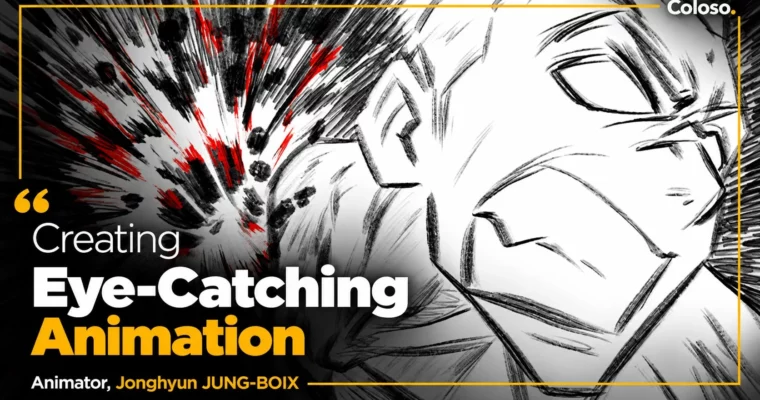
Creating Eye-Catching Animation by Jonghyun JUNG-BOIX

Duration:14Hours 17Minutes
Actual Duration:28h 34m
Release date:2023
Publisher:Coloso
Skill level:Advanced
Language:Korean
Exercise files:Yes
Software:TVPaint, Maya
Course URL:https://coloso.global/en/products/2danimation_jungjonghyun_us
If your action feels floaty, this class will fix it. Jonghyun JUNG-BOIX shows how he builds nail-biting fight scenes for games and film, using timing and spacing, camerawork, and 2D FX to sell weight and speed. You will plan, block, and polish a full fight you can drop straight into your reel.
🎯 What you’ll learn
- Control timing and spacing to make hits feel fast and readable
- Adjust tempo based on distance, resistance, and dramatic effect
- Build dynamic poses with line of action and body mechanics
- Use smear, blur, and speed lines to sell extreme motion
- Stage action and reaction to deliver real force
- Create impact frames and explosion effects
- Add and time shaky cam for heavy hits
- Animate with fixed, sliding, full hand-drawn, and 3D backgrounds
- Plan a fight scene from layout and choreography to tie-down and polish
✅ Requirements
- Skills: Basic understanding of human anatomy and animation fundamentals
- Tools: TVPaint 11 (Toon Boom Harmony, Adobe Animate, CLIP STUDIO PAINT also work), drawing tablet
- Hardware: PC or Mac capable of running 2D animation software
📝 Description
This is not a button-pushing software class. It starts with the Gobelins-style basics: how timing and spacing, tempo, and distance actually read on screen. You will do focused drills on spacing, poses, and sword-fight smears until fast motion looks sharp instead of mushy.
Then it gets physical. Jonghyun breaks down how the body really moves in a kick, a landing, or a parkour turn, and how to pick key poses that show direction of force. You will learn when to use smear frames, speed lines, and background tricks to cheat speed without losing clarity.
Impact is where most action dies. He shows you how to stage action and reaction, hold that one crazy impact frame, and layer 2D FX like smoke, wind, and debris only after the kinetics are solid. Plus how to time a shaky cam so it adds punch instead of noise.
Last stretch is all camera and production. Fixed background, sliding background, full hand-animated camera, and blending 2D character animation over a 3D background in Maya. You finish by taking a fight from layout and choreography through rough, tie-down, polish, impact, and FX — the same six steps he uses on real jobs.
🧑🎓 Who this course is for
- Intermediate 2D / 3D animators who know the basics but their action still feels weak or slow
- Animators who want to direct, storyboard, or cut game trailers and anime-style fight scenes
🧑🏫 About the Author
Jonghyun JUNG-BOIX graduated from Gobelins in Paris in 2014 and now runs ANIONE WORKS as animation director, where he is directing an original short film. He has spent 7+ years working in France, Canada, Japan, and beyond across 2D animation, 3D animation, and FX, and he trains like he animates — taekwondo, parkour, trekking — to get movement right.
His credits include Minions, Sing, Assassin’s Creed Syndicate, Apex Legends animatics, Arcane, Final Fantasy VII Remake, Kingdom Hearts 3, and Song of the Sea. He has worked with Illumination, Ubisoft Montpellier, Fortiche, Square Enix, MPC, and MAPPA as a CG animator, supervisor, and 2D concept artist.
🏁 Final Result
- A finished 2D fight scene short — from layout and rough blocking to tie-down, polish, impact frames, shaky cam, and 2D FX — ready for your demo reel.
📢 Guys, this is a Group Buy campaign, check the GBC forum thread to get access
You can find the course preview in the download section below.
 Channel