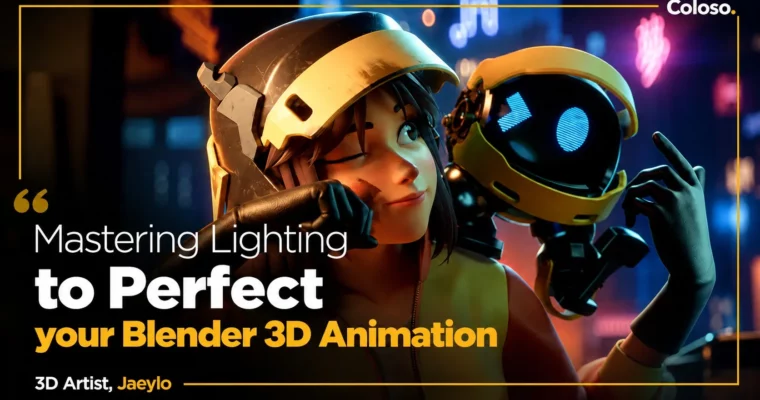
Mastering Lighting to Perfect Your Blender 3D Animation by Jaeylo

Duration:44 h 41 m
Actual Duration:89h 41m
Release date:2024, March 29
Publisher:Coloso
Skill level:Intermediate
Language:English
Exercise files:Yes
Software:Blender
Course URL:https://coloso.co.kr/products/dictionary-jaeylo
You know the basics of Blender but your renders still feel flat. This class fixes that by making you finish three full animations — SD, North American style, and cyberpunk — and lighting each one for story, not just visibility.
🎯 What you’ll learn
- Plan a short animation from reference, concept art, and blocking to final render
- Model and sculpt stylized characters, retopologize, and build hair with curves, particles, and Geometry Nodes
- Rig fast with Mesh Deform, Rigify, Auto-Rig Pro, constraints, drivers, and shape keys
- Shade with procedural nodes and image textures, including baking and normal maps
- Animate natural loops, walks, acting, and cloth with simulation and caching
- Light 8 moods — underwater, daylight, sunset, warm interior, night city, dawn, artificial, and rim/volume — in Cycles
- Composite, denoise, add custom lens effects, and render animation-ready shots
✅ Requirements
- Skills: Basic Blender UI navigation and basic understanding of 3D space
- Tools: 3-button mouse, Blender 3.3 or higher (class uses Blender 4.0)
- Hardware: Minimum 16GB RAM, dedicated GPU recommended for Cycles rendering and simulations
📝 Description
Most people obsess over modeling and texturing and treat light as an afterthought. That is why shots look okay but feel empty. This class flips it. You build the whole thing — storyboard to compositing — but every decision points toward one question: what should the viewer feel here?
You don’t just watch theory. You make three very different shorts. A cute SD diver who finds a creature underwater. A cozy North American-style living room where a girl wakes her dad. A cyberpunk girl watching the city with a robot. Same Blender, totally different problems to solve.
The lighting part is super practical. Eight setups total: underwater, indoor, daylight, sunset, night city, warm light, dawn, and artificial lights. You will use Cycles, Blackbody color, volumetrics for light shafts, Render Layers for smoke, and simple custom lens tricks. Same scene, different light — completely different story. Once you see that, you can’t unsee it.
Character work is also no one-trick pony. You get poly modeling, sculpting, retopology, curve hair, particle hair, Geometry Nodes hair, hard-surface helmets and robots, procedural + image shading, and rigging with Rigify, Auto-Rig Pro, Mesh Deform, and IK constraints. The idea is simple: pick the right tool for the style instead of forcing one workflow on everything.
🧑🎓 Who this course is for
- You know basic theory but get stuck trying to finish a 3D video on your own
- Your work feels 2% off and you want to control mood freely with lighting
- You have ideas in your head and want to turn them into finished Blender shorts
🧑🏫 About the Author
Jaeylo is a freelance 3D artist running the YouTube channel ‘jaeylo 잴로’, where he breaks down Blender in Korean because good local resources were hard to find. He learned mostly self-taught over several years, focusing on lighting, shooting techniques, and color theory for mood. He contributed animation to ‘Rising Kingdom’ for 11M-subscriber YouTuber Captain Sparklez. In this class he shares his full process from planning to final composite, with a heavy focus on lighting you can reuse on client work.
🏁 Final Result
- Three finished portfolio animations: SD underwater diver loop, North American-style interior day/sunset short, and cyberpunk night-city short with robot, plus four standalone lighting studies for warm light, dawn, artificial light, and underwater.
📢 Guys, this is a Group Buy campaign, check the GBC forum thread to get access
You can find the course preview in the download section below.
 Channel