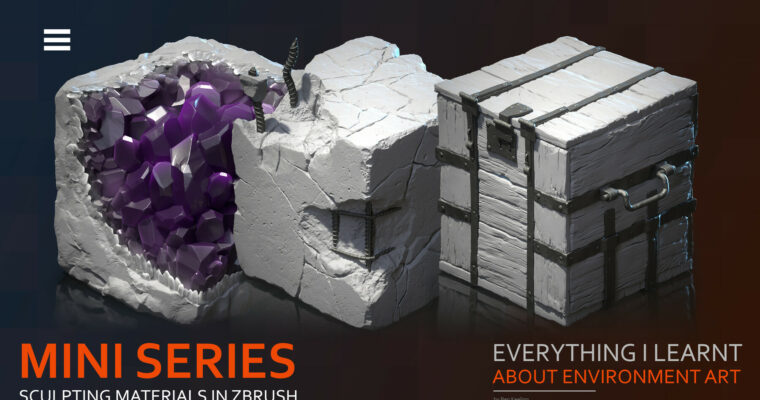
Everything I learnt about Environment Art – Mini Series – Sculpting Materials in Zbrush by Ben Keeling

Actual Duration:5h 46m
Release date:2025, June
Publisher:Artstation
Skill level:Intermediate
Language:English
Exercise files:Yes
Software:ZBrush, Substance Designer, Blender
Course URL:https://www.artstation.com/blogs/benkeeling/1ZY2n/everything-i-learnt-about-environment-art-part-2
Ben Keeling, a Principal Environment Artist at Respawn, breaks down his professional workflow for creating materials and shaders. This isn’t theory—it’s the exact pipeline he uses on shipped titles, covering ZBrush Atlas creation, tiling textures, and Substance Designer integration.
🎯 What you’ll learn
- Create tiling textures and Atlas maps in ZBrush.
- Build production-ready materials using Substance Designer.
- Understand the different types of shaders used in professional environment art.
- Integrate ZBrush sculpts into a material pipeline.
✅ Requirements
- Skills: Intermediate knowledge of ZBrush and Substance Designer.
- Tools: 3-button mouse, drawing tablet.
- Hardware: Minimum 16GB RAM, dedicated GPU.
📝 Description
This tutorial is a straight-to-the-point breakdown of how a principal environment artist builds materials and shaders for real projects. Ben Keeling doesn’t waste time on basics—he jumps straight into ZBrush for Atlas and tiling texture creation, then moves into Substance Designer to build out the final materials.
The shader section is particularly valuable. Ben covers the different types of shaders he uses in his professional and personal work, giving you a practical framework for your own projects. If you’ve ever wondered how to bridge the gap between sculpting in ZBrush and a final, game-ready material, this is the tutorial for you.
🧑🎓 Who this course is for
- Environment artists looking to improve their material and shader workflow.
- Intermediate ZBrush users wanting to learn production tiling techniques.
- Artists interested in the professional pipeline used at studios like Respawn.
🧑🏫 About the Author
Ben Keeling is a Principal Environment Artist and Instructor at Respawn Entertainment. With years of experience shipping AAA titles, he brings a no-nonsense, production-focused approach to his tutorials. His work is defined by a deep understanding of both the artistic and technical sides of environment art.
🏁 Final Result
- A solid understanding of how to create tiling materials and shaders using a professional pipeline.
- Practical knowledge of ZBrush Atlas creation and Substance Designer integration.
 Channel