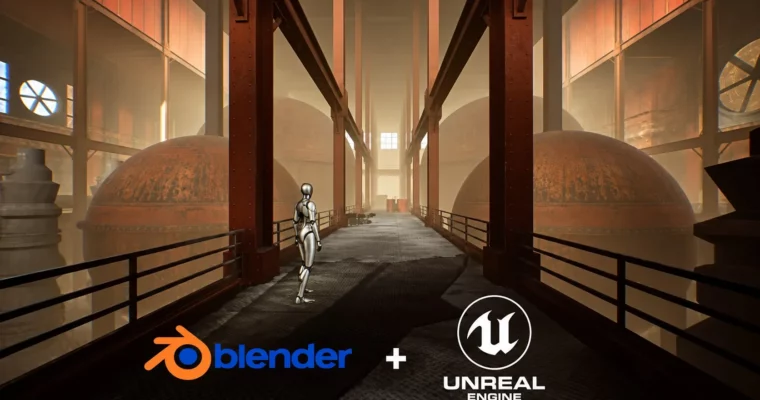
Unreal Engine 5 + Blender Environment Design For Beginners by Alireza Emami

Duration:6.5 hours on-demand video
Release date:2025, March
Publisher:Udemy
Skill level:Beginner
Language:English
Exercise files:Yes
Software:Blender, Unreal Engine 5
Course URL:https://www.udemy.com/course/unreal-engine-5-blender-environment-design-for-beginners
Want to build game environments but don’t know where to start? This one walks you through a full factory interior, from first sketchy idea to finished, lit scene, using only basic tools in Blender and Unreal Engine 5.
🎯 What you’ll learn
- Think like an architect and plan an environment from big picture to details
- Use Blender basics and core modeling tools for environment work
- Model modular assets for fast and reusable environment building
- Export FBX from Blender and import into Unreal Engine 5 correctly
- Navigate Unreal Engine 5 basics and place assets in a level
- Build out a factory interior with columns, beams and set dressing
- Work with materials, material instances and Quixel / Fab textures
- Set up basic lighting to sell scale and mood
- Add props, decals and Post Process effects for final polish
✅ Requirements
- Skills: No prior experience in environment design, Blender or Unreal Engine 5 needed, basics are covered from zero
- Tools: Blender, Unreal Engine 5, 3-button mouse
- Hardware: Dedicated GPU for Unreal Engine 5, minimum 16GB RAM recommended
📝 Description
Staring at an empty level is the worst part. This course fixes that by starting with how you think, not what buttons you press. You will learn a few simple design frameworks for planning space, scale, and flow, then turn a loose idea into a clear blockout you can actually build from.
From there it’s all practical. In Blender you get just enough basics to move fast – navigation, modeling tools, cleanup – then you block out the factory and model a small kit of modular assets. Walls, supports, pipes, that kind of stuff. Then you cover UV mapping only as much as you need for tiling materials, and export everything as FBX without the usual scale and pivot headaches.
In Unreal Engine 5 you put the kit to work. You will import your FBX files, place them in the level, and stack columns, beams and wall pieces to grow the factory interior. It’s a fast, agile loop: place, duplicate, vary, fill gaps. No fancy sculpting, no complex systems. Just smart reuse of simple parts to get a big, believable space.
The last stretch is where it starts to look good. You will work with materials and material instances, pull in textures and Quixel / Fab materials, assign them cleanly, then light the scene for mood and readability. Add props, decals, dirty glass, light fixtures and Post Process effects, and suddenly those gray boxes feel like a real working factory.
🧑🎓 Who this course is for
- Beginners in 3D and Unreal Engine who want to learn environment design from scratch
- Aspiring game developers who want to build game-ready interiors for first or third-person games
- Indie creators who need a fast, efficient way to build levels with a small asset kit
- Students and hobbyists exploring game development as a career or side project
- Programmers who want to pick up the artistic side and dress their own prototypes
🧑🏫 About the Author
Alireza Emami teaches beginner-friendly workflows for Blender and Unreal Engine 5 with a focus on practical environment design. His approach skips heavy theory and sticks to what gets a scene done: blockout, modular modeling, and efficient level assembly. Good fit if you want clear steps and a finished result you can show.
🏁 Final Result
- A finished factory interior environment built from your own modular Blender kit, fully assembled, textured, lit and polished in Unreal Engine 5 – ready to record or put in a portfolio.
 Channel