Introduction to Toon Boom Harmony for Animation of 2D Characters by Pedro Alpera

Actual Duration:4h 30m
Release date:2018, August
Publisher:Domestika
Skill level:Beginner
Language:English
Exercise files:Yes
Software:Toon Boom Harmony
Course URL:https://www.domestika.org/en/courses/224-introduction-to-toon-boom-harmony-for-animation-of-2d-characters
Want to make short loops that actually move well? This course walks you through Toon Boom Harmony from zero to two finished character animations you can post.
🎯 What you’ll learn
- Set up your workspace and preferences for a faster animation workflow
- Work with Node View instead of layers to keep rigs clean
- Build character hierarchies for faces and full bodies
- Rig cut-out characters with bones, curve deformers, and envelope deformations
- Animate smooth looping actions for face, body, and arms
- Use color cards, transfer assets between files, and export optimized loops for social media
✅ Requirements
- Skills: No prior knowledge of Toon Boom Harmony needed, basic familiarity with animation software is helpful
- Tools: Toon Boom Harmony Premium installed, graphics tablet recommended but not mandatory
- Hardware: Computer capable of running Harmony Premium smoothly
📝 Description
This is a hands-on intro, not a button tour. You start by setting up Toon Boom Harmony the way you will actually use it. Preferences, workspace, tools. Then Pedro gets you animating fast with a simple face rig so Node View clicks early.
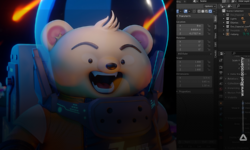
From there you jump into two full projects. First one is an astronaut — or any character you want. You prep the file, add bone deformers, test different rigs, then try curve deformers where stiff bones are not enough. It is all about what bends, what stays solid, and how to keep the hierarchy from turning into a mess.
Second project is a roly poly pill bug. Totally different feel. Here you use envelope deformations for that soft, squashy face and body motion, then layer the arms on top. You learn when to use bones vs. envelopes, and how to stack multiple deformers on the same part without breaking the rig.
To close it out, Pedro covers the unglamorous stuff that saves you later. Color cards for backgrounds, how to move characters and props from one Harmony file to another, and how to export clean, lightweight loops that look good on social. Short lessons, clear examples, stuff you can reuse right away.
🧑🎓 Who this course is for
- Animators, designers, and illustrators who want to add 2D loops to their work
- Anyone starting with Toon Boom Harmony and looking for a practical way into cut-out rigging and character animation
🧑🏫 About the Author
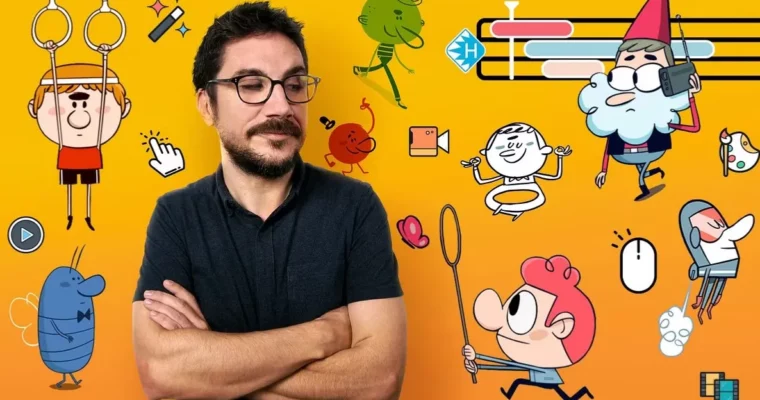
Pedro Alpera is an illustrator and animator focused on short loops and 2D characters. He works in Toon Boom Harmony to design, rig, and animate cut-out characters from start to finish. In this course he shares his day-to-day setup for bones, deformers, and clean exports built for sharing online.
🏁 Final Result
- Two finished 2D animated loops — an astronaut-style cut-out character and a roly poly character — rigged, animated, and exported optimized for social media
 Channel