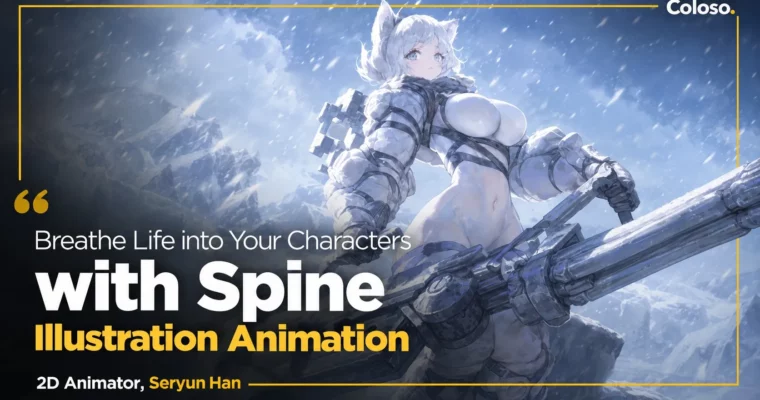
Breathe Life into Your Characters by Spine Illustration Animation by Han Seryun

Duration:23Hours 22Minutes
Actual Duration:46h 44m
Release date:2024
Publisher:Coloso
Skill level:Beginner
Language:Korean
Exercise files:Yes
Software:Spine, Photoshop
Course URL:https://coloso.global/en/products/2danimator-hanseryun-us
Stop settling for stiff, jerky loops. This course takes you from zero in Spine to finished idle animation and acting for both LD and SD characters, with a workflow built for real game production.
🎯 What you’ll learn
- Set up Spine from scratch and work confidently with setup mode, bones, and animation tabs
- Separate illustration parts correctly from large forms down to hair, hands, skirts, and accessories
- Rig characters with bones, meshes, weights, IK, and transform constraints
- Build breathing IDLE animation, then connect it to acting and loop animation
- Plan character personality with storyboards and key poses
- Add lighting with slots and polish timing for natural 2.5D movement
- Animate cute SD characters with dynamic key poses and attachment swaps
✅ Requirements
- Skills: Basic understanding of character illustration and Photoshop layers
- Tools: Spine, Photoshop or any PSD-compatible editor for part separation
- Hardware: PC or Mac capable of running Spine, 3-button mouse recommended
📝 Description
This is a beginner-first Spine class, but it doesn’t stop at buttons and menus. You start with install, interface, and terminology, then jump straight into what actually matters: how bodies move, in what order joints fire, and how to cut your art so it bends without breaking.
Seryun walks you through part separation, bone setup, and mesh and weights step by step. You learn why a shoulder leads and hair follows, how to shape meshes for skirts and sleeves, and how to paint weights so deformations stay soft. Then you build a main bone animation first and layer follow animation on top with offsets and fixes — the same order pros use to avoid that floaty, disconnected look.
From there it gets fun. You review IDLE animation, make simple key poses, connect clips naturally, and add light with slot functions for extra depth. The second half covers full acting: storyboarding personality, posing LD characters, then switching gears to SD characters with bouncy timing, attachment swaps, and 2+ acting keys. Everything is shown in real-time demos, plus you get before/after PSDs and original Spine project files to practice with.
🧑🎓 Who this course is for
- Illustrators who want to add natural movement and personality to their original characters
- Job seekers considering 2D game animator as a career path
- Beginners who want to learn 2D Spine quickly from a practical perspective and finish real illustration animation
🧑🏫 About the Author
Seryun Han is a 2D animator and representative Spine instructor at Fevercell Academy, previously with Neo Scion and Super Creative on Epic Seven TA and new project animation and storyboards. Her outsourcing credits include CookieRun: Witch’s Castle, Devil Book, Counterside, and unreleased CookApps titles.
She is known for working closely with illustrators to keep the original charm while adding tiny, character-selling details — hand gestures, eye direction, breath timing. In this class she teaches that exact system: solid base first, personality on top.
🏁 Final Result
- Finished LD character IDLE + acting loop animation with lighting, plus a complete cute SD character acting animation — both built from separated PSDs to final Spine projects for your portfolio.
📢 Guys, this is a Group Buy campaign, check the GBC forum thread to get access
You can find the course preview in the download section below.
 Channel