Create Realistic Looking Oceans in Blender by Yassine

Actual Duration:1h 48m
Release date:2023
Publisher:Artstation
Skill level:Intermediate
Language:English
Exercise files:Yes
Software:Blender
Course URL:https://www.artstation.com/marketplace/p/yr1yw/create-realistic-looking-ocean-in-blender
This course is the second volume of “The Ultimate Guide to 3D Environments in Blender.” You’ll learn how to create a realistic ocean scene using only Blender’s built-in tools—no third-party plugins required. All project files and resources are included for download.
🎯 What you’ll learn
- Build a photorealistic ocean surface using the Ocean Modifier
- Animate waves and create realistic water movement
- Light and shade a moody, cinematic ocean scene
- Composite multiple render layers for performance
- Add post-processing effects like fog, vignette, and lens distortion
✅ Requirements
- Skills: Basic familiarity with Blender’s interface and navigation
- Tools: A 3-button mouse
- Hardware: Minimum 16GB RAM, a dedicated GPU for rendering
📝 Description
This course is all about practical, hands-on learning. You won’t just watch someone click buttons—you’ll follow along step-by-step to build a complete, cinematic ocean scene.
The process starts with studying real-life references. That’s your guide to achieving a photorealistic result, because it helps you recognize the key features that form oceans and water surfaces. From there, you’ll dive straight into Blender’s Ocean Modifier to generate the water surface, then light the scene to set the mood.
Animation is a big part of the course. You’ll learn how to make waves move realistically and create a camera animation that sells the scale of the ocean. To make the scene feel truly vast, you’ll fill the background with additional water surfaces.
The shader work is where things get interesting. You’ll build a photorealistic ocean shader from scratch, then tweak it to give the illusion of deep water. Fog is added for that moody, atmospheric look.
Rendering a complex scene like this can be tough on your machine. That’s why you’ll learn to break the scene into different layers, render them separately, and then composite everything back together. The final step is adding post-processing effects like vignette, lens distortion, and chromatic aberration to polish the shot.
🧑🎓 Who this course is for
- Blender users who want to specialize in environment and water creation
- Artists looking to build a portfolio-ready, cinematic ocean scene
- Anyone who wants to learn efficient rendering and compositing workflows
🧑🏫 About the Author
Yassine is a 3D environment artist with a focus on realistic natural scenes. He created “The Ultimate Guide to 3D Environments in Blender” series to share his workflow for building photorealistic landscapes using only Blender’s native tools. His teaching style is direct and practical, emphasizing real-world references and efficient techniques.
🏁 Final Result
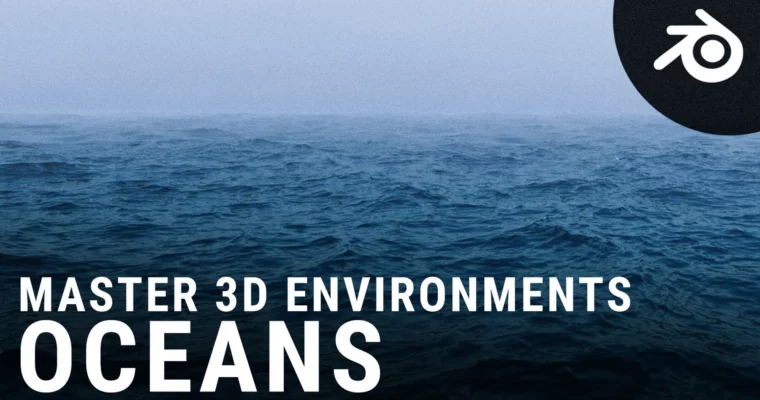
- A fully rendered, moody ocean scene with animated waves, fog, and cinematic post-processing effects, ready for your portfolio.
 Channel